Serial Trigger and Decode 71
7.2.2 SPI Trigger
This section provides a brief introduction for the operation of the SPI trigger.
1. Touch Setup button to enter the TRIGGER function menu.
2. Touch Type and select Serial.
3. Touch Protocol and select SPI.
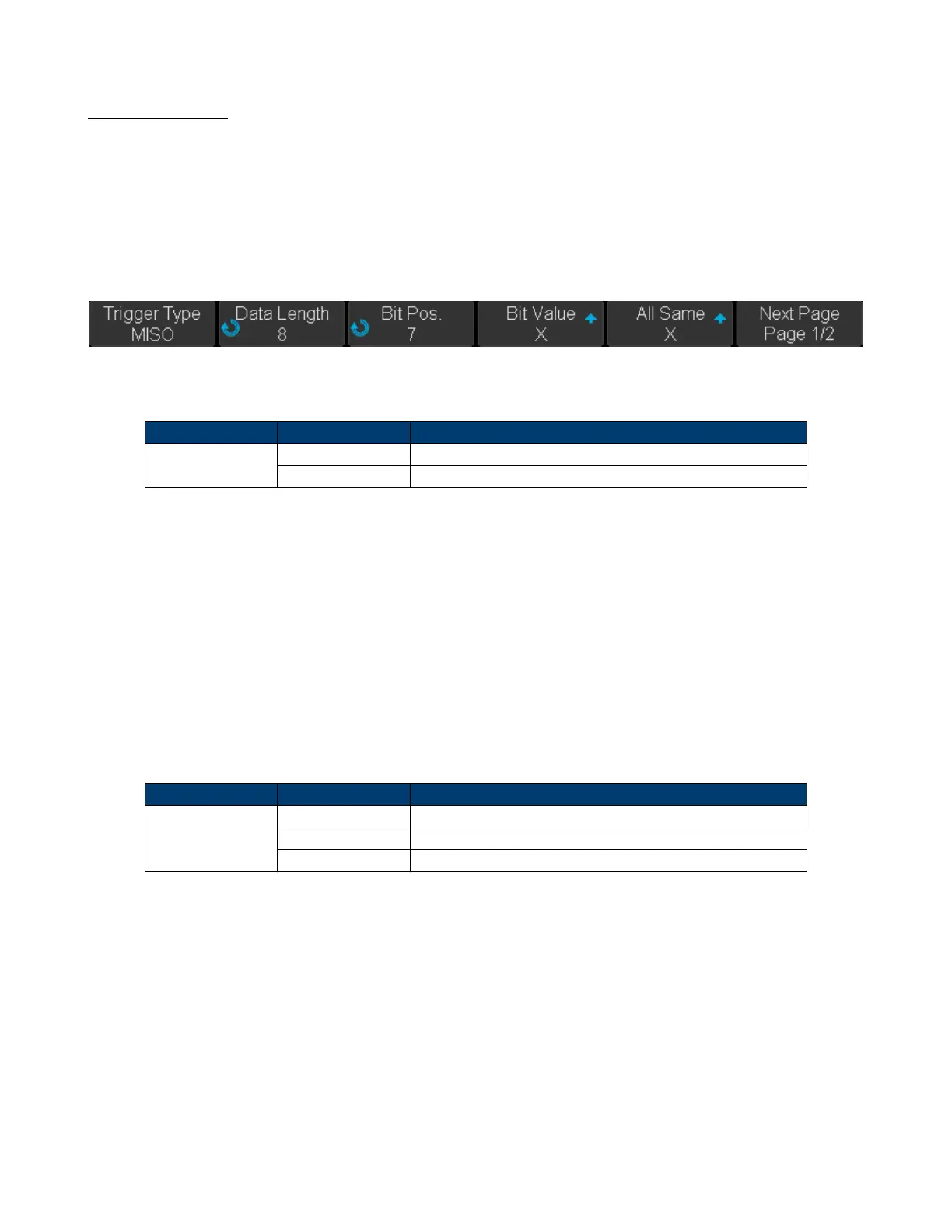
4. Touch Trigger Setting softkey.
Figure 7.15 SPI Trigger Setup Menu
5. Touch Trigger Type to select the trigger condition.
Function Menu Settings Explanation
Trigger Type MISO Master-In, Slave-Out
MOSI Master-Out, Slave-In
Table 7.2 SPI Trigger Type
6. Touch Data Length softkey, and turn the Universal Knob to set the length of a data. The range of data length is 4
to 96 bits.
7. Set the value of the trigger data.
• Set the value of a bit:
a. Touch Bit Roll to select a bit in data.
b. Touch Bit Value to set the value of the selected bit.
• Set the value of all bits:
a. Touch All Same to set the value of all bits.
Function Menu Settings Explanation
Bit Value 0 High voltage level
1 Low voltage level
X Don’t care the voltage level
Table 7.3 SPI Bit Value
8. Touch Next Page softkey.
9. Touch Bit Order to set the bit order (MSB or LSB).













 To Next Page