General Information 14
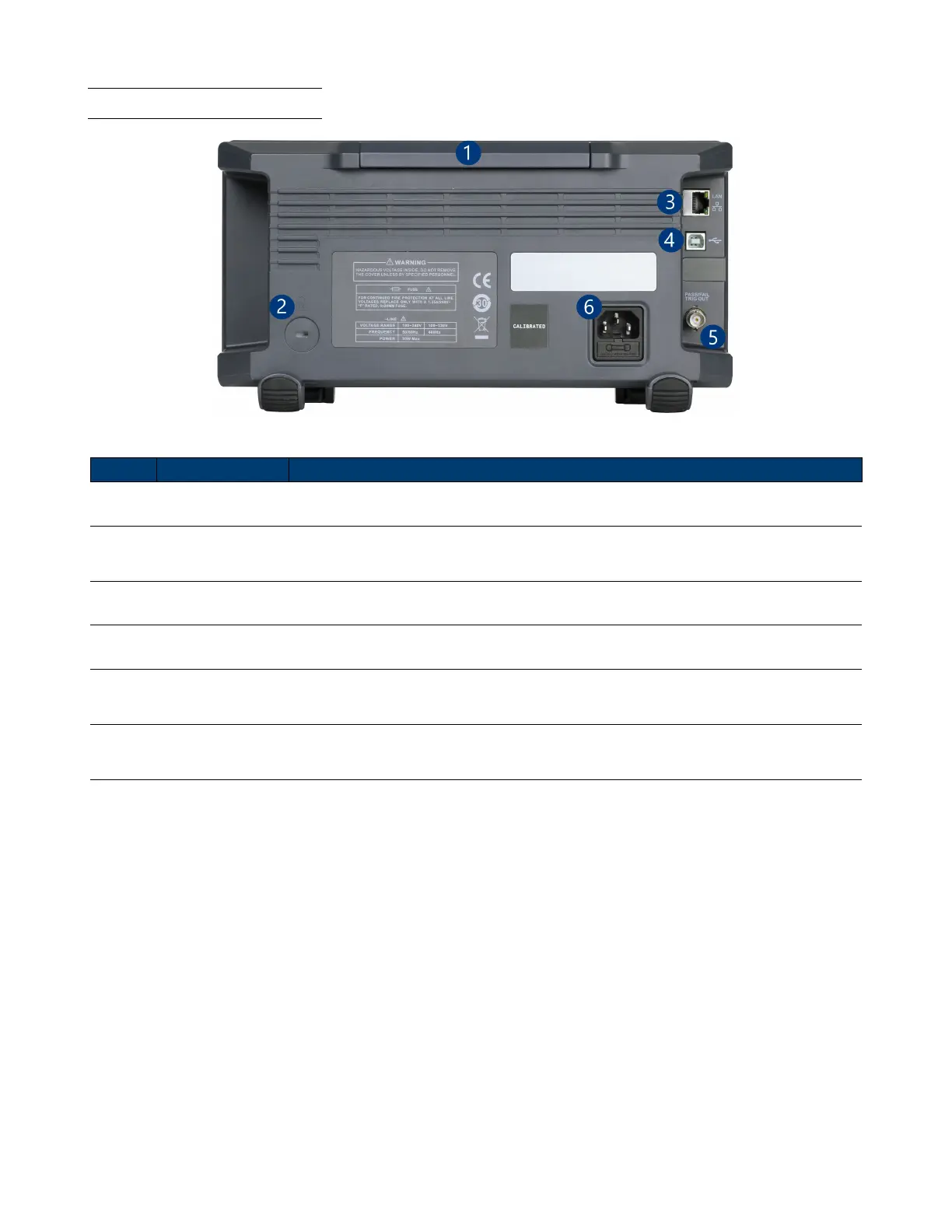
1.6 Rear Panel Overview
Figure 1.5 Rear Panel Overview
Item Name Description
1 Handle Handle for easy carrying of the instrument.
2 Safety Lock Hole
Locks the instrument to a xed location using the security lock via the lock hole.
The lock is not included.
3 LAN Connect an ethernet cable to remotely control the unit over the network.
4 USB Interface Connect a USB type B to type A to remotely control the unit.
5
Pass/Fail or
Trigger Out
Output a signal that reects the current waveform capture rate of the oscilloscope at
each trigger or a pass/fail test pulse.
6
AC Power Input
& Fuse Box
Houses the fuse as well as the AC input .
Table 1.2 Rear Panel













 To Next Page