System Settings 123
14.7 IO Set
The oscilloscope provides the following input output interfaces: USB, LAN, and Auc Output.
14.7.1 LAN
To set the oscilloscope to communicate with PC via LAN:
1. Connect the oscilloscope to your local area network using the network cable.
2. Press the Utility button on the front panel to enter the UTILITY function menu.
3. Press the IO Set softkey to enter the I/O SET function menu.
4. Press the Net Interface LAN softkey to select LAN.
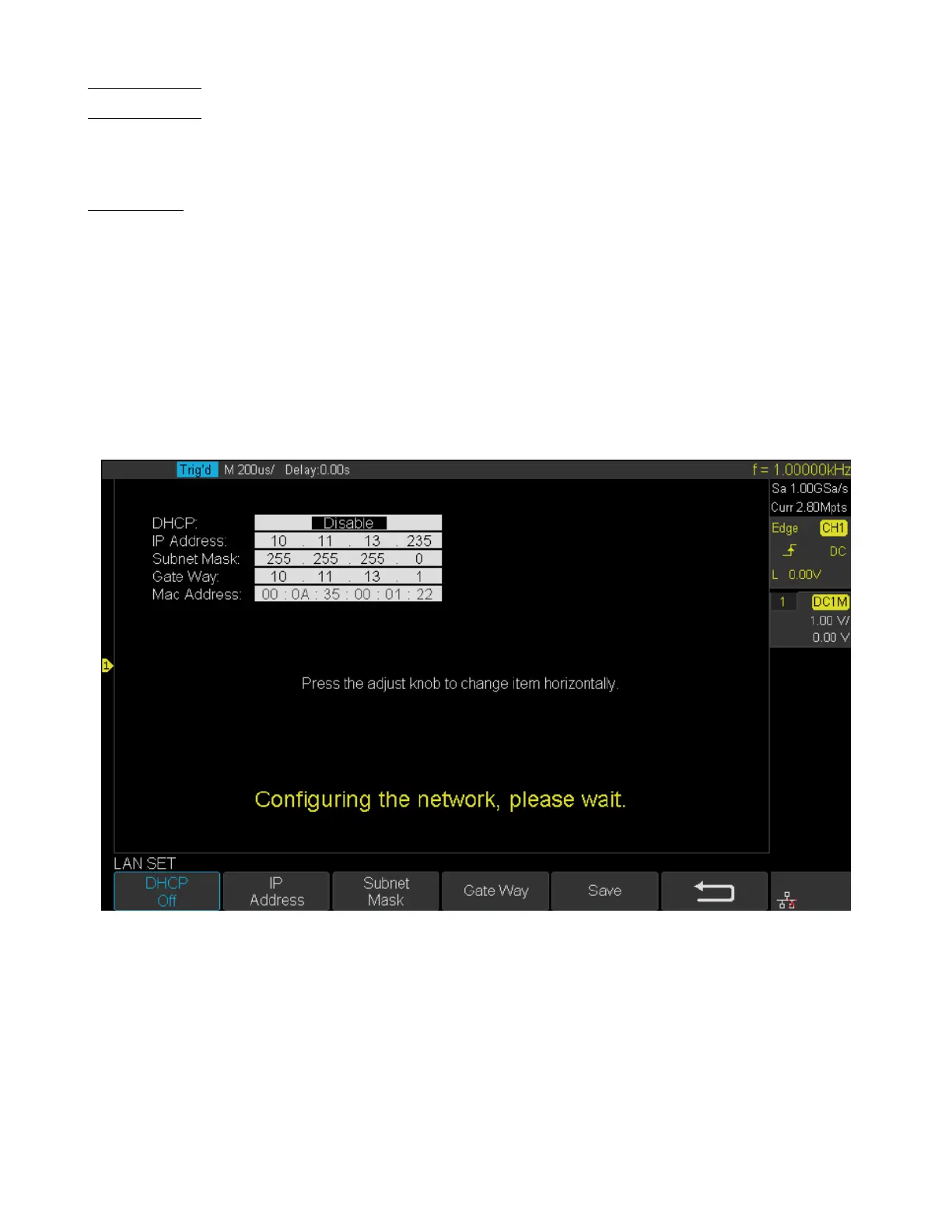
5. Press the IP Set softkey to enter the IP setting interface, see gure 14.4.
6. Press the DHCP softkey to turn on or turn o the DHCP.
Figure 14.4 IP Set
• On: the DHCP server in the current network will assign the network parameters (such as the IP address) for the
oscilloscope.
• O: you can set the IP address, subnet mask, gate way manually.
– Turn the Universal Knob to select the desired value.
– Push the Universal Knob to change item horizontally.
– Press the Save softkey to save the current setting.













 To Next Page