Serial Trigger and Decode 66
7.1.3 I2C Serial Decode
Once the setup for I2C signal and trigger has been completed, the decoding operation must be setup.
1. Touch Decode followed by the Decode softkey.
– Select one of the options from the Decode1 and Decode2.
2. Touch Display and select On to display the result of decoding.
3. Touch Next Page to view page 2/2 of the Decode menu.
4. Touch Format to change the character encoding format of the decoding’s result.
5. Touch List to enter the List menu.
6. Touch Display and choose the Decode option selected in step 2.
7. Touch Lines and set the number of lines by Universal Knob.
– The range of the lines is 1 to 7.
8. Press the to return to the previous menu.
9. Touch Scroll and turn the Universal Knob to view all frames.
Interpreting I2C Decode
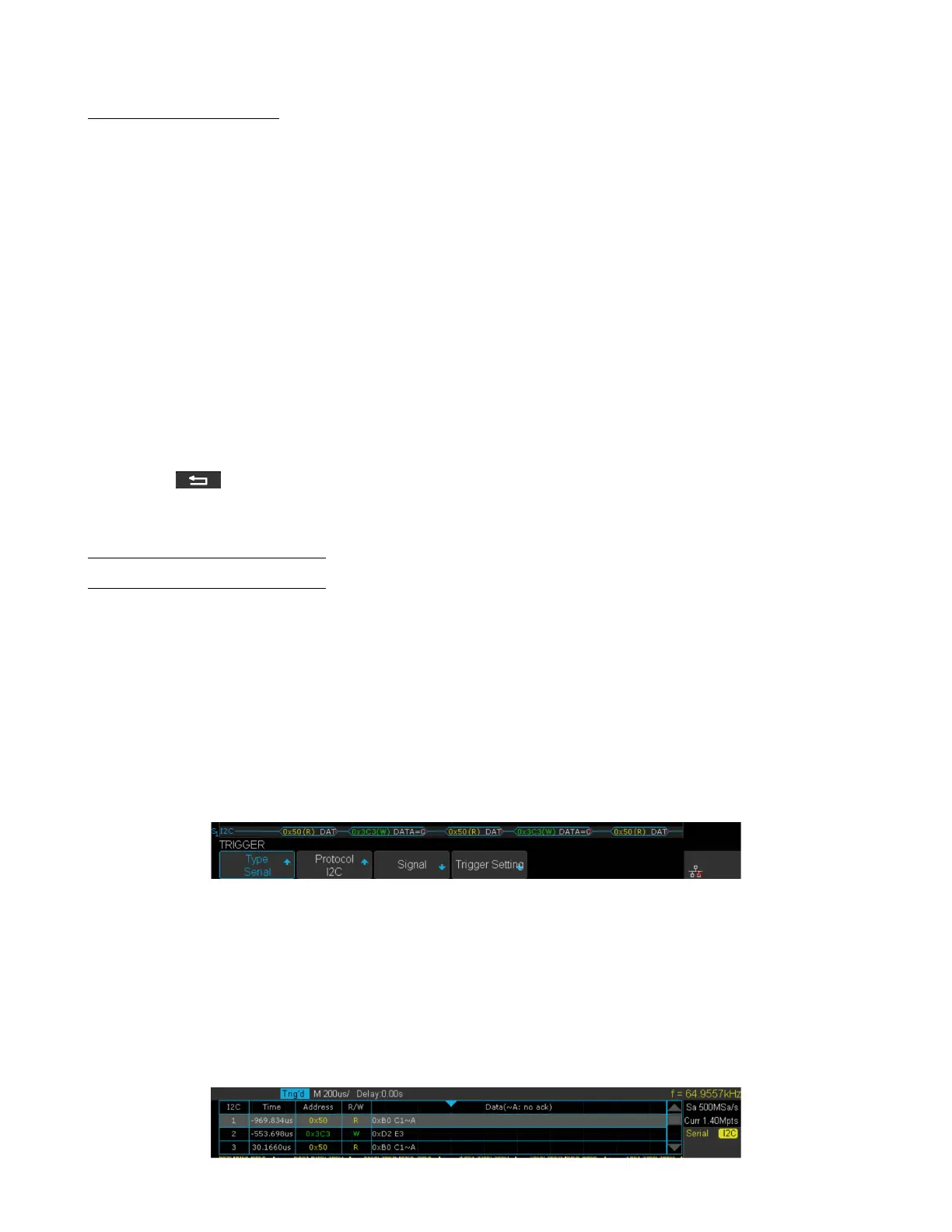
The frames of decoding result:
• The address value is displayed at the beginning of a frame. The write address is displayed in green, and the read
address is displayed in yellow.
• W/R bit is represented by (W) and (R), following the address value.
• The data value is displayed in white.
• "˜A" after a data or address bits indicates no acknowledgement. For example, DB˜A.
• A red dot indicates there is not enough space on the display to show the complete content of a frame.
Figure 7.6 I2C Decode Bus Display
The lists of decoding result:
• Time: The horizontal displacement between current frame and trigger position.
• Address: The address of a frame.
• R/W: The type of a frame (write or read).
• Data: The value of data.
Figure 7.7 Decode List Display













 To Next Page