Getting Started 18
2.3.3 Self-Test
The instrument has 3 self-test option to test the screen ,keyboard, and the LED back light.
To perform the self-test, please refer to the Self Test section for further instructions.
2.3.4 Self-Cal
Self option runs an internal self-calibration procedure that will check and adjust the instrument. To perform the self-
calibration refer to the Self-Calibration section for further instructions.
2.3.5 Check Model and Firmware Version
The model and rmware version can be veried from within the menu system.
To view the model and rmware version:
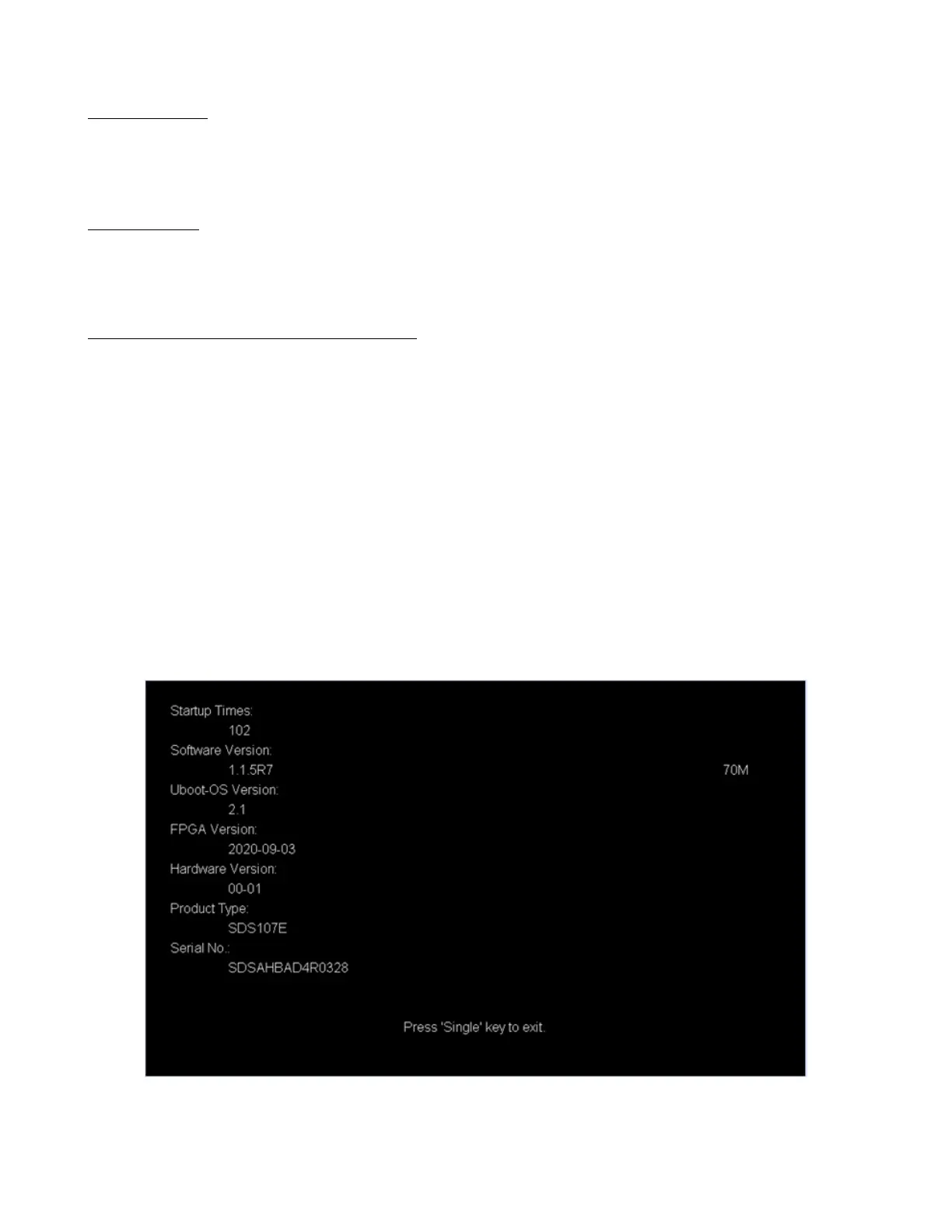
Press the Utility button and use the softkeys to select the System Status option. The following information will be
displayed:
– Startup Times
– Software Version
– Uboot-Os Version
– FPGA Version
– Hardware Version
– Product Type
– Serial NO
Figure 2.2 System Status
Press the Single key to exit.













 To Next Page