System Settings 119
14.4 Sound
When the sound is enabled, you can hear the sound of the beeper when you press a function key or a menu softkey or
when the prompt message pops up.
Press the Utility key on the front panel to enter the UTILITY function menu; then press Sound softkey to select
or to turn on or o the sound.
14.5 Language
The oscilloscope supports multiple language menu, Chinese/English help and prompt messages.
1. Press Utility key on the front panel to enter the UTILITY Function menu.
2. Press the Language softkey; and then turn the Universal Knob to select the desired language. Then push down the
knob to select the language.
The languages that currently available are Simplied Chinese, Traditional Chinese, English, French, German, Spanish,
Russian, Italian, and Portuguese.
14.6 Pass/Fail Test
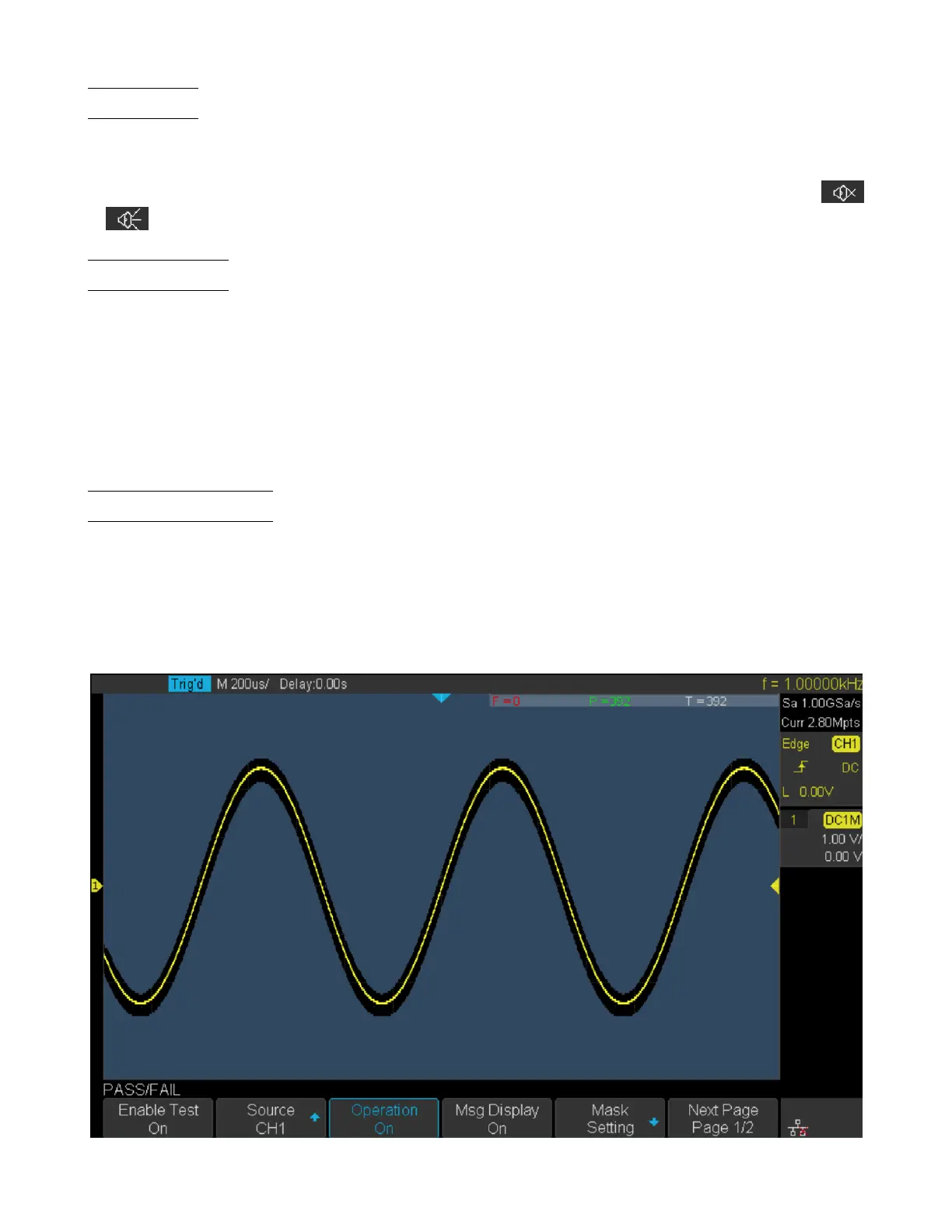
One way to verify a waveform’s compliance to a particular set of parameters is to use pass/fail testing. A pass/fail denes
a region of the oscilloscope’s display in which the waveform must remain in order to comply with chosen parameters.
Compliance to the mask is veried point-by-point across the display.
The test results can be displayed on the screen as well as be declared through the system sound or the pulse signal output
from the [TRIG OUT] connector at the rear panel. Pass/Fail test operates on displayed analog channels; it does not
operate on channels that are not displayed.
Figure 14.3 Pass Fail Test













 To Next Page