Getting Started 17
Check and/or Change Fuse
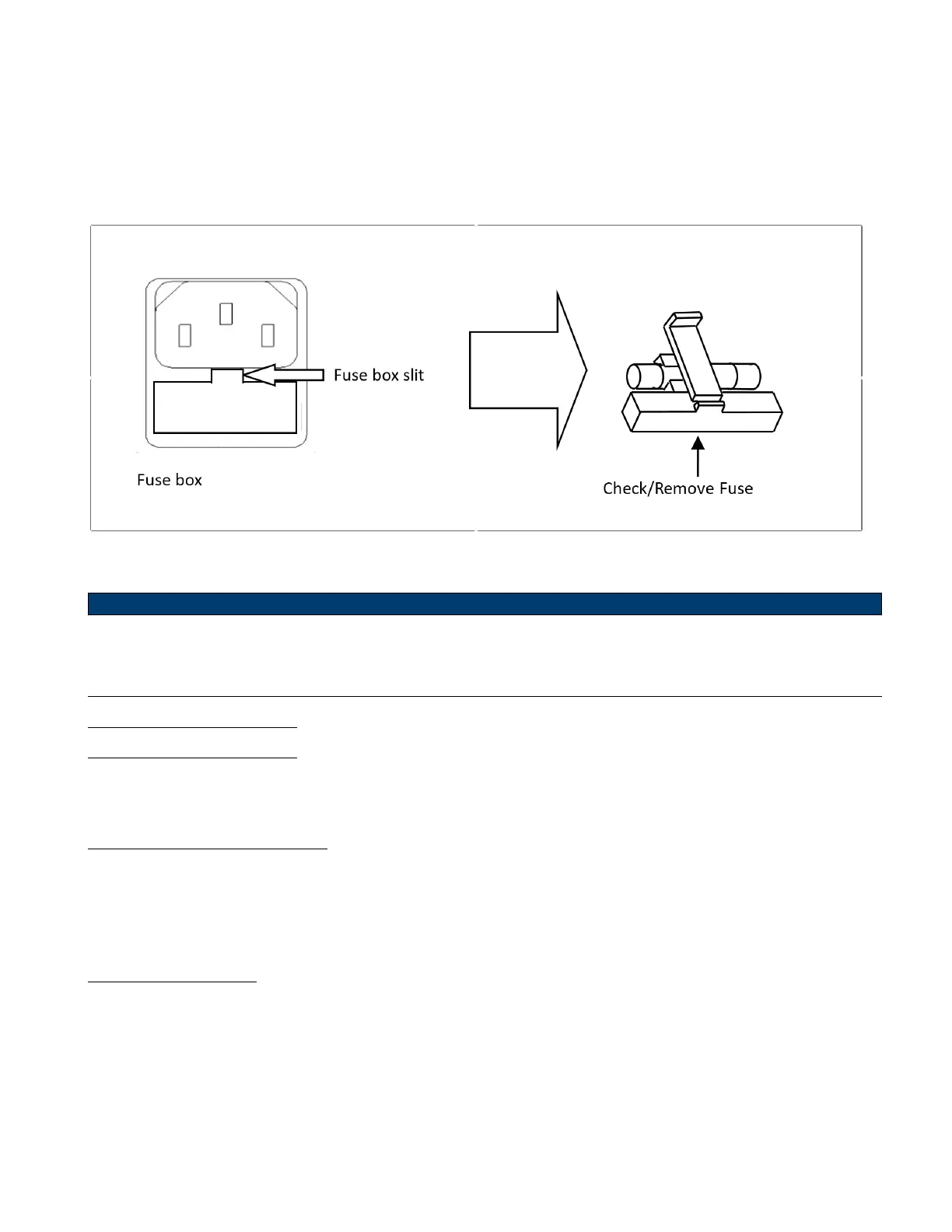
– Locate the fuse box next to the AC input connector in the rear panel. (See gure 1.5)
– Insert a small athead screwdriver into the fuse box slit to pull and slide out the fuse box as indicated below.
– Check and replace fuse if necessary. (See gure 2.1)
Figure 2.1 Fuse Removal
Any disassembling of the case or changing the fuse not performed by an authorized service technician will void
the warranty of the instrument
2.3 Preliminary Check
Complete the following steps to verify that the oscilloscope is ready for use.
2.3.1 Verify AC Input Voltage
Verify proper AC voltages are available to power the instrument.
The AC voltage range must meet the acceptable specication stated in section Input Power Requirements.
2.3.2 Connect Power
Connect the AC power cord to the AC receptacle in the rear panel and press the power switch to turn on the instrument.
The instrument will have a boot up screen while loading, after which the main screen will be displayed.













 To Next Page