Math 87
9.2 Math Operators
The oscilloscope supports math count operation (Addition, subtraction, multiplication, division), FFT (Fourier transform)
operation, and math function operation (dierential, integral, square root).
9.2.1 Addition or Subtraction
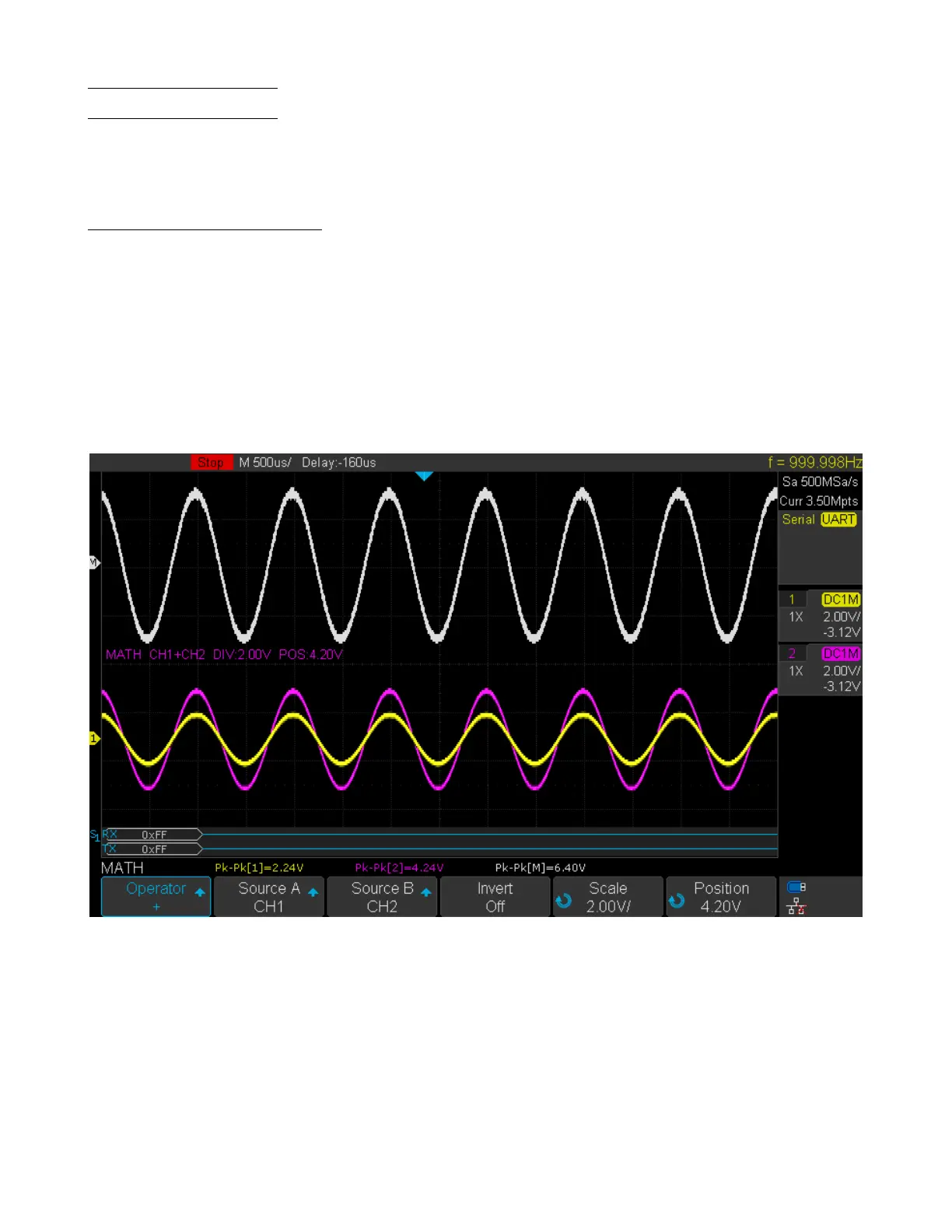
Math operators perform arithmetic operations add or subtract operation on any two analog input channels. When you
select addition or subtraction, the Source A and Source B values are added or subtracted point by point, and the result
is displayed.
1. Press the Math key on the front panel to enter the MATH function menu.
2. Press the Source A and Source B softkey respectively, and then turn the Universal Knob to select the source to
do math operation. Addition or Subtraction can be applied between analog channels.
3. Press the Operation softkey and then turn the universal to select + or - to make addition or subtraction operation.
The resulting math waveform is displayed in white and labeled with “M”.
Figure 9.1 CH 1 + CH 2
4. To invert the math waveform, press the Invert button and set the option to On to invert the display of the math
waveform.













 To Next Page