Trigger 54
6.7.6 Interval Trigger
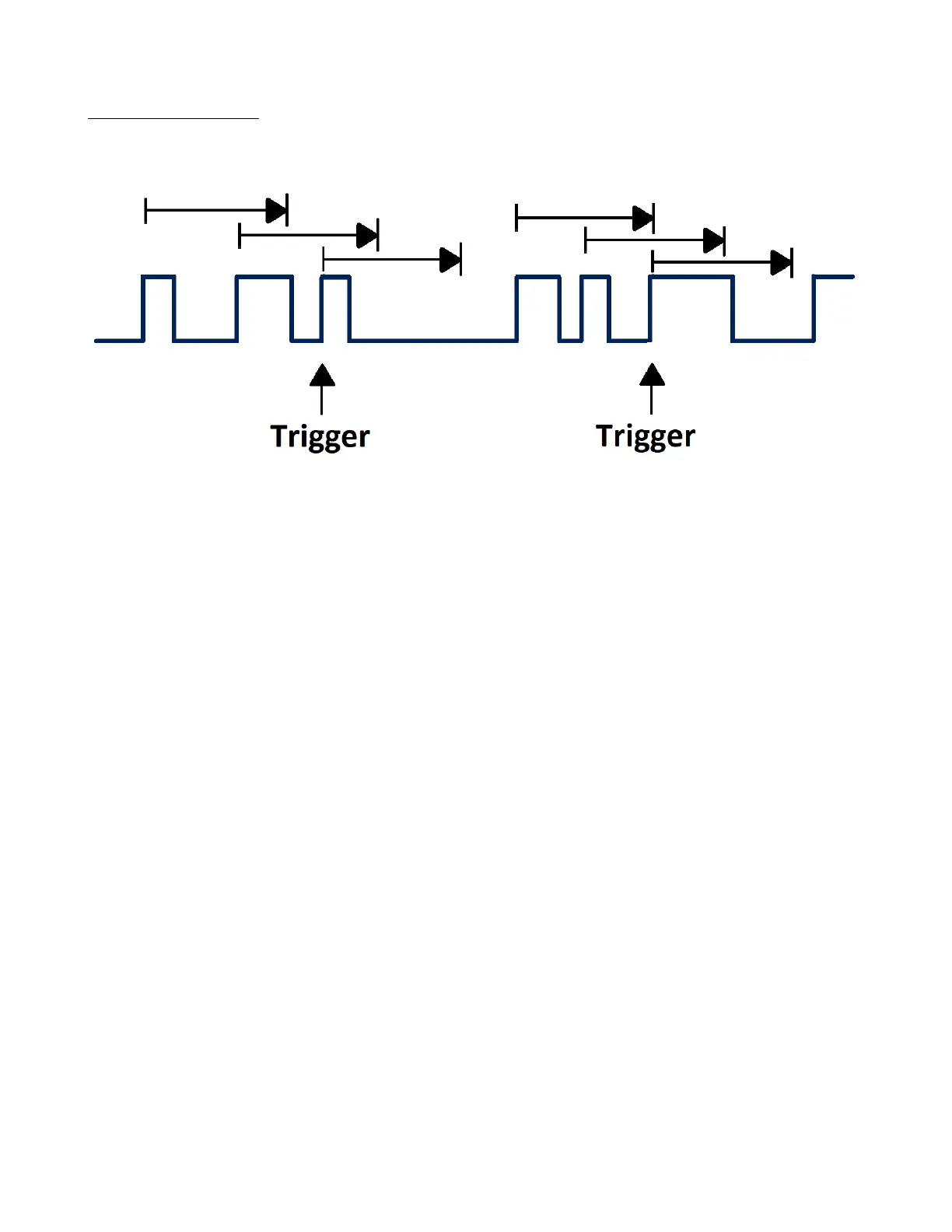
Trigger when the times dierence between the neighboring rising or falling edges meets the time limit
(< =, > =, [ - - . - - ], - - ][ - - ).
Figure 6.19 Interval Trigger
To set an interval trigger:
1. Press the Setup key to enter the Trigger menu.
2. Press the Type softkey, then use the Universal Knob to select Interval.
3. Press the Source softkey, then use the Universal Knob to select CH1 or CH2 as the trigger source
4. Press the Slope softkey to select rising or falling edge.
5. Press the Limit Range softkey, then use the Universal Knob to set the desired condition.
• < = (less than a time value): Triggers when the positive or negative pulse time of the input signal is lower
than the specied time value.
• > = (greater than a time value): Triggers when the positive or negative pulse time of the input signal is
greater than the specied time value.
• [ - - . - - ] (within a range of time value): Triggers when the positive or negative pulse time of the input
signal is greater than the specied lower limit of time and lower than the specied upper limit of time value.
• - - ] [ - - (outside a range of time value): Triggers when the positive or negative pulse time of the input signal
is greater than the specied upper limit of time and lower than the specied lower limit of time value.
6. Press the Time Setting softkey (< = , > = , [ - - . - - ] , - - ] [ - -), turn the Universal Knob to select the
desired value.













 To Next Page