Serial Trigger and Decode 65
Operation Step
1. Touch Setup key to enter the Trigger menu.
2. Touch Type and select Serial.
3. Touch Protocol and select I2C.
4. Touch Trigger Setting softkey.
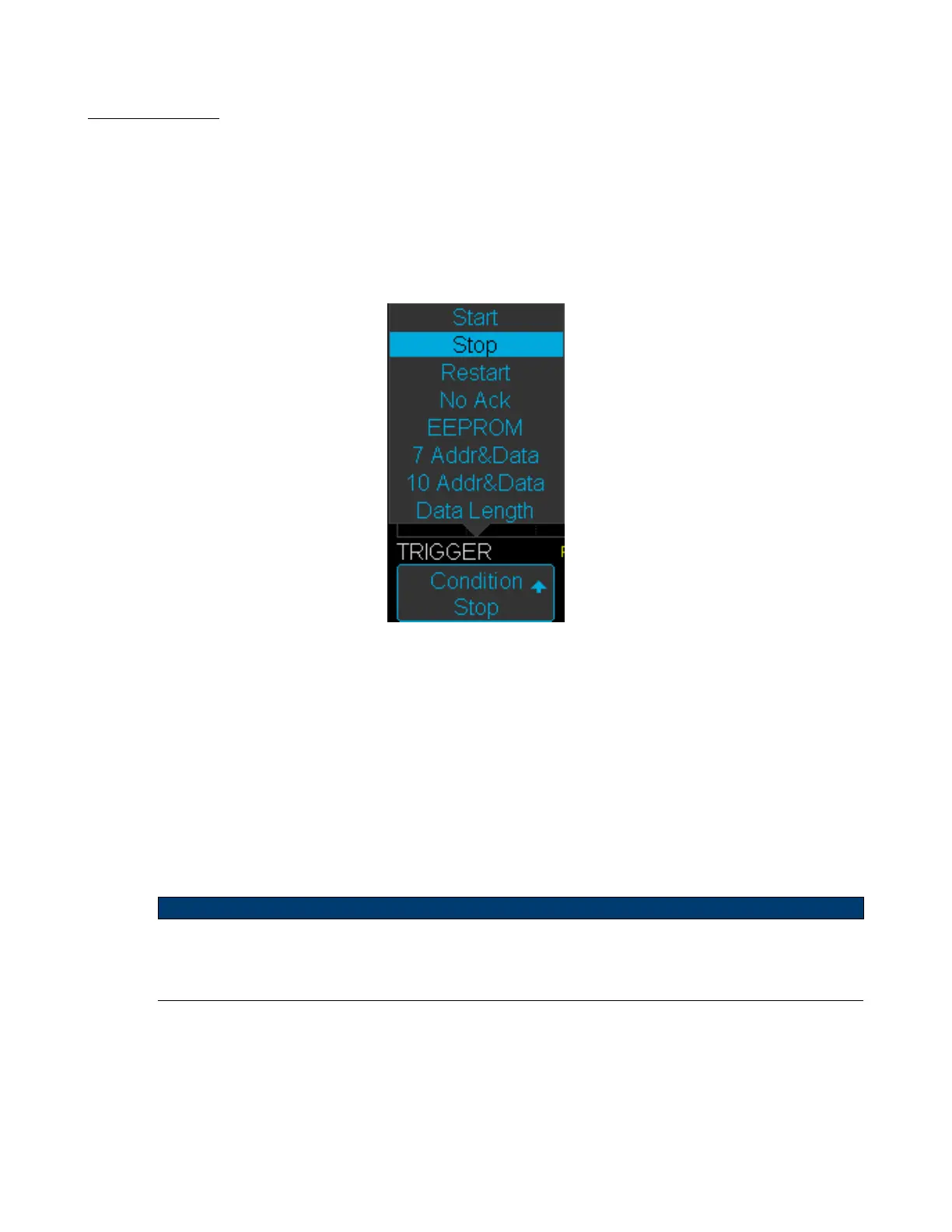
5. Touch Condition and turn the Universal Knob to select the trigger condition:
Figure 7.5 Condition Options
• If EEPROM is selected :
– Touch Limit Range to set the qualier (=, < or >).
– Touch Data1 and set its value by turning the Universal Knob/
• If 7 Addr & Data or 10 Addr & Data is selected:
– Touch Addr and turn the Universal Knob to select the 7- bit or 10- bit device address.
– Touch Data1 or Data2 and set the value.
– Touch R/W bit and select write-frame or read-frame to trigger the oscilloscope.
Note:
If the device’s address is 7-bit, the value of address is in range of 0x00 to 0x7F. If device’s address is 10-bit,
the value of address is in range of 0x00 to 0x3FF.
• If Data Length is selected:
– Touch Address to set the SDA address length 7bit or 10 bit.
– Touch Byte Length and set the byte length by Universal Knob. The range of the Byte Length is 1 to 12.













 To Next Page