Trigger 57
State
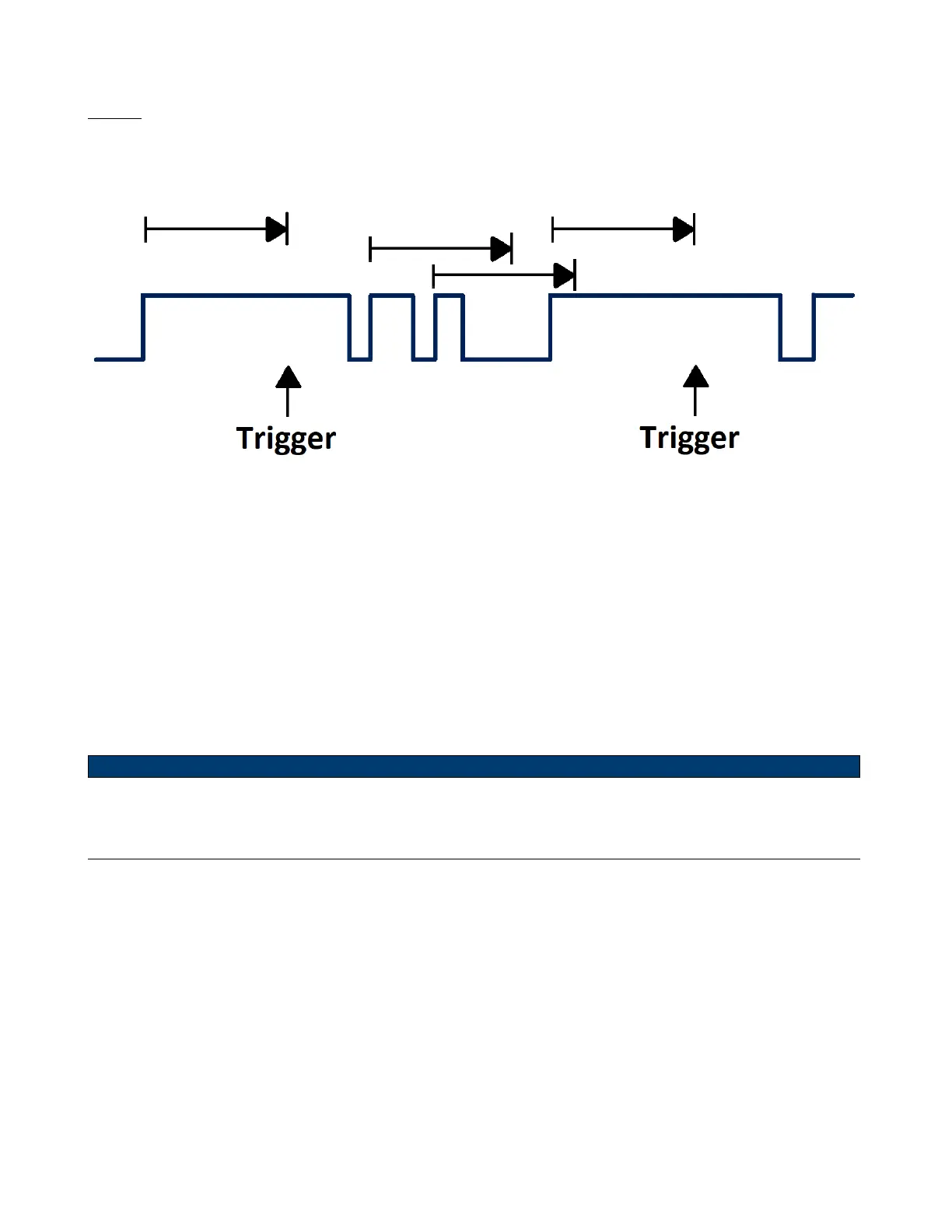
Triggers when the signal enters or leaves a voltage level and stays there for a specied time. This is useful for detecting
when a signal gets stuck at a particular level.
Figure 6.22 Dropout Trigger State
To set a state dropout trigger:
1. Press the Setup key to enter the Trigger menu.
2. Press the Type softkey, then use the Universal Knob to select Dropout.
3. Press the Source softkey, then use the Universal Knob to select CH1 or CH2 as the trigger source
4. Press the Slope softkey to select rising or falling edge.
5. Press the OverTime Type softkey to select State.
6. Press the Time softkey, then use the Universal Knob to set the desired value.
Note:
Coupling and noise reject can be set in interval trigger, see the sections Trigger Coupling and Noise Rejection for
details.













 To Next Page