Keying using ATEM Switchers
DVE Key
DVEs, or digital video effects, are used to create picture-in-picture boxes with borders.
Mostmodels have 1 channel of 2D DVE that allows scaling, rotation, 3D borders and offers a
drop shadow.
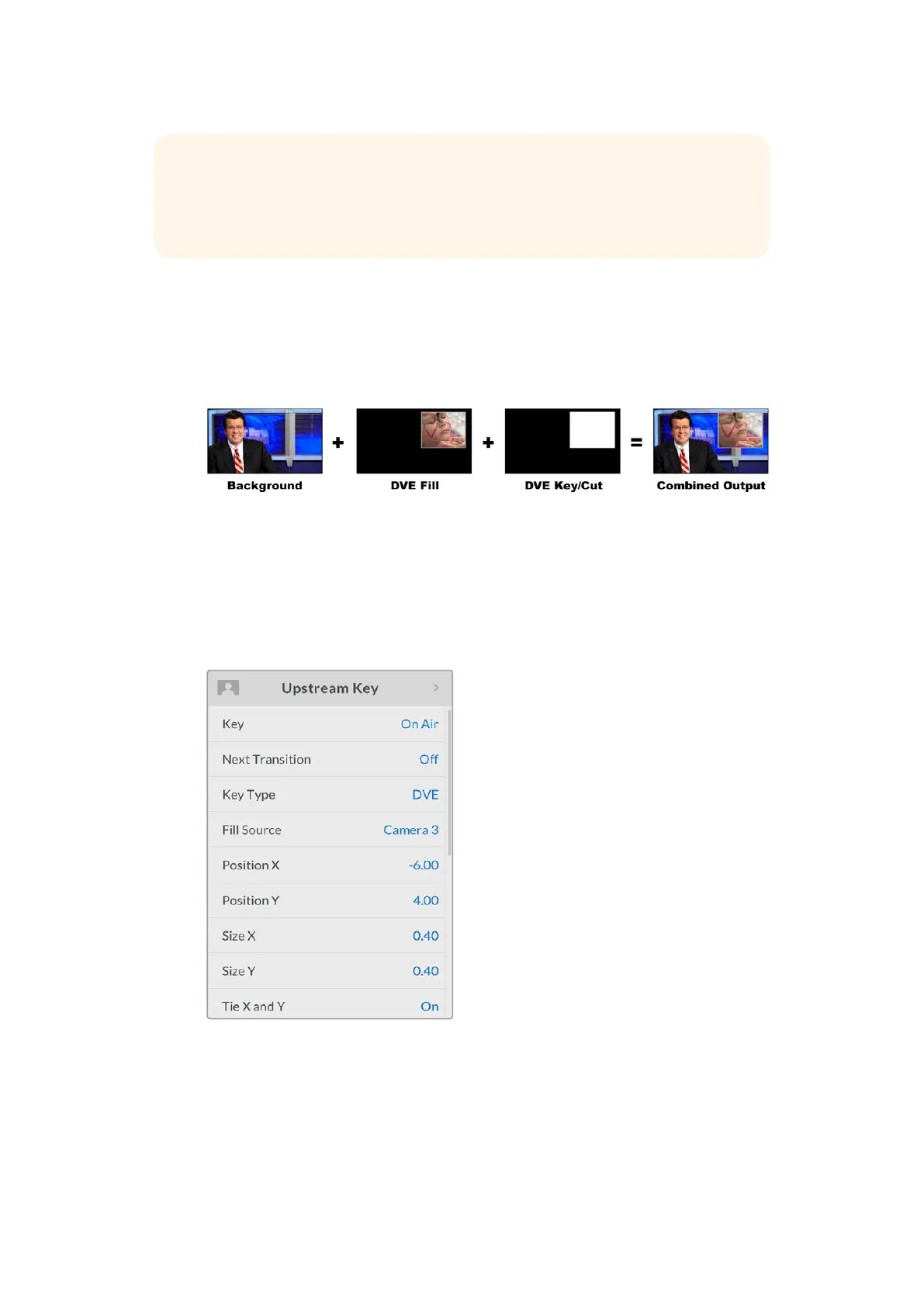
Combining a background, DVE fill and DVE key/cut
Background – A full screen image.
Fill – Another full screen that has been scaled, rotated or has added borders and will
be overlaid on top of the background.
Key/Cut – In the case of a DVE key, the key/cut signal is generated by the switcher’s
internal DVEprocessor.
DVE Key Settings
TIP Some patterns can have their center point repositioned. Use the joystick to move
the position of the pattern. If you need to reset the position, navigate to the 'pattern
type' setting, change it to another pattern, and then return to your chosen pattern to
rest the position to its default.
139










 To Next Page