Keying using ATEM Switchers
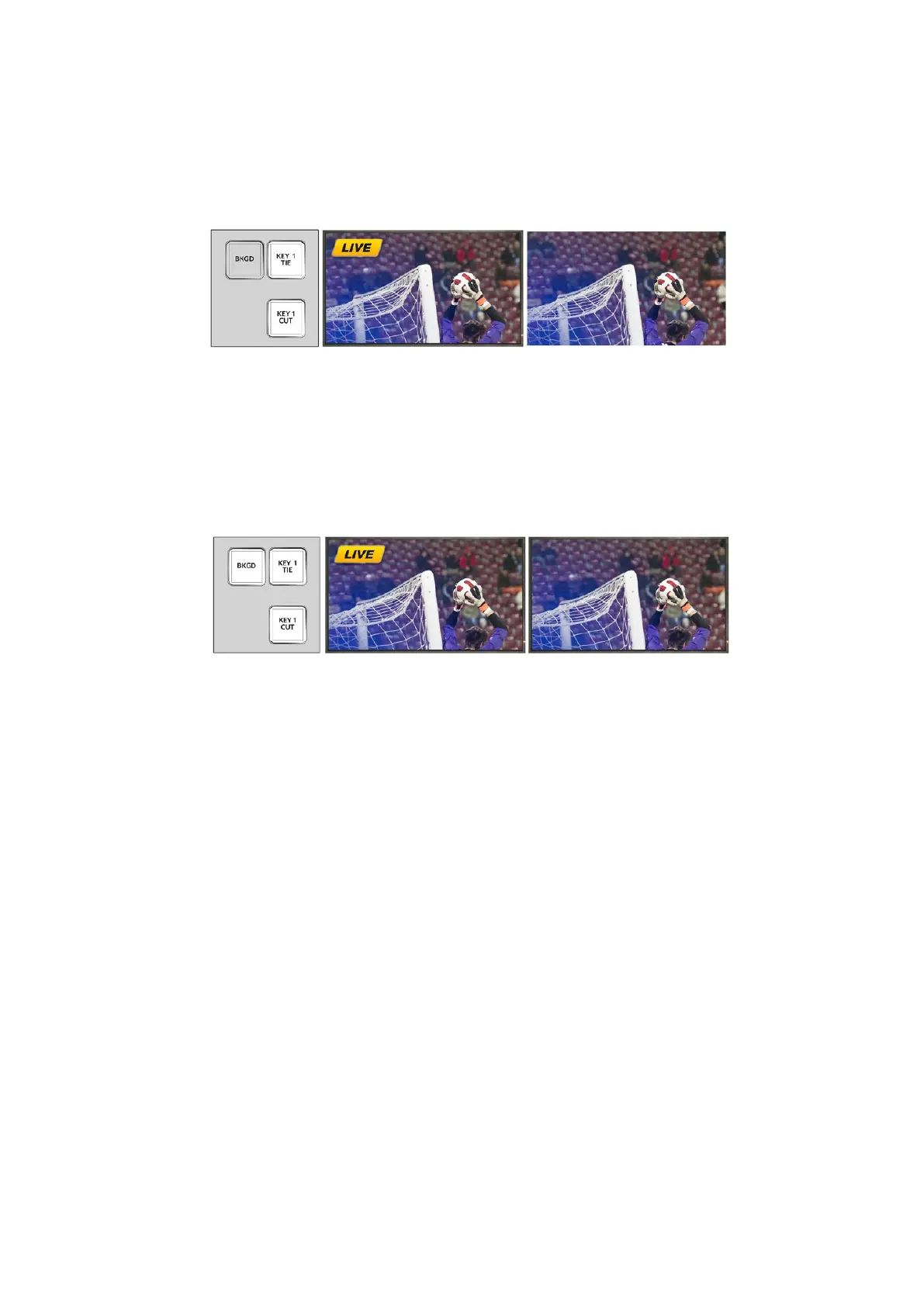
Example 2
In this example, key 1 is currently on air, indicated by the illuminated KEY 1 CUT button. The next
transition has KEY 1 TIE selected, therefore the next transition will change the state of key 1 and
turn it off so that it is not visible on the program output.
Example 3
In this example, key 1 is on-air, indicated by the illuminated KEY 1 CUT button.
The BKGD and KEY 1 TIE next transition buttons are selected, therefore the background and the
upstream key are tied to the next transition. The next transition will transition the background
and change the state of key 1 turning it off so that it is not visible on the program output.
There are multiple ways to transition a key to the program output. The key can be cut on or off,
it can be mixed on or off, or it can be mixed along with a background transition. Upstream keys
are transitioned to the program output using the next transition block. Downstream keyers can
be transitioned using their own transition buttons or by using the DSK TIE button to link the
transition with the main transition.
Performing Downstream Keyer Transitions
Performing a downstream keyer transition on ATEM Television Studio HD:
Downstream keyers can be transitioned on or off air via their respective downstream key LCD
menu settings. For example, set the 'tie' setting to 'on' to tie the key to the next transition, or set
the 'key' setting to 'on air' to cut the transition on or off air.
You can also perform an auto transition by selecting the 'auto' setting in the downstream key
LCD menu and pressing the 'set' button.
Performing a downstream keyer transition on an ATEM Television Studio Pro model switcher:
The downstream keyers have their own transition buttons. Once a downstream keyer is configured
it can be easily taken on and off the program output using one of the following three methods:
1 Press the DSK CUT button to immediately turn on or turn off a downstream key on the
program output.
2 Use the DSK AUTO button to gradually transition a downstream key on or off the
program output at the rate set in the downstream key LCD menus.
Program output after transition.Program output before transition. Control panel next
transition buttons
before transition.
Program output after transition.Program output before transition. Control panel next
transition buttons
before transition.
147










 To Next Page