Using External ATEM Hardware Panels
Using the ATEM 1 M/E Advanced Panel
ATEM 1 M/E Advanced Panel
Using the Control Panel
Mix Effects
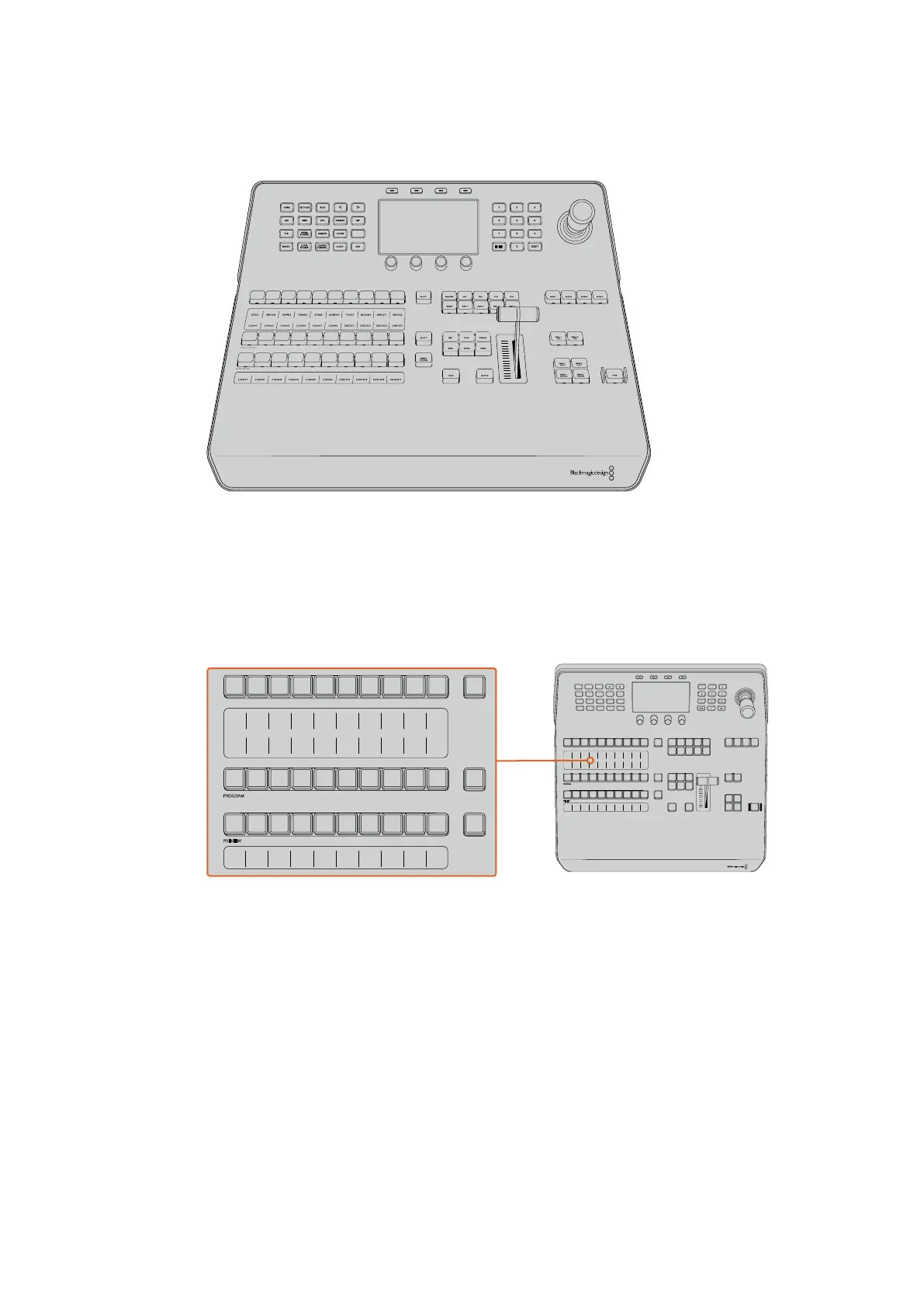
The program bus, preview bus and source names display are used together to switch sources
on the program and preview outputs.
ATEM Mix Effects
Source Name Displays
The source name displays use labels to represent the switcher’s external inputs or internal
sources. Labels for the external inputs can be edited on the settings window of the software
control panel. Labels for the internal sources are fixed and don’t need to be changed.
The displays show the labels for each row of buttons in the source select row, program row, and
preview row.
Pressing the SHIFT button will change the source names display to show extra sources, called
shifted sources, allowing selection of up to 20 different sources.
Simultaneously pressing both SHIFT buttons next to the source select and program rows will
change the source names display to show protected sources, and these are available in the
source select row for keyers and routing to auxiliary outputs. Protected sources are program,
preview, clean feed 1 and clean feed 2.
HOME
MIX
FTB
MACRO
SETTINGS
WIPE
MEDIA
PLAYERS
SUPER
SOURCE
KEYS
DVE
BORDER
CAMERA
CONTROL
STINGER
COLOR
AUDIO
DIP
AUX
1
4
7
ENTER
2
5
8
0
3
6
9
RESET
SHIFT MACRO
BKGD
KEY 1
KEY 2
KEY 4
KEY 3
ON
ON
ON
ON M/E 1 M/E 2
M/E 3
M/E 4
SHIFT DIP
DVE
STING
DSK 1
TIE
DSK 2
TIE
DSK 1
CUT
DSK 2
CUT
DSK 1
AUTO
DSK 2
AUTO
FTB
MIX
CUT
AUTO
WIPE
ARM
PREV
TRANS
Studio A
Cam 1
Studio A
Cam 2
Studio A
Cam 3
Studio A
Cam 4
Studio A
Cam 5
Media
Player 1
Media
Player 2
Replay
1
Replay
2
Remote
1
Studio A
Cam 1
Studio A
Cam 2
Studio A
Cam 3
Studio A
Cam 4
Studio A
Cam 5
Media
Player 1
Media
Player 2
Replay
1
Replay
2
Remote
1
Studio A
Cam 1
Studio A
Cam 2
Studio A
Cam 3
Studio A
Cam 4
Studio A
Cam 5
Media
Player 1
Media
Player 2
Replay
1
Replay
2
Remote
1
PROGRAM
SHIFT MACRO ON ON ON ON
M/E 1 M/E 2 M/E 3 M/E 4
BKGD
DIPSHIFT
PREV
TRANS
CUT AUTO
DSK 1
CUT
DSK 1
TIE
DSK 2
TIE
DSK 2
CUT
DSK 1
AUTO
DSK 2
AUTO
FTB
DVE STING
MIX WIPE ARM
KEY 1 KEY 2 KEY 3 KEY 4
PREVIEW
HOME SETTINGS
KEYERS
1 2 3
4 5 6
7 8 9
ENTER 0 RESET
DVE STINGER DIP
COLOR
AUDIO AUX
BORDER
CAMERA
CONTROL
WIPE
MEDIA
PLAYERS
SUPER
SOURCE
MIX
FTB
MACRO
Studio A
Cam 1
Studio A
Cam 2
Studio A
Cam 3
Studio A
Cam 4
Studio A
Cam 5
Media
Player 1
Media
Player 2
Replay
1
Replay
2
Remote
1
Studio A
Cam 1
Studio A
Cam 2
Studio A
Cam 3
Studio A
Cam 4
Studio A
Cam 5
Media
Player 1
Media
Player 2
Replay
1
Replay
2
Remote
1
Studio A
Cam 1
Studio A
Cam 2
Studio A
Cam 3
Studio A
Cam 4
Studio A
Cam 5
Media
Player 1
Media
Player 2
Replay
1
Replay
2
Remote
1
PROGRAM
SHIFT MACRO ON ON ON ON
M/E 1 M/E 2 M/E 3 M/E 4
BKGD
DIPSHIFT
PREV
TRANS
CUT AUTO
DSK 1
CUT
DSK 1
TIE
DSK 2
TIE
DSK 2
CUT
DSK 1
AUTO
DSK 2
AUTO
FTB
DVE STING
MIX WIPE ARM
KEY 1 KEY 2 KEY 3 KEY 4
PREVIEW
HOME SETTINGS
KEYERS
1 2 3
4 5 6
7 8 9
ENTER 0 RESET
DVE STINGER DIP
COLOR
AUDIO AUX
BORDER
CAMERA
CONTROL
WIPE
MEDIA
PLAYERS
SUPER
SOURCE
MIX
FTB
MACRO
170










 To Next Page