Using ATEM Software Control
Split Audio
On ATEM Television Studio Pro 4K you can split a mono input signal into two separate mono
channels. This is helpful for mixing a mono input into both channels on the stereo master
output. You can also add a stereo simulation effect using the advanced Fairlight controls on
theaudio page.
Click on the desired input checkbox to split the channels for that input.
Multi View Settings
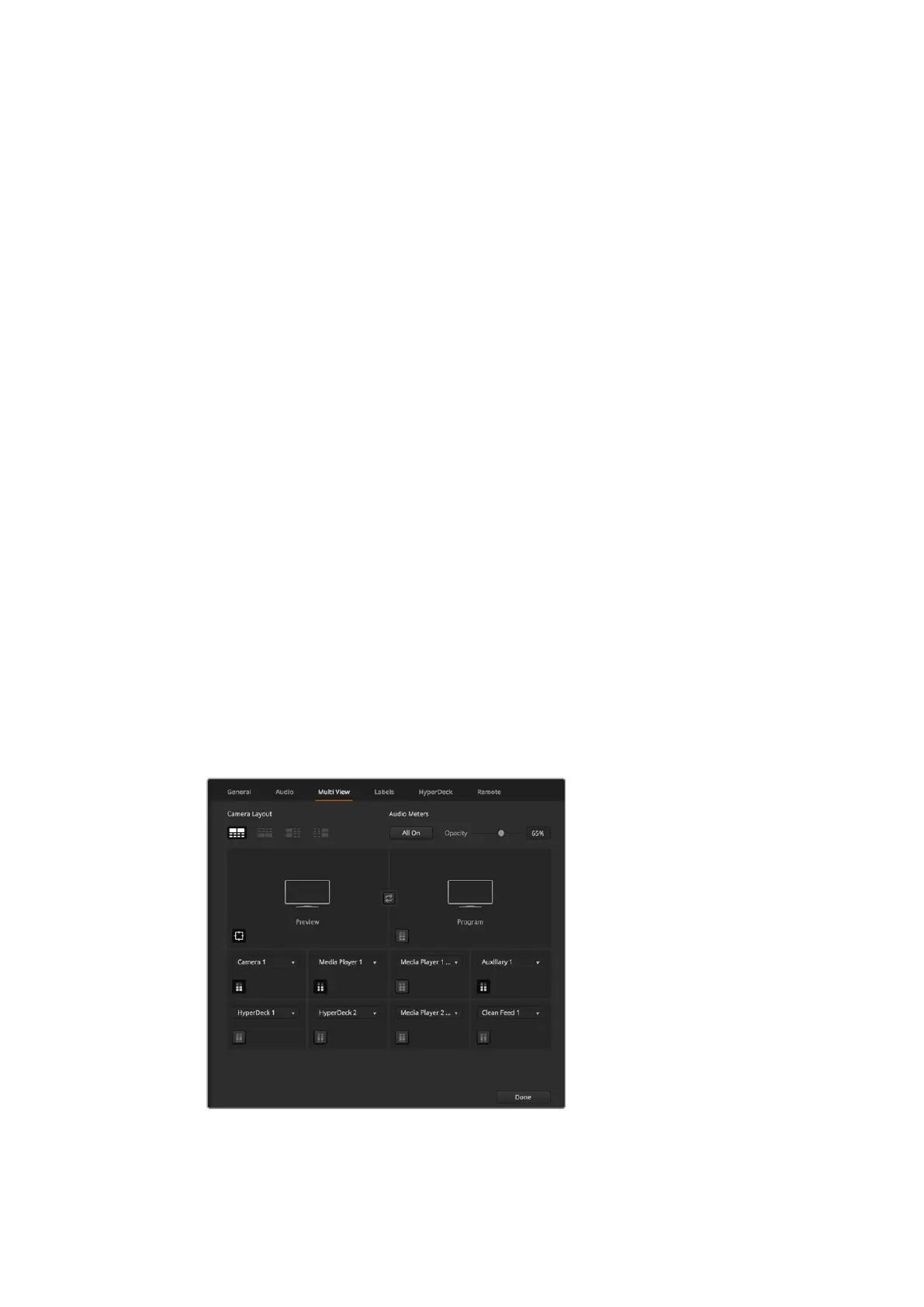
The multi view settings allow you to set the multi view orientation. The 8 smaller windows are
fully routable so you can monitor any switcher source. By default, external inputs 1 - 8 are routed
to multi view source windows 1 to 8, but simply click the respective drop down menus to select
what sources are viewed on each window!
The position of the multi view preview and program views can be swapped by clicking on the
toggle button located between them.
Audio meters can be turned on or off for all the switcher sources and program view by enabling
the ‘All On’ button in the multi view settings, or you can turn them on or off individually by
clicking the audio meter icon in each view.
The multi view also includes a tally feature, so if any of the sources in the multi view are used in
a layer on the program or preview outputs, they will be highlighted red or green. A white border
means your source is not currently switched to the preview or program output. Ared border
indicates the source is switched to the program output and a green border indicates a source is
selected on the preview output.
The preview window on the multi view output features safe area markers so you can make sure
your program will look great on any monitor. In HD, the outer border represents the 16:9
graphics safe area and the inner border represents the 4:3 graphics safe area. In SD, the single
border represents the action safe area. Turn the markers on or off by clicking the safe area
markers icon in the preview window.
You can also change the orientation of the multi view windows by selecting one of four different
layouts using the camera layout icons at the top of the multi view settings window.
Customizing the Multi View
57










 To Next Page