Using ATEM Software Control
The switcher settings also let you customize your multi view. The arrangement of the multi view
screen can be changed by clicking on the camera layout presets. The arrangement for the 8
smaller video views are fully routable allowing you to view any source in the switcher. This lets
you monitor cameras, internal sources, media players and even aux outputs on a single monitor.
Multiview saves space when doing portable location based events because you only need a
single monitor.
If you are connecting Blackmagic HyperDeck disk recorders to your switcher, you can use the
switcher settings to enter their IP address, view their connection status, and change the frame
offset and auto roll settings so you can switch cleanly to a HyperDeck video source. For more
information about using HyperDeck disk recorders with your ATEM switcher, refer to the
‘HyperDeck control’ section of this manual.
You can also set your switcher’s remote behaviour using the ‘remote’ tab. This allows you to use
the RS-422 port on your switcher to control pan, tilt, zoom heads or legacy GVG100 hardware
such as linear edit suites.
Switcher settings are explained in detail in ‘Changing Switcher Settings’ within this section of
this manual.
Using the Software Control Panel
The switcher window is the main control interface for the switcher. During live production,
theswitcher window can be used to select sources and take them to air.
You can select the transition style, manage upstream/downstream keyers and turn on/off the
fade to black. The palettes on the right hand side of the interface are where you adjust
transition settings including transition rates, adjust color generators, control media players,
andadjust the upstream and downstream keyers as well as control fade to black rate.
Mix Eects
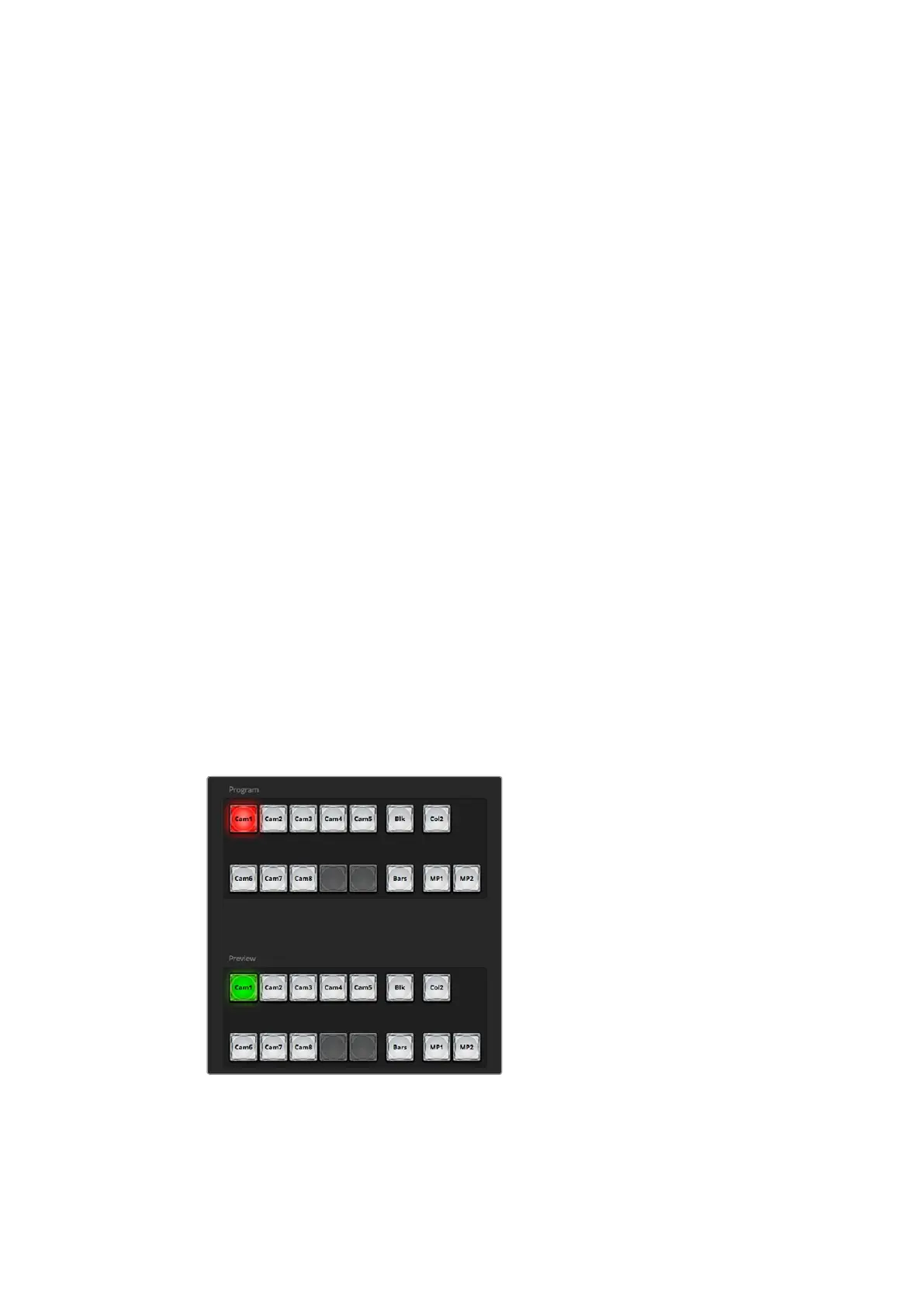
The Mix Effects block of the switcher tab contains all the source select buttons for the program
and preview buses, allowing external inputs or internal sources to be selected for next
transition previewing or switching to air.
ATEM mix effects
Program Bus Source Select Buttons
The program bus source select buttons are used to hot switch background sources to the
program output. The source currently on air is indicated by a button that is illuminated red.
34










 To Next Page