Operating your ATEM Switcher
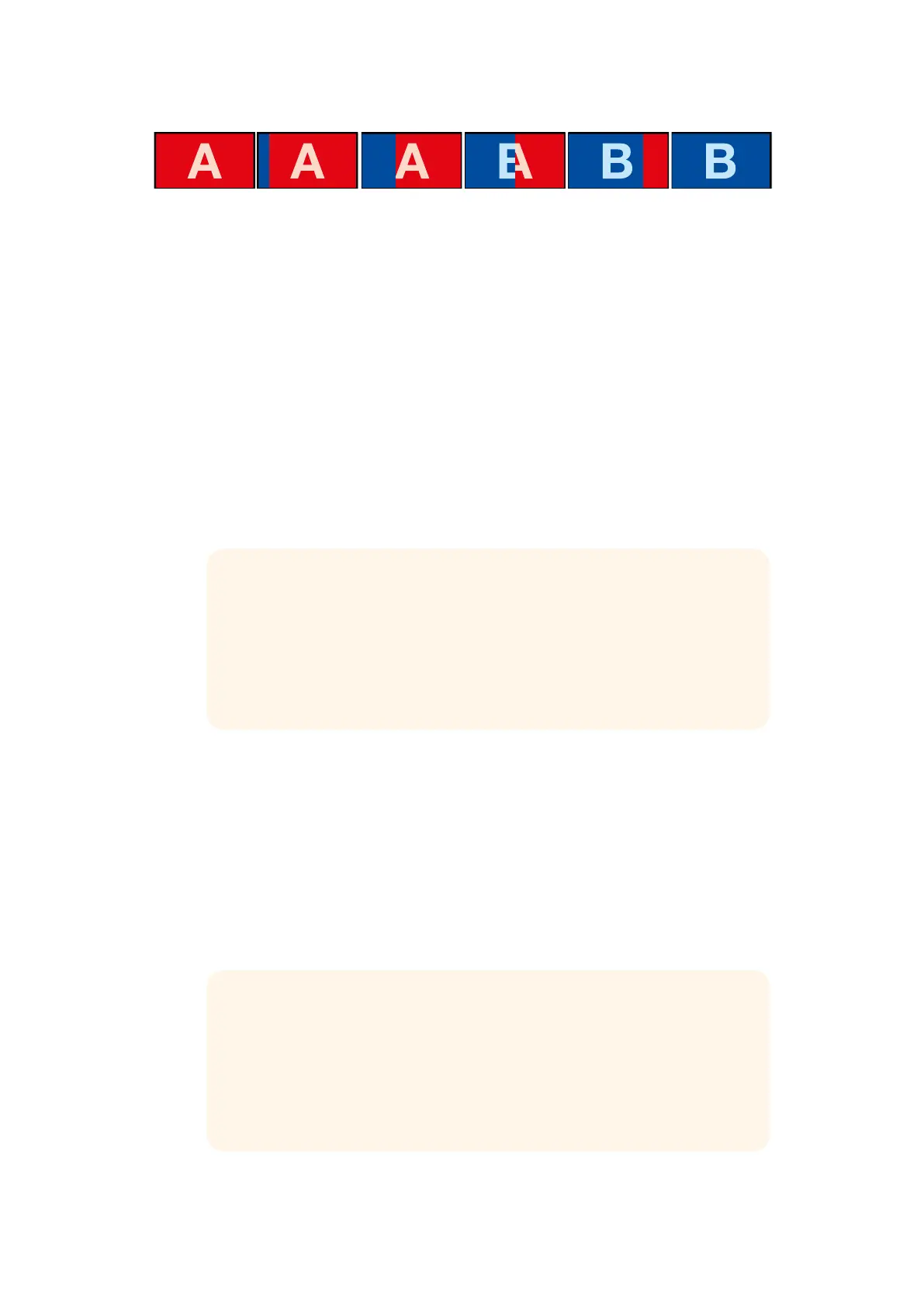
The above image sequence provides an example of the
program output for a graphic wipe transition.
Performing a Graphic Transition
To perform a graphic transition on ATEM Television Studio HD:
1 Press the 'menu' button to open the LCD menu.
2 Select the DVE transition style setting in the 'transitions' LCD menu.
If the DVE is being used in an upstream key, the 'DVE' will be unavailable for selection
until the key is taken off air and off next transition. Refer to 'sharing DVE resources' later
in this section for more information.
3 Select the DVE graphic wipe transition pattern and set the direction using the
'direction' setting.
The graphic wipe setting is the last item in the list of patterns.
4 While you are still in the transitions menu, set the fill and key source.
5 Adjust the key parameters in the LCD menu if required.
6 Press the 'auto' button to perform the transition as an auto transition, or use the
transition slider for a manual transition.
To perform a graphic transition on an ATEM Television Studio Pro model switcher:
1 Press the 'logo' transition style button on the control panel. This assigns the DVE to the
upstream keyer and sets the DVE transition pattern to 'graphic wipe'.
2 In the source select row of buttons, select the source you want for the DVE cut
and DVE fill.
TIP Typically, for a graphic transition, the source would normally be a graphic
loaded in a media player. By default, when you select a media player for the fill
source, the key source will automatically select the media player key channel
and set pre multiplied key to 'on'. This means a graphic with a key matte
embedded in the alpha channel will automatically be selected by the switcher.
You can disable pre multiplied key and change the key source if you want to
use a separate media file on a different media player, or a different input source.
TIP Typically, for a graphic transition, the source would normally be a graphic
loaded in a media player. By default, when you select a media player for the fill
source, the key source will automatically select the media player key channel
and set pre multiplied key to 'on'. This means a graphic with a key matte
embedded in the alpha channel will automatically be selected by the switcher.
You can disable pre multiplied key and change the key source if you want to
use a separate media file on a different media player, or a different input source.
120










 To Next Page