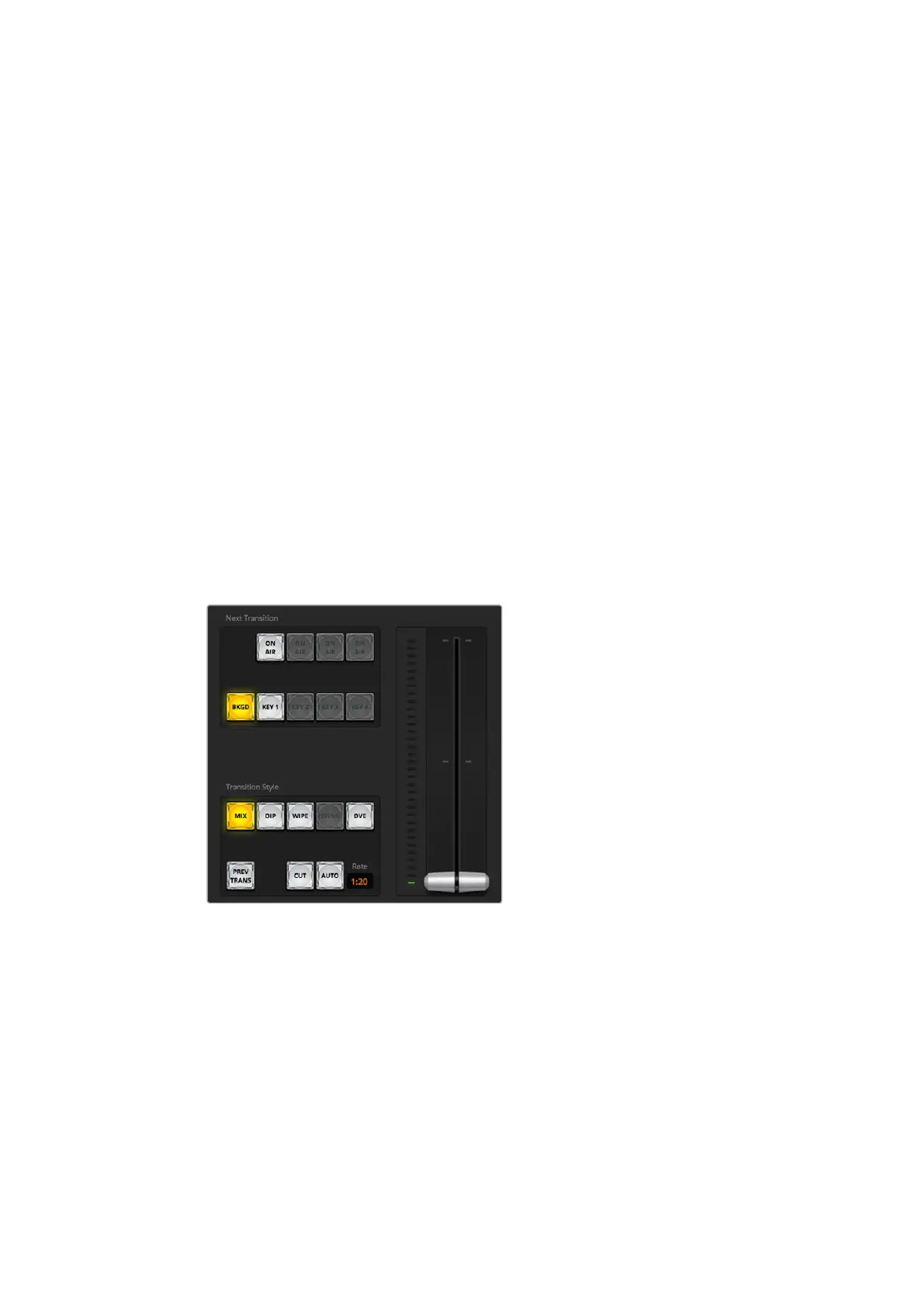
Using ATEM Software Control
Preview Bus Source Select Buttons
The preview bus source select buttons are used to select a background source on the preview
output, this source is sent to the program bus when the next transition occurs. The currently
selected preview source is indicated by a button that is illuminated green.
The source select buttons for the program bus match the preview bus.
INPUTS
Input buttons match the number of external switcher inputs.
BLACK
Black color source internally generated by the switcher.
BARS
Color bars source internally generated by the switcher.
COLOR 1
Color sources internally generated by the switcher. Shift select for color 2.
MEDIA 1 and 2
Internal media players that display stills or clips stored in the switcher.
Transition Control and Upstream Keyers
CUT
The CUT button performs an immediate transition of the program and preview outputs,
overriding the selected transition style.
Transition control
AUTO/RATE
The AUTO button will perform the selected transition at the rate specified in the 'rate' display.
The transition rate for each transition style is set in the transition palette for that style and is
displayed in the 'rate' window of the transition control block when the corresponding transition
style button is selected.
The AUTO button illuminates red for the duration of the transition and the 'rate' display updates
to indicate the number of frames remaining as the transition progresses. When you perform a
transition using the transition slider on ATEM Television Studio Pro HD's built in control panel,
the fader bar indicator on the software panel updates to provide visual feedback on the
progress of the transition.
35










 To Next Page