HyperDeck Control
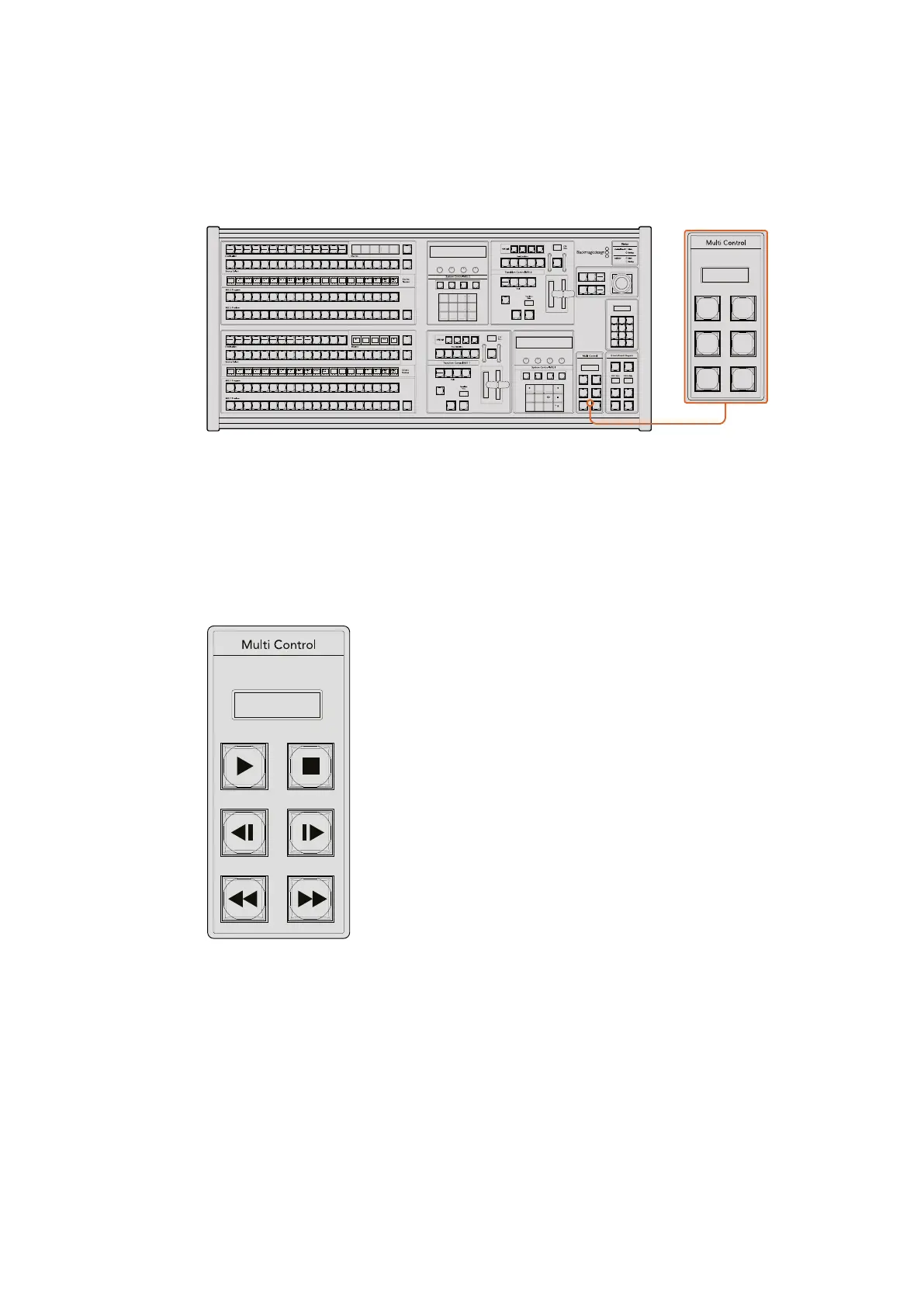
HyperDeck Multi Control on ATEM 2 M/E Broadcast Panel
For quick access, you can also assign one of your HyperDeck disk recorders to your ATEM 2
M/E Broadcast Panel’s multi control.
Multi Control Buttons
To do this, hold down the ‘shift button’ on your panel and press the soft button for one of your
HyperDeck disk recorders in the system control HyperDeck menu. That HyperDeck will then be
linked to your multi control menu and you will be able to control it without having to access the
HyperDeck system control menu.
The multi control menu will display the short name of your HyperDeck as well as the current clip
number. The soft buttons on your multi control will correspond to the following functions.
These buttons have exactly the same functions as they do in the HyperDeck controls detailed
on the previous page. Please note that as the multi control does not have context sensitive soft
buttons, you will not see the icons shown in the illustration on your ATEM 2 M/E Broadcast Panel.
We recommend applying sticky labels to your multi control keys for their assigned functions.
You can access additional features through multi control by using the following key combinations.
Shift+stop Record
Press Play twice Play all
Shift + play Loop one (or loop all if you are playing all)
1
8 9
0 CLRCAM
2 3
4 5 6
7
ON ON ON ON
ON ON ON ON
SHIFT
SHIFT
SHIFT
SHIFT
KEY 1
CUT
KEY 2
CUT
STNG
CUT
DVE
CUT
AUX 1
AUX 7
AUX 2
AUX 8
AUX 3
AUX 9
AUX 4
AUX 10
AUX 5
AUX 11
AUX 6
AUX 12
BORD
DIP
KEY 3
CUT
KEY 4
CUT
SHIFT
DEST
KEY 1
CUT
BORD
DIP
STNG
CUT
DVE
CUT
DSK 2
CUT
SSRC
CUT
BOX 1
DSK 1
CUT
KEY 2
CUT
KEY 3
CUT
KEY 4
CUT
BOX 3BOX 2 BOX 4
SHIFT
DEST
TIE
DSK 1
TIE
DSK 2
CUT
DSK 1
CUT
DSK 2
AUTO
DSK 1
AUTO
DSK 2
WIPE STNG DVE
MIX
DIP
BKGD KEY 1 KEY 2 KEY 3 KEY 4
WIPE STNG DVE
MIX
DIP
BKGD KEY 1 KEY 2 KEY 3 KEY 4
BOX 2
BOX 4
PATT
M/E 2
KEY
M/E 2
BOX 2
BOX 4
PATT
M/E 1
KEY
M/E 1
AUTOCUT
FTB
FTB
PREV
TRANS
AUTOCUT
PREV
TRANS
TRANS
DSK
KEYS
EFFECTS
KEYS
MEDIA
PLAYER
PANEL
SETUP
COLOR
MACRO
1
RECALL
& RUN
PLAY
RECORDLOOP
PLAY
RECORD
SHOW
NAMES
RECALL
DELETE
HOME
STOP
LOOP
MACRO
1
RECALL
PLAY
RECORDLOOP
1
8 9
0 CLRCAM
2 3
4 5 6
7
ON ON ON ON
ON ON ON ON
SHIFT
SHIFT
SHIFT
SHIFT
KEY 1
CUT
KEY 2
CUT
STNG
CUT
DVE
CUT
AUX 1
AUX 7
AUX 2
AUX 8
AUX 3
AUX 9
AUX 4
AUX 10
AUX 5
AUX 11
AUX 6
AUX 12
BORD
DIP
KEY 3
CUT
KEY 4
CUT
SHIFT
DEST
KEY 1
CUT
BORD
DIP
STNG
CUT
DVE
CUT
DSK 2
CUT
SSRC
CUT
BOX 1
DSK 1
CUT
KEY 2
CUT
KEY 3
CUT
KEY 4
CUT
BOX 3BOX 2 BOX 4
SHIFT
DEST
TIE
DSK 1
TIE
DSK 2
CUT
DSK 1
CUT
DSK 2
AUTO
DSK 1
AUTO
DSK 2
WIPE STNG DVE
MIX
DIP
BKGD KEY 1 KEY 2 KEY 3 KEY 4
WIPE STNG DVE
MIX
DIP
BKGD KEY 1 KEY 2 KEY 3 KEY 4
BOX 2
BOX 4
PATT
M/E 2
KEY
M/E 2
BOX 2
BOX 4
PATT
M/E 1
KEY
M/E 1
AUTOCUT
FTB
FTB
PREV
TRANS
AUTOCUT
PREV
TRANS
TRANS
DSK
KEYS
EFFECTS
KEYS
MEDIA
PLAYER
PANEL
SETUP
COLOR
MACRO
1
RECALL
& RUN
PLAY
RECORDLOOP
PLAY
RECORD
SHOW
NAMES
RECALL
DELETE
HOME
STOP
LOOP
MACRO
1
RECALL
PLAY
RECORDLOOP
HD1 001
The Multi Control panel can
provide quick HyperDeck
control. Key labels are for
illustration purposes only
84










 To Next Page