Using Adobe Photoshop with ATEM
ATEM export plug-in
Setting up Plug-in Switcher Location
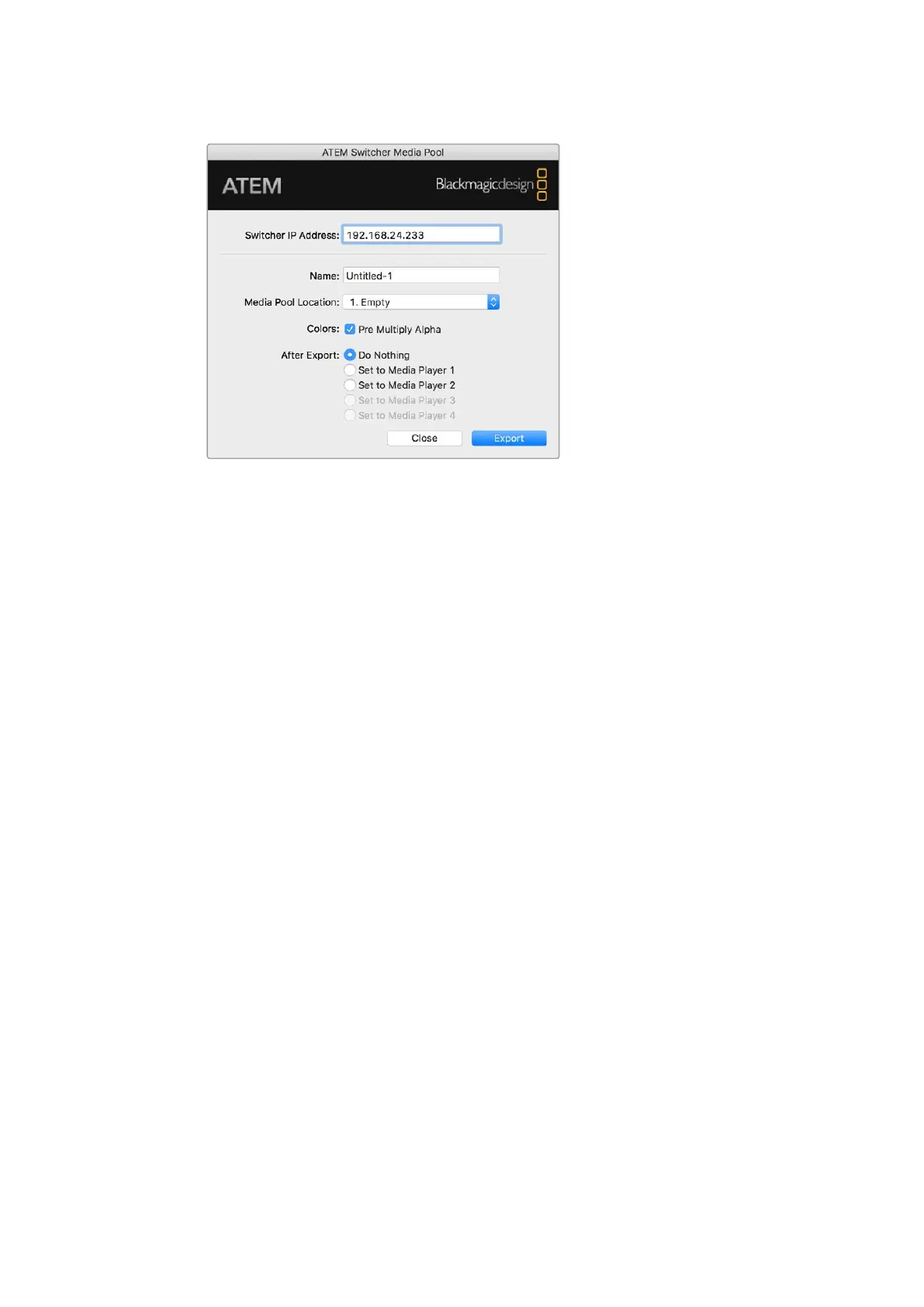
The first time the Photoshop export plug-in is run, it will ask you to select your switcher location.
This is the IP address of the switcher so the plug-in can find the switcher to communicate with.
By default, the IP is set to 192.168.10.240, which is what the switcher IP address is originally set
to when first sold. If you want to export several versions of the same Photoshop file, you can
use the export plug-in window to name each exported file and also choose whether to set the
files to a media player after export.
Preparing Graphics for Download
For best results, you will want to use a Photoshop document resolution that matches the video
standard you’re using with your ATEM switcher. For 1080 HD you should use 1920 x 1080 pixels
in resolution. For 720p HD formats you should use 1280 x 720 pixels. For PAL standard definition
you should use 720 x 576 and for NTSC you should use 720 x 486 pixels resolution documents.
When working with Photoshop documents for ATEM, you should not put any content on the
background layer, but add all content to the layers above. The background layer should always
be plain full frame black, and you should use a pre multiplied key setting in the ATEM keyers for
keying graphics from Photoshop.
To help you get started, we’ve included a guide and some graphic template files in the Example
Graphics folder which was installed on your computer along with the ATEM Switchers software.
To download the graphic to the ATEM media pool, simply select the export menu in Photoshop
and then select ATEM Switcher Media Pool to export. A window will appear asking you to
choose which position in the media pool you want to download to. The list includes all the file
names of graphics currently loaded in the media pool. Select which position you would like to
download to, and then select export.
If you’re in a hurry to get your graphics on air, then you can select to automatically copy this
graphic to either media player 1 or media player 2 after download. This lets you get images to
air fast! If you don’t want to interfere with the media player graphic sources, simply select not to
copy the media players to this graphic.
Pre Multiply Alpha should almost always be enabled and requires that you also switch on the
Pre Multiplied Key setting in your switcher’s LCD menu. Premultiplying mixes the graphic color
with its alpha channel when exporting to ensure your graphic has smooth edges which blend in
to the video.
149










 To Next Page