Using Macros
It’s worth frequently testing your macros using different switcher settings to make sure the
macro performs all the specific functions you intended, doesn’t miss any instructions,
orproduce something unexpected.
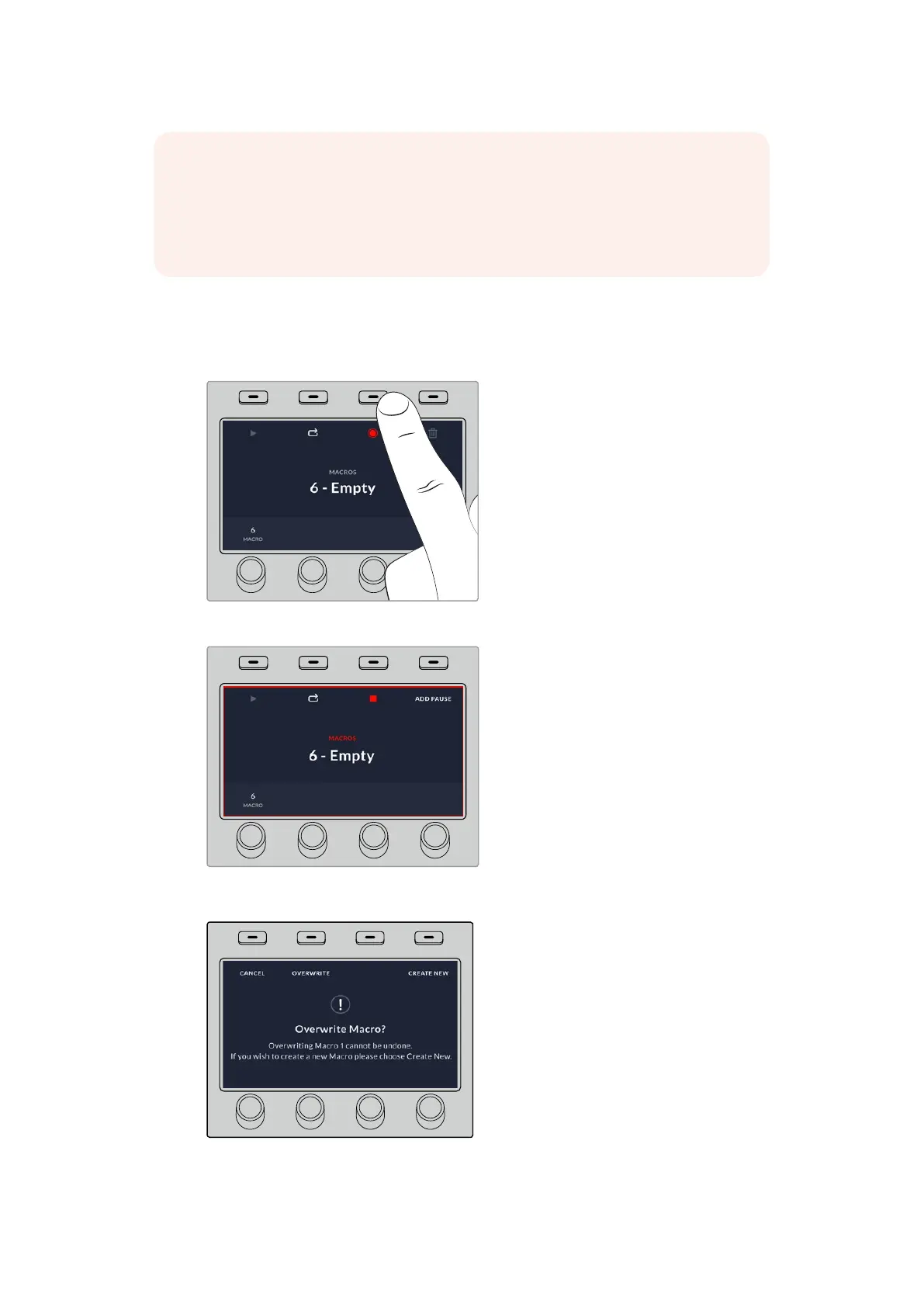
Press the ‘record’ soft button to start recording your macro
While recording, a red border will appear around the LCD.
If you want to record over a previously recorded macro, or if you
made a mistake and want to start recording the macro again, press
the record button and confirm the overwrite when prompted.
NOTE If the macro you just recorded using the example is set to loop, it will fail at the
end. That is because there is not a pause set between the final mix transition to black,
and the loop back to the start of the macro. To make the macro work looped, you will
need to record a final pause of 3 seconds so your switcher knows to wait for the last
3second transition to complete before looping back to the first action.
HOME
MIX
FTB
MACRO
SETTINGS
WIPE
MEDIA
PLAYERS
SUPER
SOURCE
DVE
BORDER
CAMERA
CONTROL
STINGER
COLOR
AUDIO
DIP
AUX
1
4
7
ENTER
2
5
8
0
3
6
9
RESET
KEYS
HOME
MIX
FTB
MACRO
SETTINGS
WIPE
MEDIA
PLAYERS
SUPER
SOURCE
KEYS
DVE
BORDER
CAMERA
CONTROL
STINGER
COLOR
AUDIO
DIP
AUX
1
4
7
ENTER
2
5
8
0
3
6
9
RESET
HOME
MIX
FTB
MACRO
SETTINGS
WIPE
MEDIA
PLAYERS
SUPER
SOURCE
DVE
BORDER
CAMERA
CONTROL
STINGER
COLOR
AUDIO
DIP
AUX
1
4
7
ENTER
2
5
8
0
3
6
9
RESET
KEYS
161










 To Next Page