Using ATEM Software Control
Using Multiple Control Panels
ATEM switchers have multiple ways they can be controlled and you can use this software
control panel as well as a range of hardware control panels. In fact you can run multiple copies
of this software control panel and this means you could have someone operating the switcher,
while someone else could be managing media, controlling cameras or mixing audio. It’s quite
flexible and this means many people can be operating your ATEM switcher all at the same time!
A good example is the relationship between the software control panel, hardware control panel
and the front panel of the ATEM Television Studio HD switcher. The software control panel has
been designed to be the same as the hardware control panel and this is a convention and well
understood ME style of layout where you have a program row and preview row of input controls
and then a transition block that lets you command the transition.
If you plug in both control panels, you can see them mirror each other and any button pressed
on one control panel will be reflected on the other control panels instantly.
However, due to space limitations the front panel of the ATEM Television Studio HD model is a
little bit different and it’s interesting to see the relationship between how this control panel
works and how the software control panel works. A good way to understand this is to watch the
front panel control while controlling the switcher via the software control panel.
Because of the limited space on the front panel, both the program and preview rows have been
combined together into a single row of buttons. You can see the source selected on the
program row because it’s illuminated red. You can see the source selected on the preview row
because it’s selected green. These are the same colors as the software control panel, but they
are just on the same row of physical buttons.
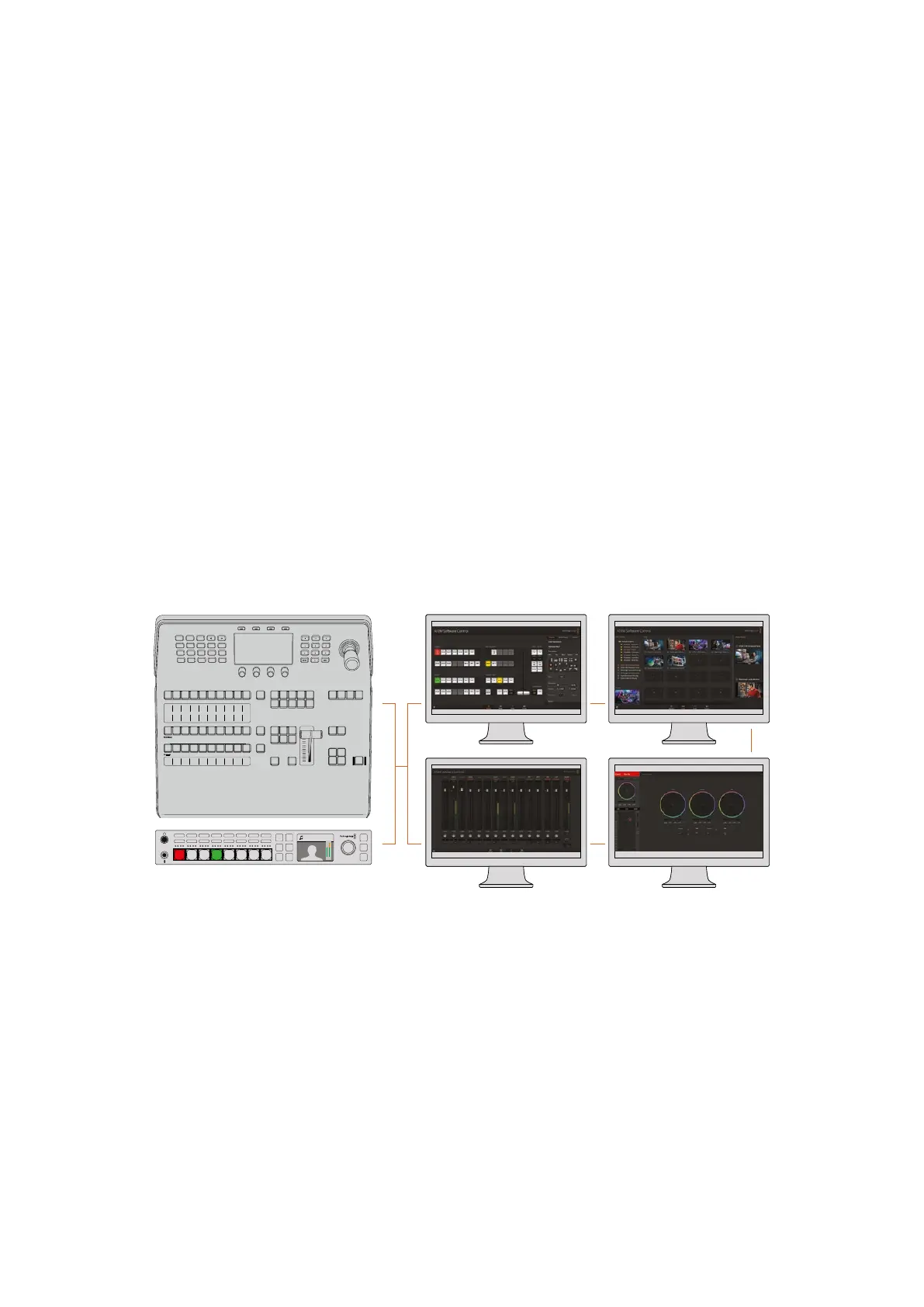
Multiple computers can run ATEM Software Control simultaneously, which means
multiple operators can be dedicated to separate controls on your switcher, for example
media management, audio mixing and camera control
Studio A
Cam 1
Studio A
Cam 2
Studio A
Cam 3
Studio A
Cam 4
Studio A
Cam 5
Media
Player 1
Media
Player 2
Replay
1
Replay
2
Remote
1
Studio A
Cam 1
Studio A
Cam 2
Studio A
Cam 3
Studio A
Cam 4
Studio A
Cam 5
Media
Player 1
Media
Player 2
Replay
1
Replay
2
Remote
1
Studio A
Cam 1
Studio A
Cam 2
Studio A
Cam 3
Studio A
Cam 4
Studio A
Cam 5
Media
Player 1
Media
Player 2
Replay
1
Replay
2
Remote
1
PROGRAM
SHIFT MACRO ON ON ON ON
M/E 1 M/E 2 M/E 3 M/E 4
BKGD
DIPSHIFT
PREV
TRANS
CUT AUTO
DSK 1
CUT
DSK 1
TIE
DSK 2
TIE
DSK 2
CUT
DSK 1
AUTO
DSK 2
AUTO
FTB
DVE STING
MIX WIPE ARM
KEY 1 KEY 2 KEY 3 KEY 4
PREVIEW
HOME SETTINGS
KEYERS
1 2 3
4 5 6
7 8 9
ENTER 0 RESET
DVE STINGER DIP
COLOR
AUDIO AUX
BORDER
CAMERA
CONTROL
WIPE
MEDIA
PLAYERS
SUPER
SOURCE
MIX
FTB
MACRO
Camera 4
+2.3dB
AUX
MENU
SET
FTB
MP 2
AUTO
DSK 1
MIX
MP 1
CUT
ON ON ON ON ON ON ON ON
AFV AFV AFV AFV AFV AFV AFV AFV
1 2 876543
53










 To Next Page