Using ATEM Television StudioProSwitchers
Controlling Cameras
The first step when changing a camera setting is to select the specific camera you want
to control.
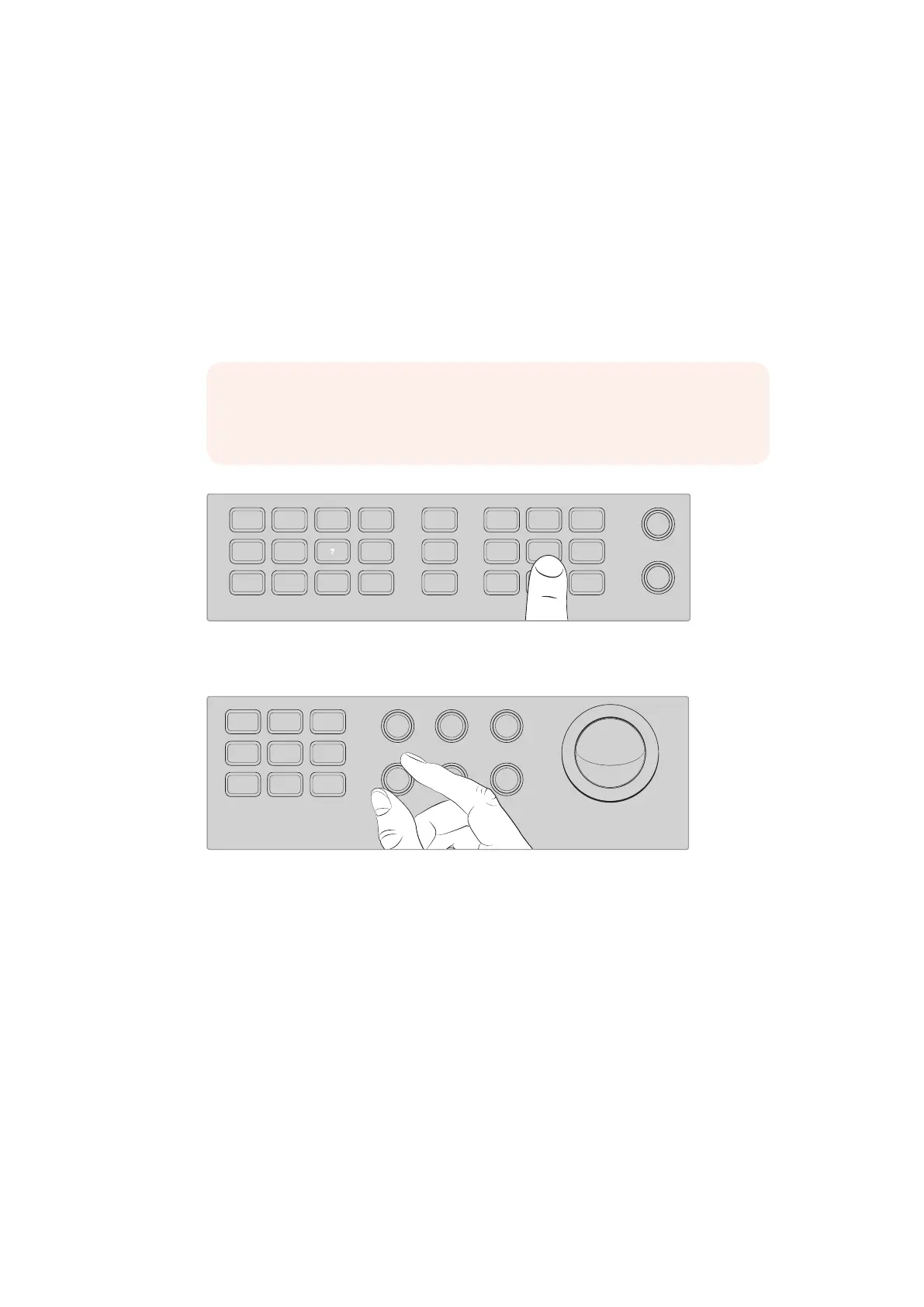
1 Press one of the camera buttons on the top left corner of your switcher. The button will
illuminate so you can easily see which camera you are adjusting.
2 With the camera selected, you can immediately make adjustments. For example,
to open or close the lens aperture on a compatible servo lens, rotate the iris knob
clockwise or counterclockwise. If you want to increase or decrease the shutter speed
or shutter angle, press the shutter button marked SHUT on the control panel to cycle
through the available shutter settings.
Press a camera button to select the camera you want to control,
then use the camera control buttons and knobs to make
adjustments, such as changing the shutter angle on Blackmagic URSA Mini
After selecting the camera you want to adjust, rotate the iris
knob to open or close the lens aperture on compatible lenses
Camera Settings
Below is a description of the different camera settings you can adjust including dB gain, shutter,
white balance, iris, focus, and zoom.
dB Gain
Press the dB Gain button to adjust a selected camera’s overall gain, or light sensitivity.
On Blackmagic URSA Mini, this setting is called ISO. Pressing the dB Gain button cycles
through the camera’s gain or ISO settings.
Auto Iris
Pressing the ‘auto iris’ button will automatically set the aperture of the camera’s lens to
optimize the exposure on cameras with compatible auto iris lenses.
NOTE It’s worth mentioning that if you want to control focus, iris and zoom
settings, a compatible lens with servo controlled focus, iris and zoom control
must be attached to the camera.
321
7
65
DIRECT
TALK 7
4
8
DIRECT
TALK 8
DIRECT
TALK 6
DIRECT
TALK 5
DIP
9
BORD
10 11
MACRO
12
AFV
ON
KEY 1
CUT
1
AFV
ON
KEY 1
FILL
2
AFV
ON
DSK 1
CUT
3
AFV
ON
DSK 1
FILL
4
AFV
ON
DSK 2
CUT
5
AFV
ON
DSK 2
FILL
6
AFV
ON
DVE
CUT
7
AFV
ON
DVE
FILL
8
MIX
DIP
DVE
PUSH
LOGO
INVERT
DVE
SQZ
DVE
PIP 1
1 2 3
4 5 6
7 8 9
ENTER 0 CLEAR
DVE
PIP 3
DVE
PIP 2
DVE
PIP 4
AUTO
IRIS
db
GAIN
GAIN
AUTO
FOCUS
SHUTGAMMA
CALL
RESET
RGB
RESET
ALL
RESET
ALL
AUX
MENU
SET
W/BALLIFT
PRIM
COLOR
OFFSET
COLOR
PTZ
MP 1
1
MP 1K
2
MP 2
3
MP 2K
4
BG 1
5
BG 2
6
BLACK
7
BARS
8
MP 1
1
MP 1K
2
MP 2
3
MP 2K
4
BG 1
5
BG 2
6
BLACK
7
BARS
8
DSK 1
AUTO
DSK 2
AUTO
FTB
DSK 1
CUT
DSK 2
CUT
SHIFT
SHIFT CUT AUTO
KEY 1
CUT
BKGD
KEY 1
TIE
BKGD
KEY 1
TIE
321
765
DIRECT
TALK 7
4
8
DIRECT
TALK 8
DIRECT
TALK 6
DIRECT
TALK 5
DIP
9
BORD
10 11
MACRO
12
AFV
ON
KEY 1
CUT
1
AFV
ON
KEY 1
FILL
2
AFV
ON
DSK 1
CUT
3
AFV
ON
DSK 1
FILL
4
AFV
ON
DSK 2
CUT
5
AFV
ON
DSK 2
FILL
6
AFV
ON
DVE
CUT
7
AFV
ON
DVE
FILL
8
MIX
DIP
DVE
PUSH
LOGO
INVERT
DVE
SQZ
DVE
PIP 1
1 2 3
4 5 6
7 8 9
ENTER 0 CLEAR
DVE
PIP 3
DVE
PIP 2
DVE
PIP 4
AUTO
IRIS
db
GAIN
GAIN
AUTO
FOCUS
SHUTGAMMA
CALL
RESET
RGB
RESET
ALL
RESET
ALL
AUX
MENU
SET
W/BALLIFT
PRIM
COLOR
OFFSET
COLOR
PTZ
MP 1
1
MP 1K
2
MP 2
3
MP 2K
4
BG 1
5
BG 2
6
BLACK
7
BARS
8
MP 1
1
MP 1K
2
MP 2
3
MP 2K
4
BG 1
5
BG 2
6
BLACK
7
BARS
8
DSK 1
AUTO
DSK 2
AUTO
FTB
DSK 1
CUT
DSK 2
CUT
SHIFT
SHIFT CUT AUTO
KEY 1
CUT
BKGD
KEY 1
TIE
BKGD
KEY 1
TIE
IRIS FOCUS ZOOM
LEVEL Y ADJ S AT
97










 To Next Page