65.14
Audio module replacement
•
Open main storage compartment
•
Remove audio unit
For enhanced clarity to illustration shows the com-
ponents with the audio module removed.
•
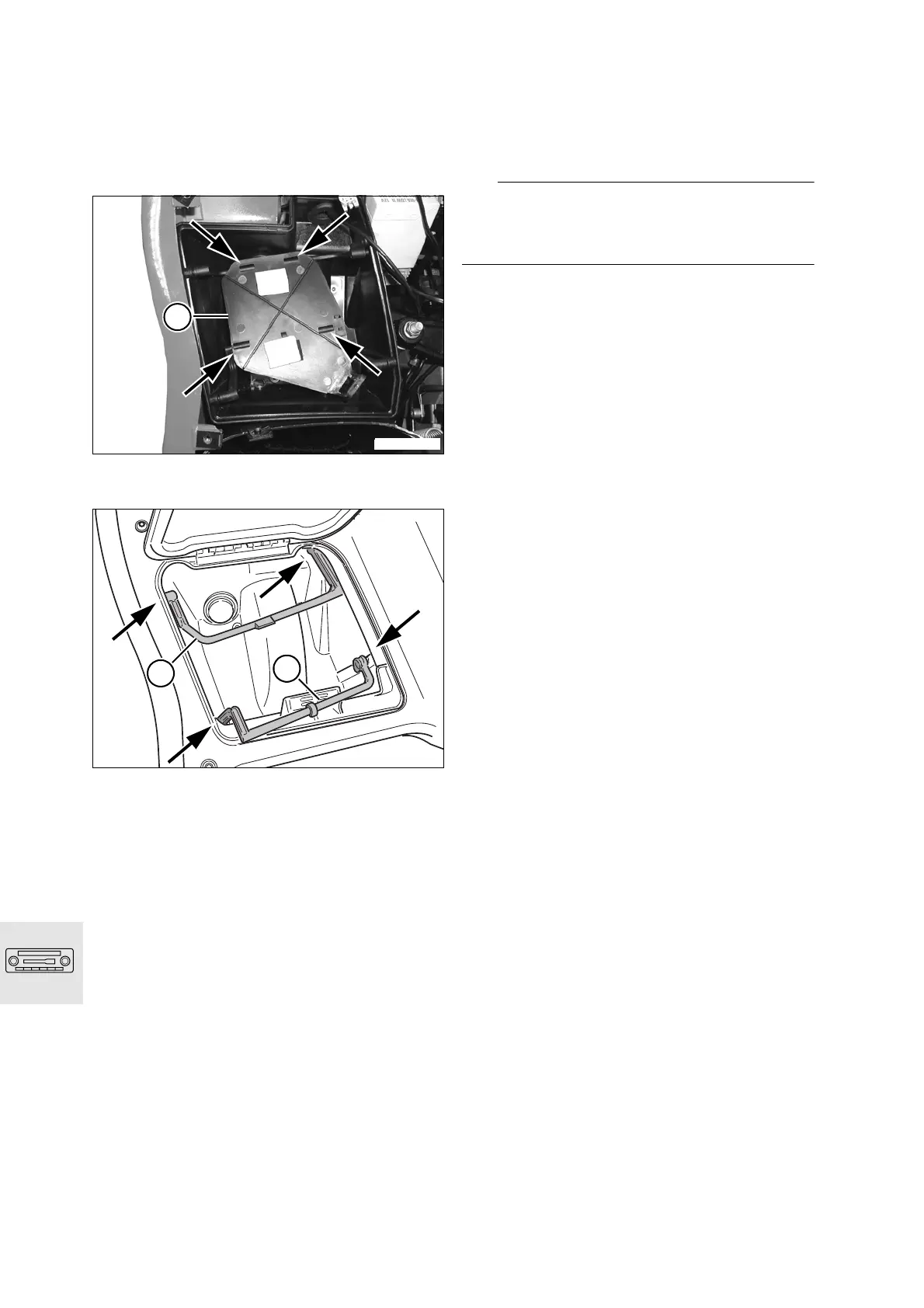
Unsnap retainer plate (1) from brackets (arrows)
•
Remove front (1) and rear (2) rod by moving to
the inside out of the supports (arrows) in the stor-
age compartment
When installing:
•
While installation is basically a reversal of the re-
moval process, careful attention should be di-
rected toward the following:
•
Allow rods to snap securely into place in the
retainingplate
L
Note:
Bond the soft felt tape strip for the Velcro attach-
ments onto the audio unitBond the tape to the re-
taining plate.
C1650200
1
C1650210
1
2


 To Next Page