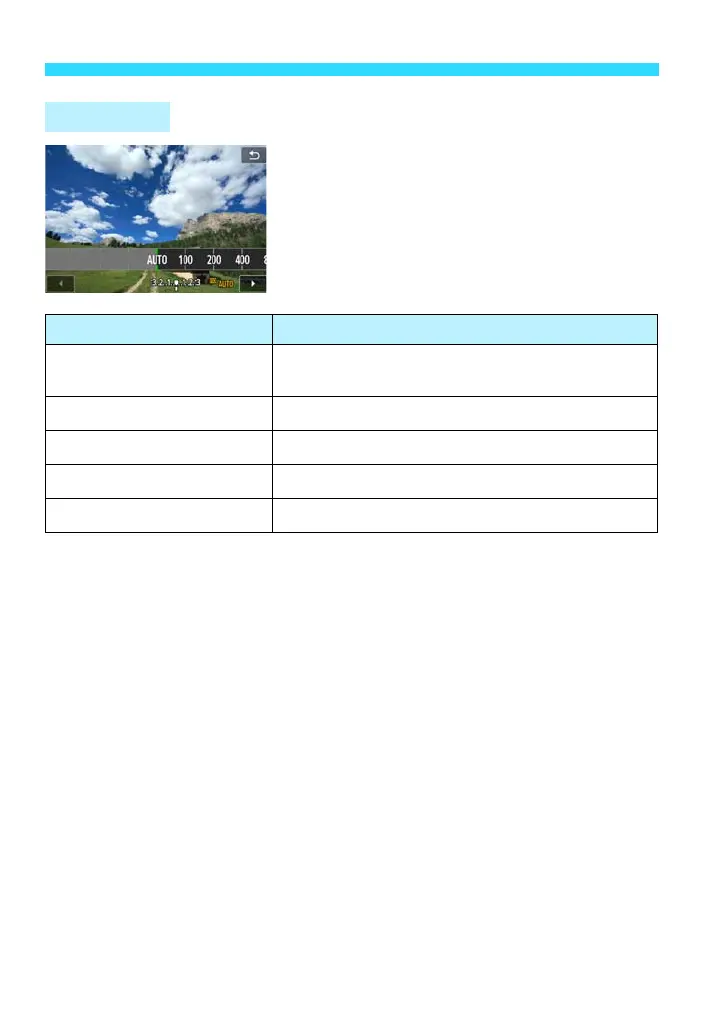
i: Changing the ISO Speedt
104
If the ISO speed is set to [AUTO] and you
press the shutter button halfway, the current
ISO speed will be displayed. As indicated
below, the ISO speed will be set
automatically to suit the shooting mode.
*1: Fixed at ISO 400 for bulb exposures.
*2: Depends on the maximum ISO speed limit set.
*3: If fill flash results in overexposure, ISO 100 or a higher ISO speed will be set
(except in <a> mode).
*4: Except in the A, C, 6, and F modes.
*5: Automatically set within ISO 400 - ISO 1600 (or up to the maximum limit) in the C,
2, 3, 4, 5, P, and <d> modes if you use bounce flash with an external
Speedlite.
ISO [AUTO]
Shooting Mode ISO Speed Setting
A/C/2/4/5/C/P/
6/G
Automatically set within ISO 100 - ISO 6400
3 Automatically set within ISO 100 - ISO 1600
F Automatically set within ISO 100 - ISO 12800
d/s/f/a
*1
Automatically set within ISO 100 - ISO 6400
*2
With flash ISO 400
*3*4*5










 To Next Page