146
Four methods (metering modes) to measure the subject’s brightness are
provided. Normally, evaluative metering is recommended.
With <A> and in Basic Zone modes, evaluative metering is set automatically.
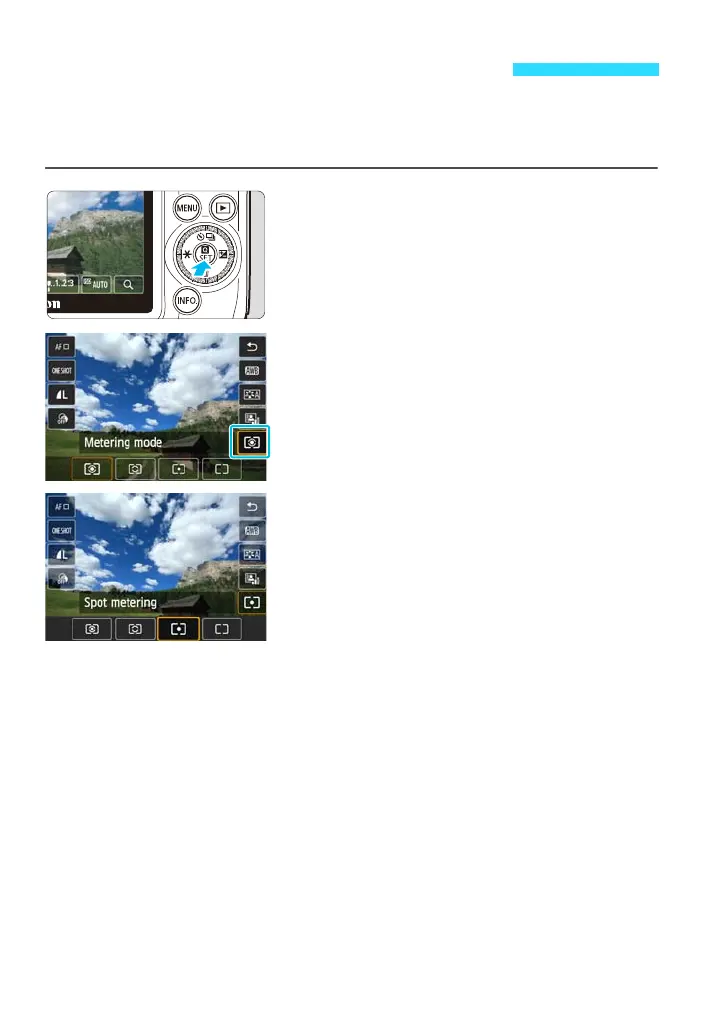
1
Display the Quick Control screen.
Press the <Q> button to display it.
2
Tap the metering mode.
3
Tap the desired setting to select it.
Tap the desired setting to select it, then
tap [2].
For partial metering and spot metering,
the metering range will be displayed with
k.
q Changing the Metering Modet










 To Next Page