299
You can set Speedlite functions with the menu. Applicable only to a
compatible EX-series Speedlite when attached to the camera.
The setting procedure is the same as that for setting a camera menu function.
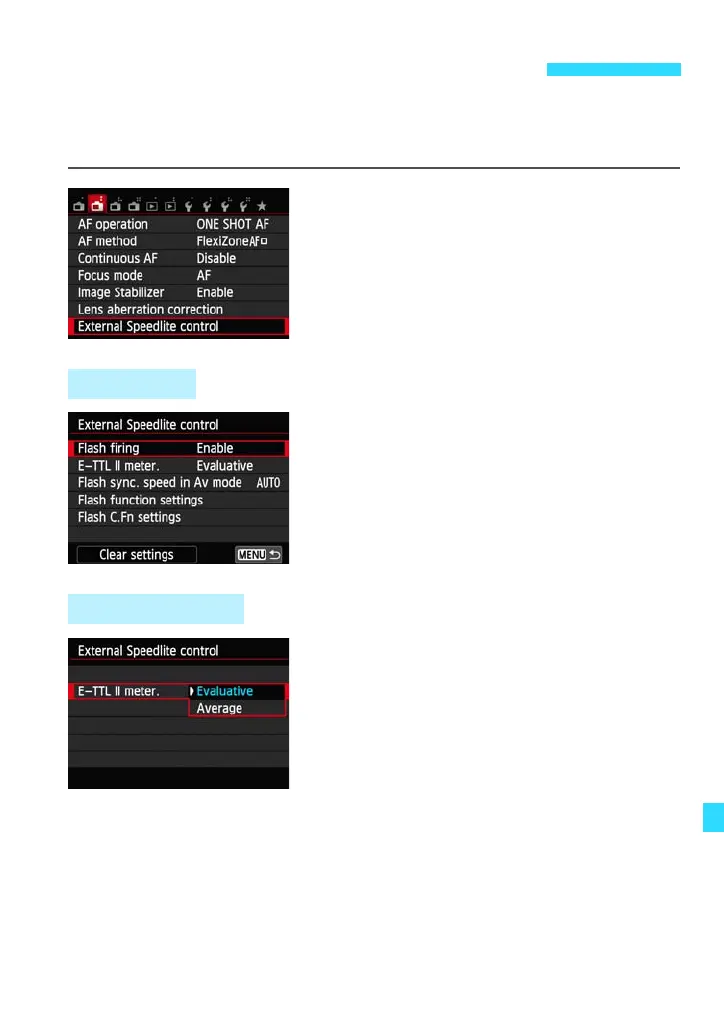
Select [External Speedlite control].
Under the [A2] tab, select [External
Speedlite control], then press <0>.
The external Speedlite control screen will
appear.
Normally, set this to [Enable].
If [Disable] is set, the external
Speedlite will not fire. This is useful
when you only want to use the flash’s AF-
assist beam.
For normal flash exposures, set this to
[Evaluative].
[Average] is for advanced users. As with
an external Speedlite, the metering area
is averaged. Flash exposure
compensation may be necessary
depending on shooting conditions.
3 Setting Speedlite Functionst
Flash Firing
E-TTL II Metering















 To Next Page