59
The LCD monitor is a touch-sensitive panel that you can operate with your
fingers.
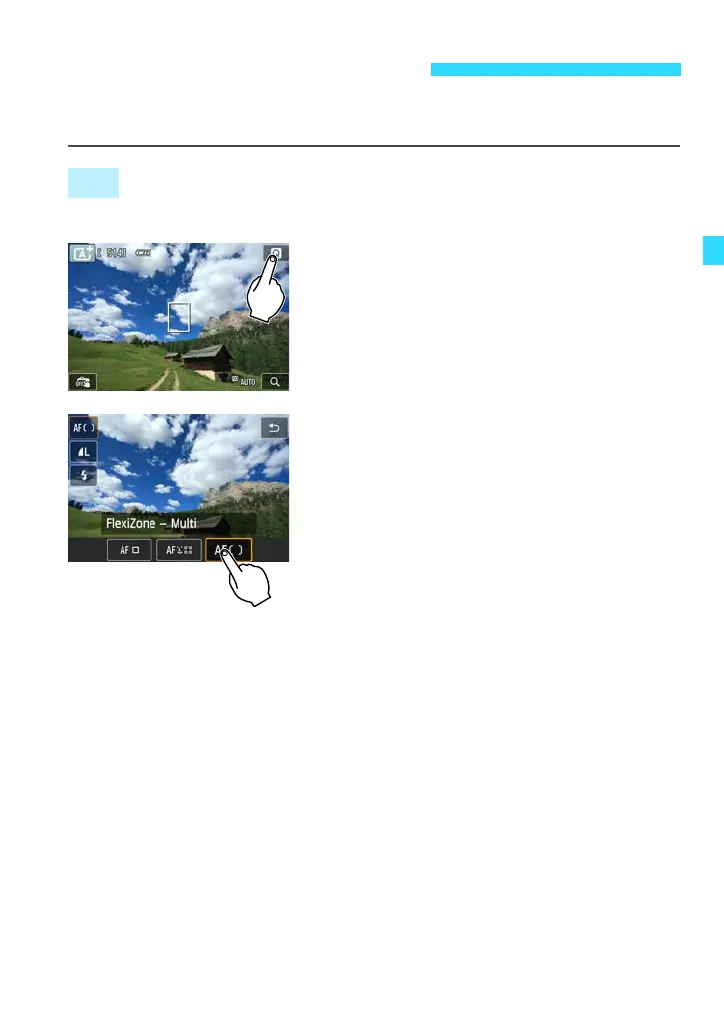
Quick Control (Sample display)
Use your finger to tap (touch briefly and
then remove your finger from) the LCD
monitor.
By tapping, you can select menus, icons,
etc., displayed on the LCD monitor.
When touch-screen operation is possible,
a frame will appear around the icon
(except on menu screens).
Tap [2] to return to the previous screen.
Operations possible by tapping the screen
Setting menu functions after pressing the <M> button
Quick Control
Setting a function after you press the <j/i> button
Touch shutter
Playback operations
d Using the Touch Screen
Tap















 To Next Page