71
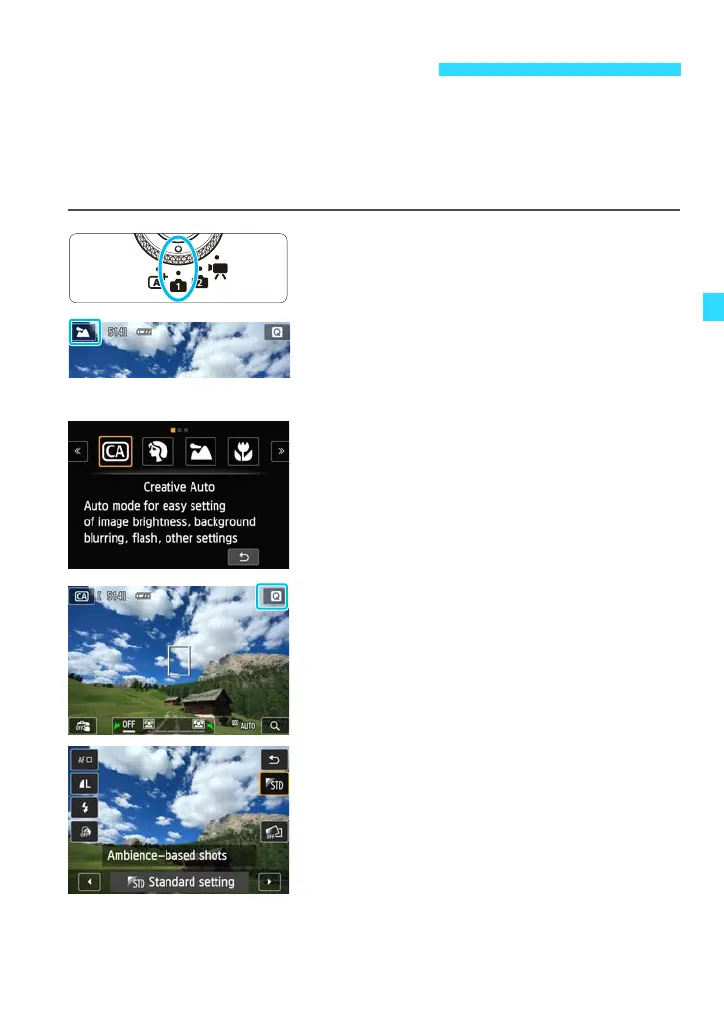
In the <C> mode, you can set the following functions before shooting:
(1) Ambience-based shots, (2) Extra Effect Shot, (3) Flash firing, (4)
Background blur, and (5) Drive/self-timer mode. The default settings are the
same as the <A> mode.
* CA stands for Creative Auto.
1
Set the Mode Dial to <v>.
2
Tap the shooting mode icon on the
screen’s upper left corner.
The shooting mode selection screen will
appear.
3
Tap the screen to select [C].
4
Display the Quick Control screen.
Press the <Q> button to display it.
5
Select the desired function.
Extra Effect Shot, Ambience-based
shots, and flash firing can be set with
Quick Control.
Background blur can be set by tapping
the icon on the shooting screen.
Drive/self-timer mode can be set by
pressing the <j/i> button.
C Creative Auto Shooting















 To Next Page