102
Set the ISO speed (image sensor’s sensitivity to light) to suit the ambient light
level. With <A> and in Basic Zone modes, the ISO speed is set automatically
(p.104).
1
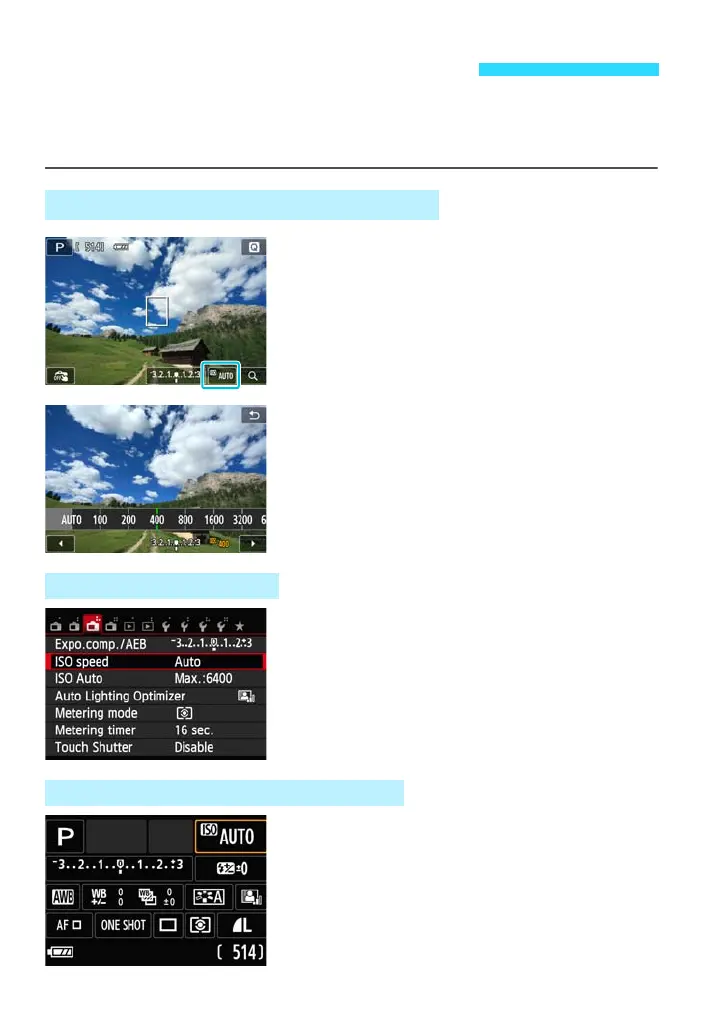
Tap the ISO speed.
Tap the ISO display on the LCD monitor’s
lower right.
2
Set the ISO speed.
Tap the ISO display and select the
desired ISO speed, then tap [2].
With [AUTO] selected, the ISO speed will
be set automatically (p.104).
i: Changing the ISO Speedt
Using the Shooting Screen’s ISO Display
Using the Menu Screen
Using the B Quick Control Screen










 To Next Page