40
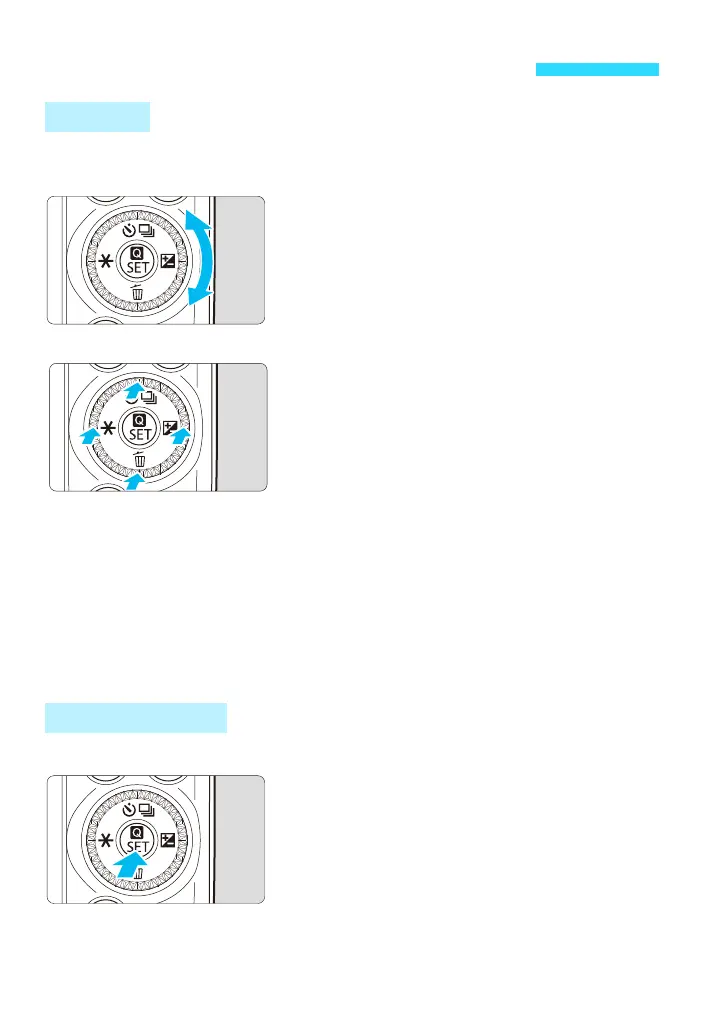
The Main Dial can be operated in two ways: by turning it or pressing the top,
bottom, left, or right edge.
Turn the Main Dial <5>.
When a function can be set (after pressing
a button or tapping an icon on the screen),
you can mainly make a horizontal
selection by turning the <5> dial.
You can set the shutter speed, aperture,
etc. by turning the <5> dial.
Press the top, bottom, left, or right of
the Main Dial <5>.
When a function can be set (after
pressing a button or tapping an icon on
the screen), you can select or adjust an
item by pressing the top, bottom, left, or
right of the <5> dial.
When shooting, you can select a drive
mode by pressing the <j/i> button, set
exposure compensation by pressing the
<O> button, or apply AE lock by pressing
the <A> button. (May not be available
depending on the shooting mode.)
During playback, you can erase an image
by pressing the <L> Erase button.
The <Q/0> button has two features: <Q> Quick Control and <0> Set.
<Q> Quick Control
You can display the Quick Control screen
by pressing the <Q> button while an
image is displayed during shooting or
playback (p.50, 236).
<0> Set
Press <0> to accept your selection in
menus, Quick Control functions, etc.
<
5
> Main Dial and <
Q
/
0
> Button
Main Dial
<Q/0> Button















 To Next Page