136
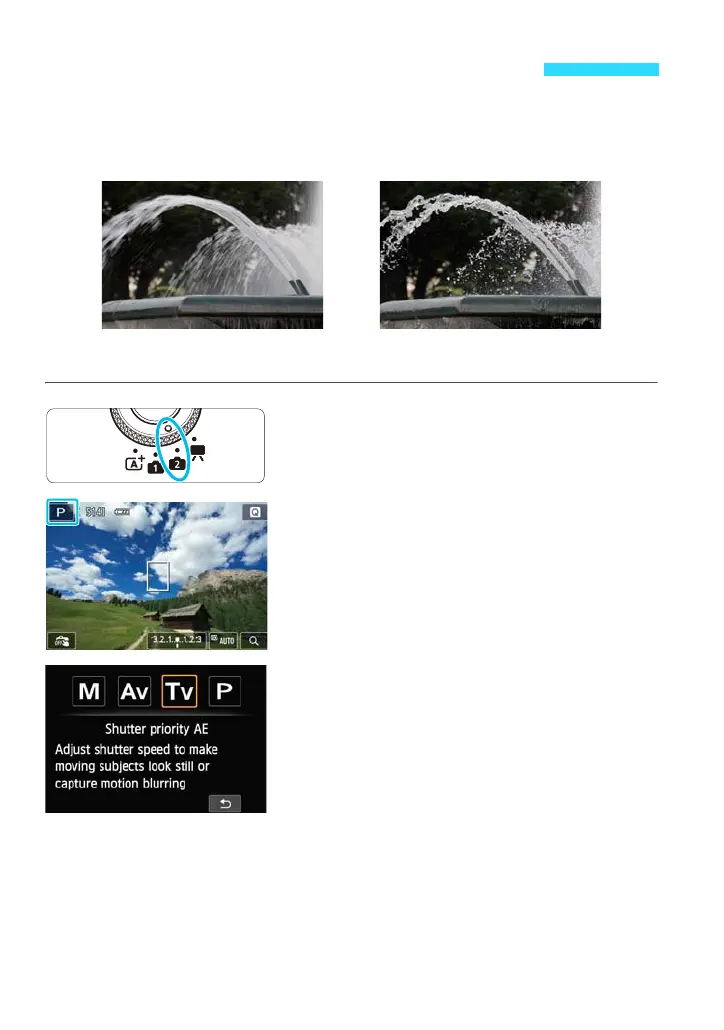
You can either freeze the action or create motion blur with the <s>
(Shutter-priority AE) mode.
*<s> stands for Time value.
1
Set the Mode Dial to <w>.
2
Tap the shooting mode icon on the
screen’s upper left corner.
The shooting mode selection screen will
appear.
3
Tap the screen to select [s].
s: Convey the Subject’s Movement
Blurred motion
(Slow shutter speed: 1/30 sec.)
Frozen action
(Fast shutter speed: 1/2000 sec.)















 To Next Page