87
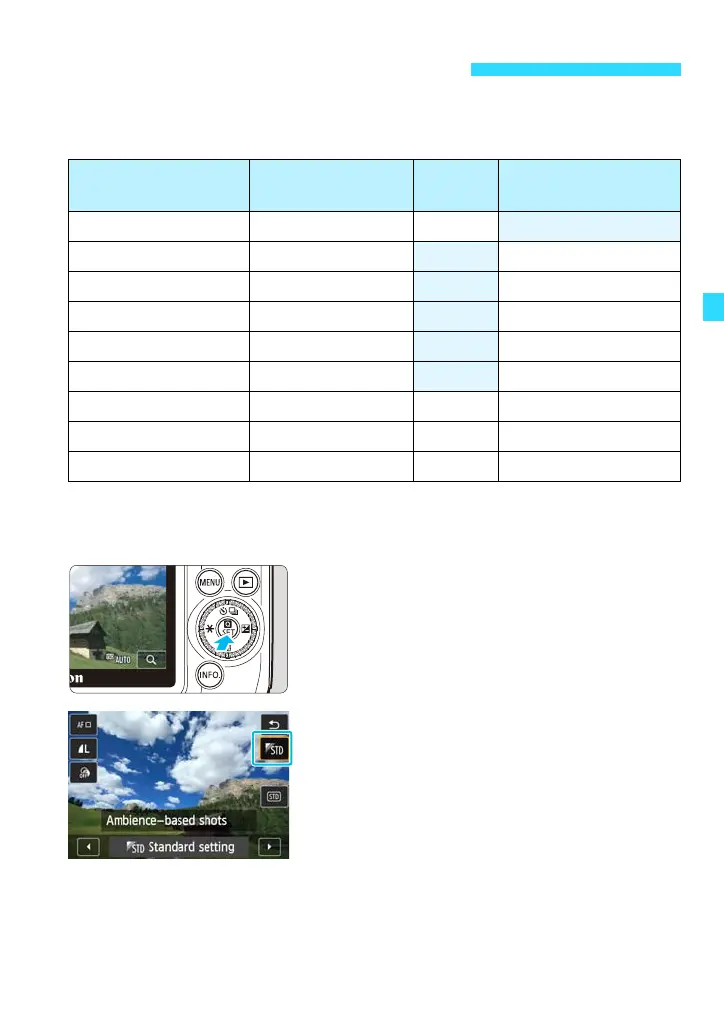
In Basic Zone modes (except <G>), you can select the ambience for
shooting.
1
Select a shooting mode other than
<G>.
2
Display the Quick Control screen.
Press the <Q> button to display it.
3
Select [0].
Tap on [0] so that [Ambience-based
shots] appears on the screen.
Tap [h]/[g] to select an ambience.
You can check the effect of the selected
ambience.
Shoot by Ambience Selection
Ambience
C/2/3/4/
5/C/6/F
P Ambience Effect
0Standard setting kkNo setting
1 Vivid k
Low / Standard / Strong
2 Soft k
Low / Standard / Strong
4 Warm k
Low / Standard / Strong
6 Intense k
Low / Standard / Strong
7 Cool k
Low / Standard / Strong
8 Brighter kk
Low / Medium / High
J Darker kk
Low / Medium / High
K Monochrome kkBlue / B/W / Sepia















 To Next Page