239
1
Play back the image.
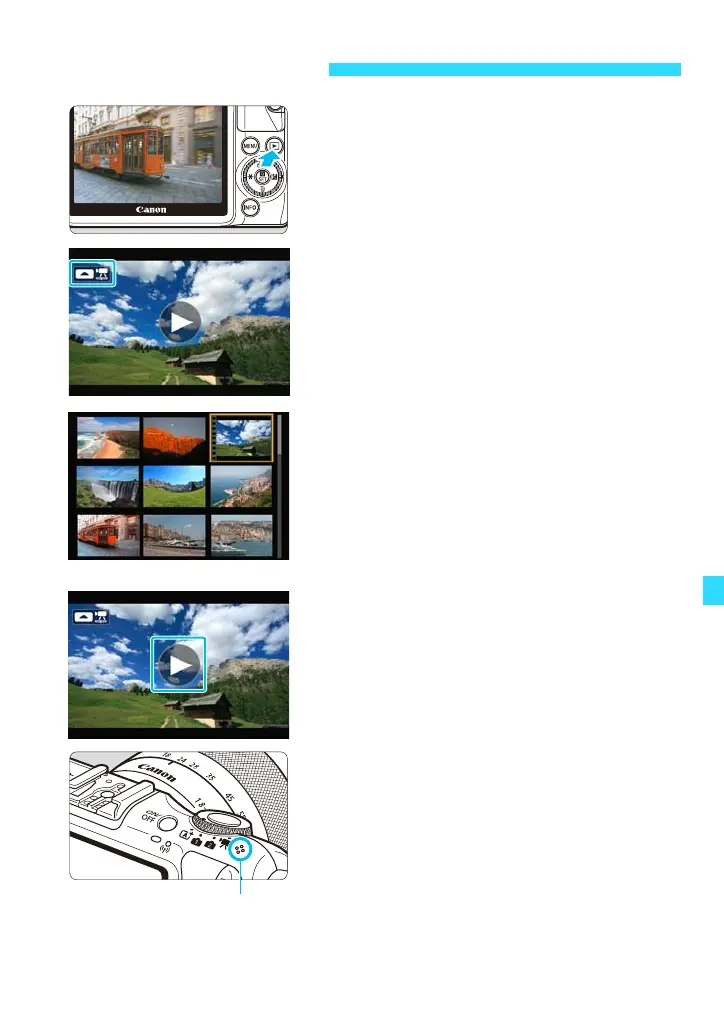
Press the <x> button to display images.
2
Select a movie.
Press the <Y> <Z> keys to select a
movie.
In the single-image display, [Z1]
displayed on the upper left of the screen
indicates a movie. If the movie is a video
snapshot, [Ze] will be displayed.
You can press the <B> button to
switch to the shooting information display
(p.257).
In the index display, perforations at the
left edge of a thumbnail indicate a movie.
As movies cannot be played in the
index display, press <0> to switch
to the single-image display.
3
Tap [7] at the center of the screen.
The movie will start playing.
To pause the movie while it is playing, tap
the screen. The movie playback panel
will also appear (p.240).
During movie playback, you can turn the
<5> dial to adjust the built-in speaker’s
sound volume.
k Playing Movies















 To Next Page