143
You can set both the shutter speed and aperture manually as desired. This
method is called manual exposure.
*<a> stands for Manual.
1
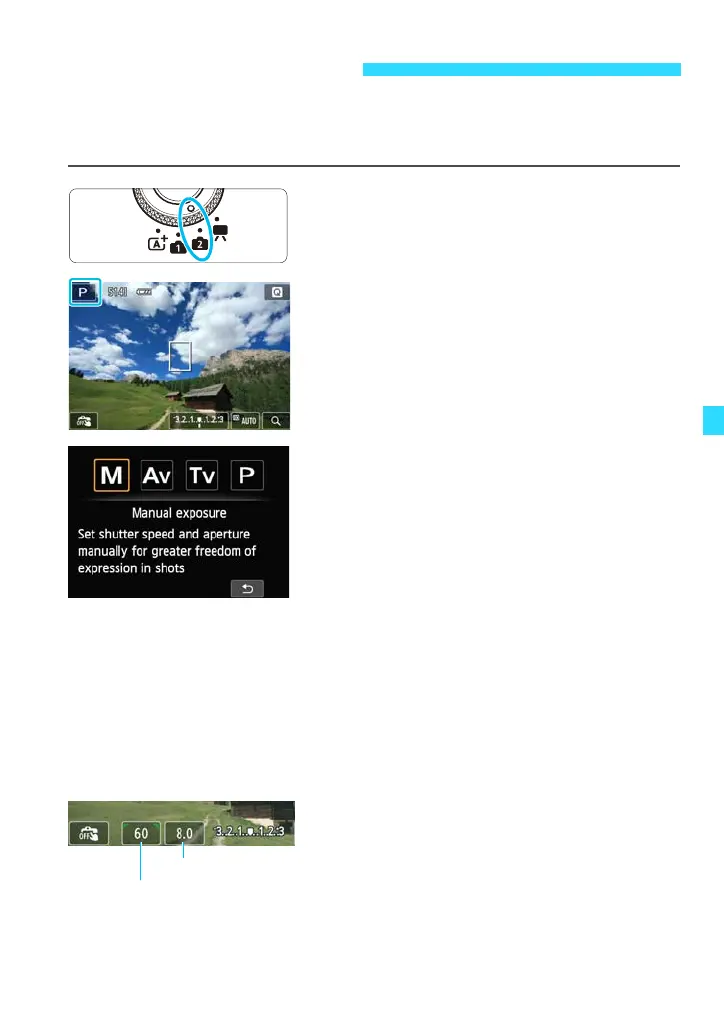
Set the Mode Dial to <w>.
2
Tap the shooting mode icon on the
screen’s upper left corner.
The shooting mode selection screen will
appear.
3
Tap the screen to select [a].
4
Set the ISO speed (p.102).
When set to [AUTO], the ISO speed will
change automatically in order to obtain a
standard exposure.
If you manually set the ISO speed, the
image brightness will change to suit the
set ISO speed, shutter speed, and
aperture.
5
Set the shutter speed and aperture.
Press the <O> button to toggle between
shutter speed selection and aperture
selection.
Turn the <5> dial to set the shutter
speed or aperture.
You can also set by tapping the shutter
speed and f/number.
a: Manual Exposure
Shutter speed
Aperture (f/number)















 To Next Page