64
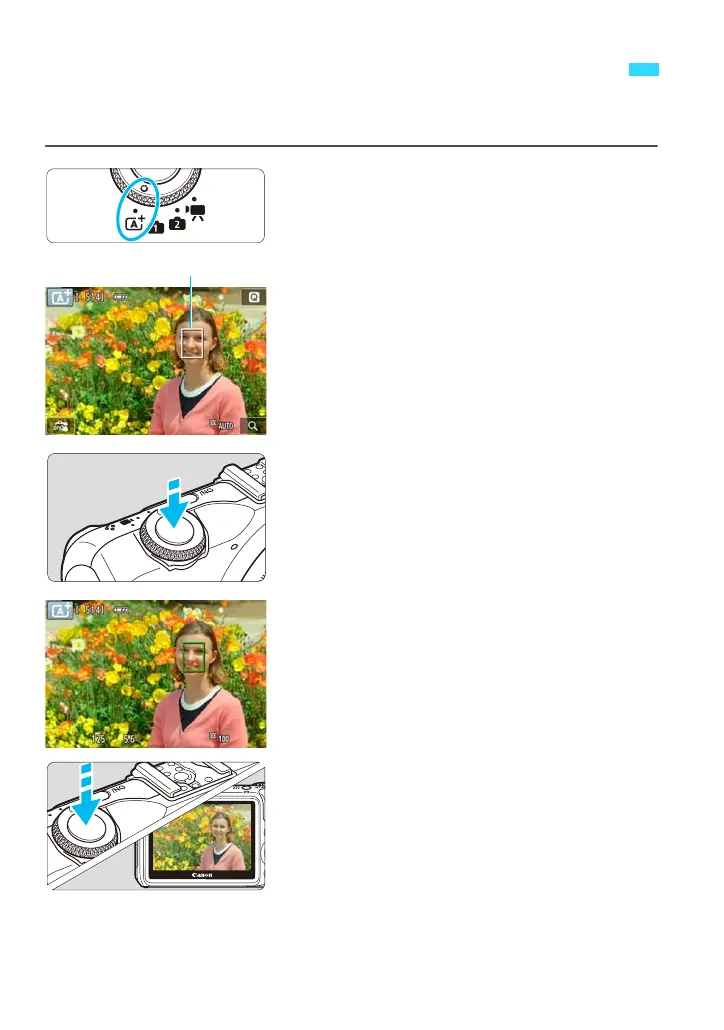
<A> is a fully automatic mode. The camera analyzes the scene and
sets the optimum settings automatically.
1
Set the Mode Dial to <A>.
2
Move the AF point.
Tap the screen to move the AF point to
where you want to focus. (It cannot go to
the edges of the picture.)
To return the AF point to the center,
press the <XL> button.
3
Focus the subject.
Press the shutter button halfway to focus.
When focus is achieved, the AF point will
turn green and the beeper will sound.
4
Take the picture.
Press the shutter button completely.
The captured image will be displayed for
2 sec. on the LCD monitor.
A
Fully Automatic Shooting (Scene Intelligent Auto)















 To Next Page