189
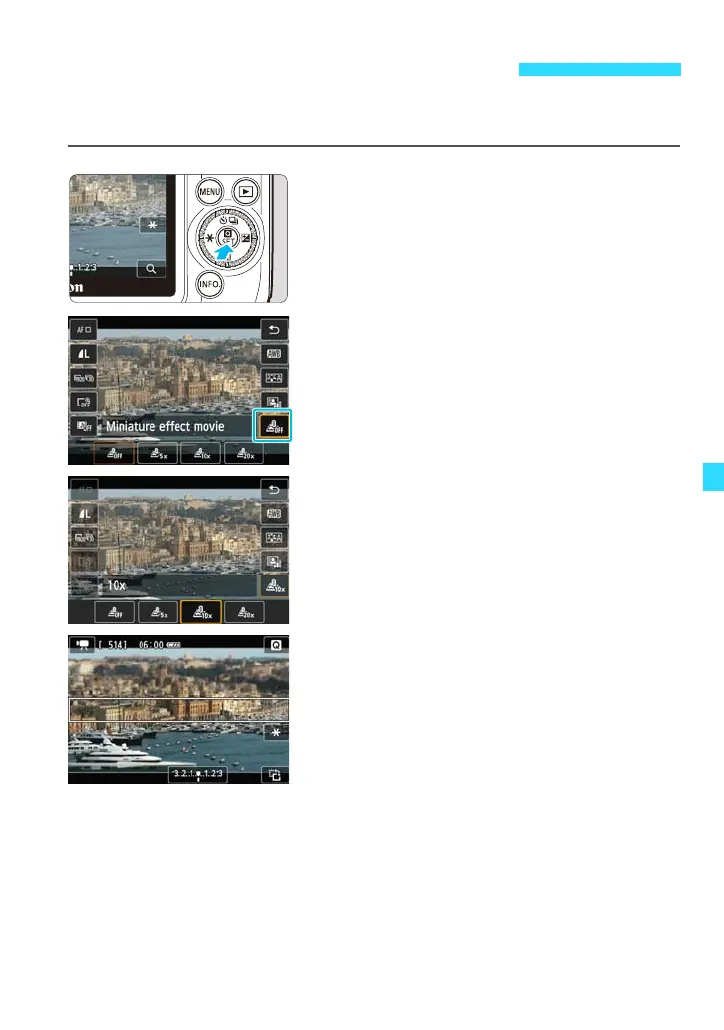
You can shoot sped-up movies with a Miniature (diorama) effect. Select the
playback speed and shoot.
1
Display the Quick Control screen.
Press the <Q> button to display it.
2
Tap the Miniature effect movie icon.
Tap [T] (Miniature effect movie).
3
Tap the desired setting to select it.
Tap [U] (5x), [V] (10x), or [W] (20x)
to select it, then tap [2].
4
Position the white frame over the
part you want to remain sharp.
Tap the part you want to remain sharp to
move the white frame over it.
To switch the white frame’s orientation
between vertical and horizontal, tap [X]
on the screen’s lower right.
Shooting Miniature Effect Movies















 To Next Page