162
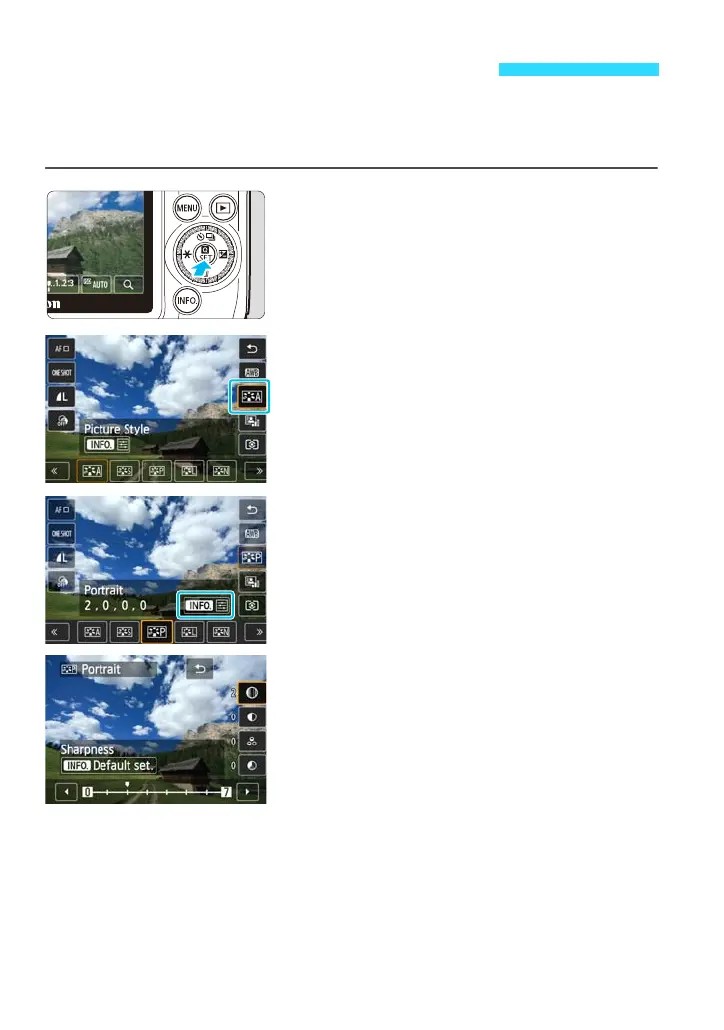
You can customize a Picture Style by adjusting individual parameters such as
[Sharpness] and [Contrast]. To see the resulting effects, take test shots. To
customize [Monochrome], see page 165.
1
Display the Quick Control screen.
Press the <Q> button to display it.
2
Tap the Picture Style.
3
Tap a Picture Style to select it.
After selecting a Picture Style, tap
[ze].
The detail setting screen will appear.
4
Select a parameter.
Tap the parameter to be set.
A Adjusting the Picture Stylet















 To Next Page