176
Connecting the camera to a TV set is recommended to play back the movies
shot (p.247, 251).
When you select the movie shooting mode [k], autoexposure is set to adjust
the brightness automatically.
1
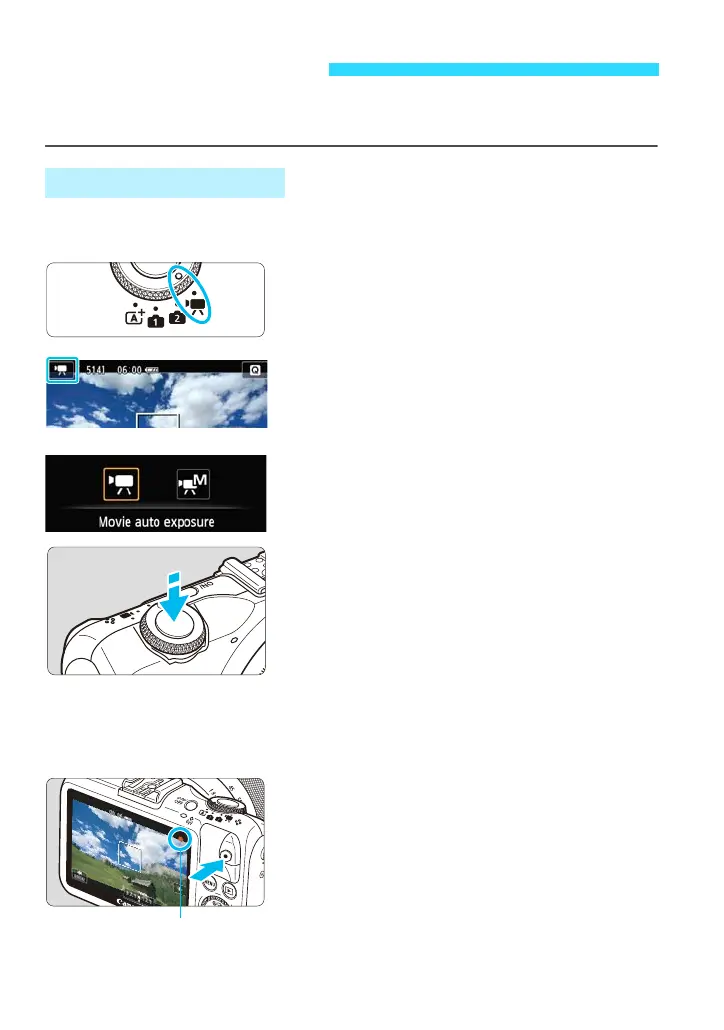
Set the Mode Dial to <k>.
2
Tap the shooting mode icon on the
screen’s upper left corner.
The shooting mode selection screen will
appear.
3
Select [k] (Movie auto exposure)
for the shooting mode.
4
Focus the subject.
Before shooting a movie, focus with AF
or manual focus (p.108-121).
By default, [Movie Servo AF: Enable]
(p.203) is set for continuous focusing.
When [Movie Servo AF] is set to
[Enable], you can tap [B] on the
screen’s lower left to stop/start the
focusing. If you stop the focusing, the AF
point will turn gray.
5
Shoot the movie.
Press the <o> (Movie start/stop) button
to start shooting a movie. To stop
shooting the movie, press the <o>
(Movie start/stop) button again.
While the movie is being shot, the “o”
mark will be displayed on the upper right
of the screen.
k Shooting Movies
Autoexposure Shooting















 To Next Page