109
3 Selecting a Focusing Method
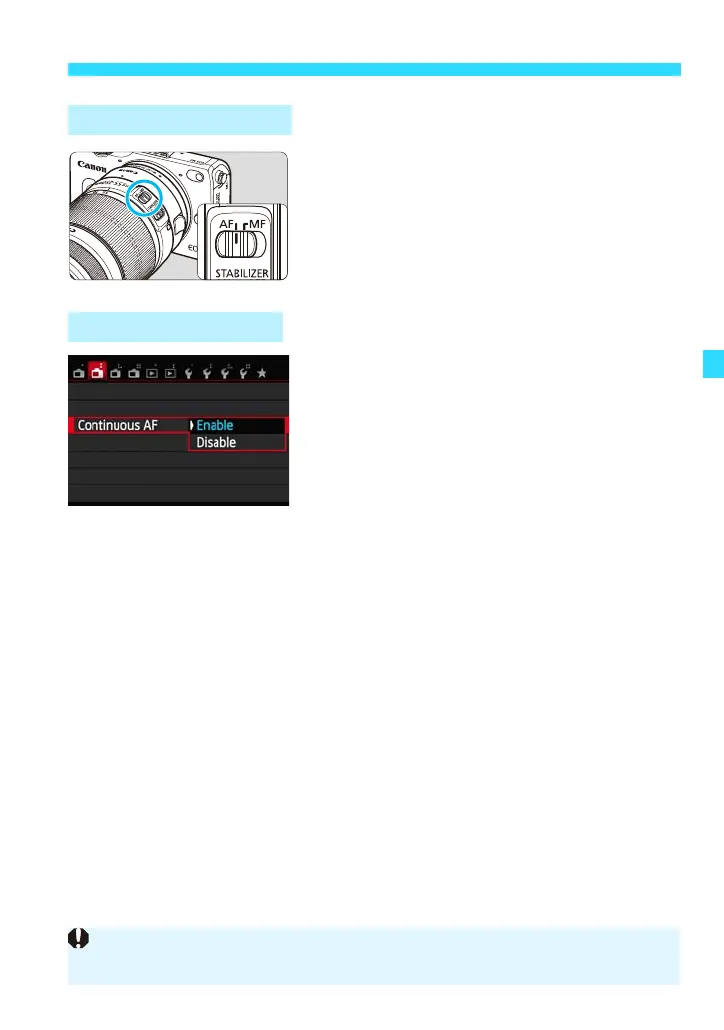
Set the lens focus mode switch to <AF>
or <MF>.
The camera focuses the subject
continuously to achieve rough focus. This
makes it quicker to achieve focus when you
press the shutter button halfway. If [Enable]
is set, the lens will operate frequently and
consume more battery power. This will
reduce the number of possible shots.
Set by selecting [Continuous AF] under
the [A2] tab.
The default setting is [Enable].
With a Non-EF-M Lens
Using Continuous AF
While using Continuous AF with an EF or EF-S lens, do not switch the lens focus
mode switch to <MF>. Switch to <MF> with the camera’s power turned off.







 To Next Page