Using AF to Focus (AF Method)
116
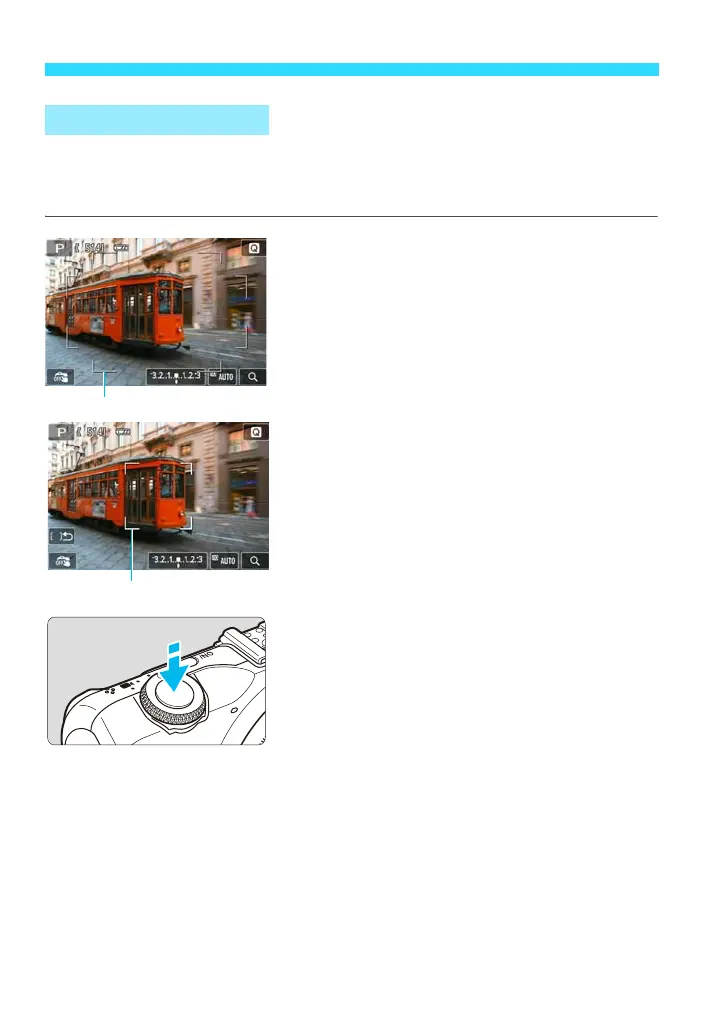
Up to 31 AF points (automatically selected) covering a wide area can be used
to focus. This wide area can also be divided into 9 zones for focusing (zone
selection).
1
Select the AF zone. w
During automatic selection, tap the
screen to switch to zone selection. With
<A> and in Basic Zone modes,
automatic selection will be set.
To select a zone, tap it on the screen. To
return to the center zone, press the
<XL> button.
During zone selection, tap the [F] icon
on the screen to switch to automatic
selection.
2
Focus the subject.
Aim the AF point over the subject and
press the shutter button halfway.
When focus is achieved, the AF point
turns green and the beeper sounds. (If
[AF operation] is set to [Servo AF], the
AF point turns blue and the beeper will
not sound.)
If focus is not achieved, the area frame or
zone frame will turn orange.
FlexiZone - Multi: o















 To Next Page