A
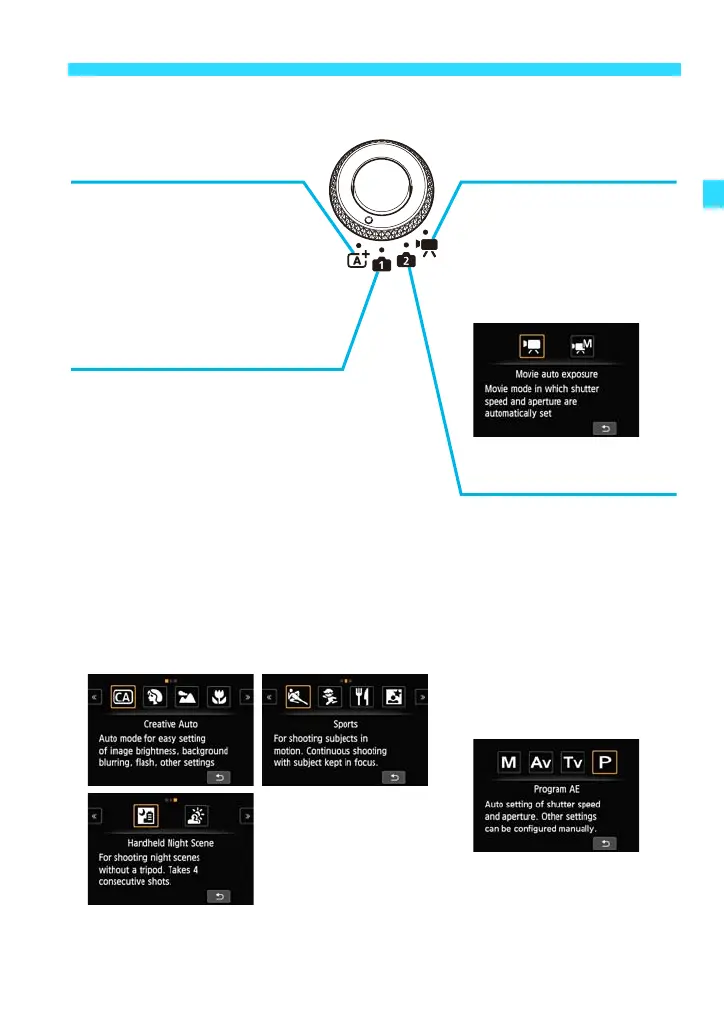
: Scene Intelligent Auto
w: Creative Zone Modes
This is a fully automatic
mode.
The camera analyzes the
scene and sets the optimum
settings automatically (p.64).
v: Basic Zone Modes
All you do is press the shutter button.
The camera sets everything to suit the
subject or scene.
C : Creative Auto (p.71)
2 : Portrait (p.76)
3 : Landscape (p.77)
4 : Close-up (p.78)
5 : Sports (p.79)
C : Kids (p.80)
P : Food (p.81)
6 : Night Portrait (p.82)
F : Handheld Night Scene (p.83)
G : HDR Backlight Control (p.84)
These modes give you
more control for shooting
various subjects.
a : Manual exposure
(p.143)
f:
Aperture-priority AE
(p.139)
s : Shutter-priority AE
(p.136)
d : Program AE
(p.94)
k
: Movie Shooting Modes
You can shoot movies
(p.176).
k : Movie auto
exposure
M : Movie manual
exposure















 To Next Page