271
wPrinting
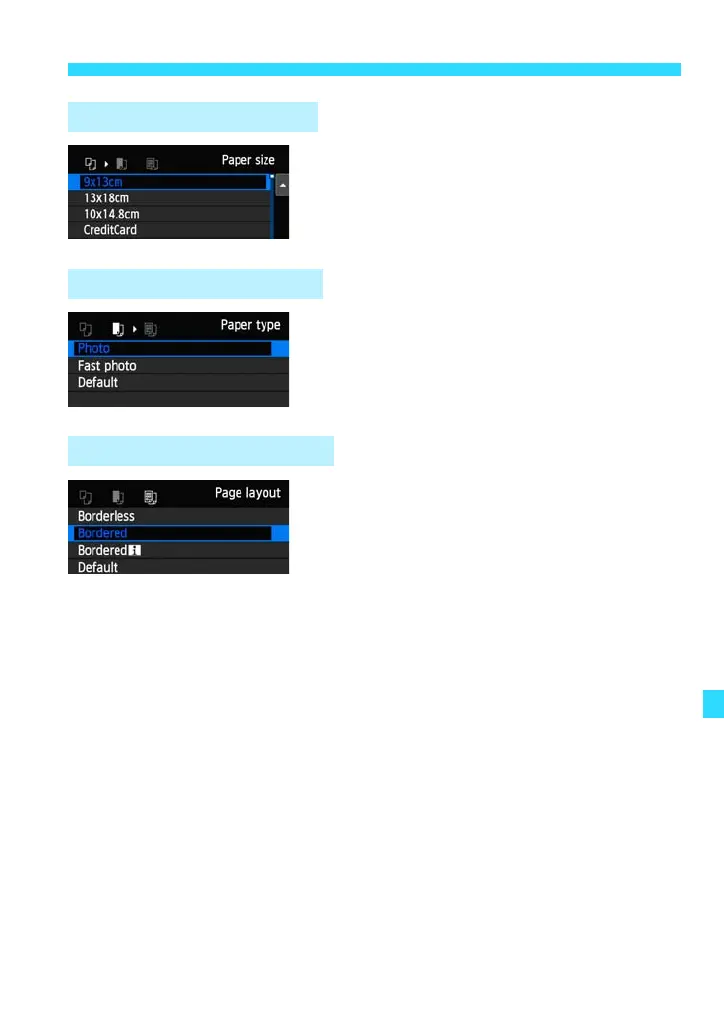
Select the size of the paper loaded in the
printer, then press <0>.
The paper type screen will appear.
Select the type of the paper loaded in the
printer, then press <0>.
The page layout screen will appear.
Select the page layout, then press
<0>.
The print settings screen will reappear.
Q Setting the Paper Size
Y Setting the Paper Type
U Setting the Page Layout










 To Next Page