9-46
COPYRIGHT
©
1999 CANON INC. CANON GP605/605V REV.0 JAN. 1999 PRINTED IN JAPAN (IMPRIME AU JAPON)
CHAPTER 9 EXTERNALS/AUXILIARY MECHANISMS
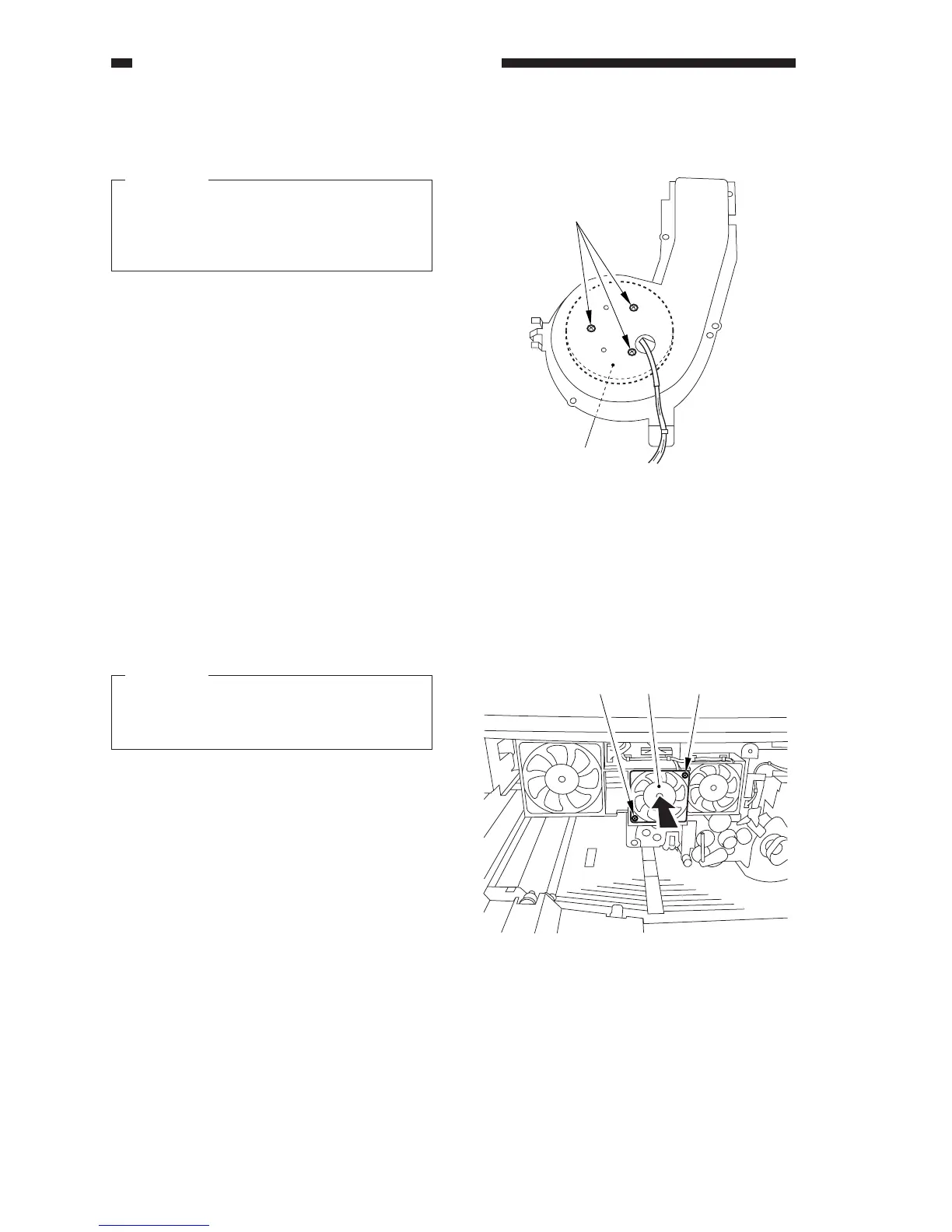
Figure 9-C726
[6]
[7]
Figure 9-C727
[1] [2] [1]
5) Remove the three screws [6], and detach
the separation fan [7].
Caution:
When mounting the separation fan, be
sure that the direction of air current
matches the marking indicated on the
fan.
14. Removing the Laser Scanner Fan
1) Open the front door.
2) Remove the inside cover (process unit).
3) Remove the inside upper cover.
4) Remove the two screws [1], and slide out
the laser scanner fan [2].
Caution:
When mounting the laser scanner fan, be
sure that the direction of air current
matches the marking on the fan.












 To Next Page