COPYRIGHT
©
1999 CANON INC. CANON GP605/605V REV.0 JAN. 1999 PRINTED IN JAPAN (IMPRIME AU JAPON)
9-51
CHAPTER 9 EXTERNALS/AUXILIARY MECHANISMS
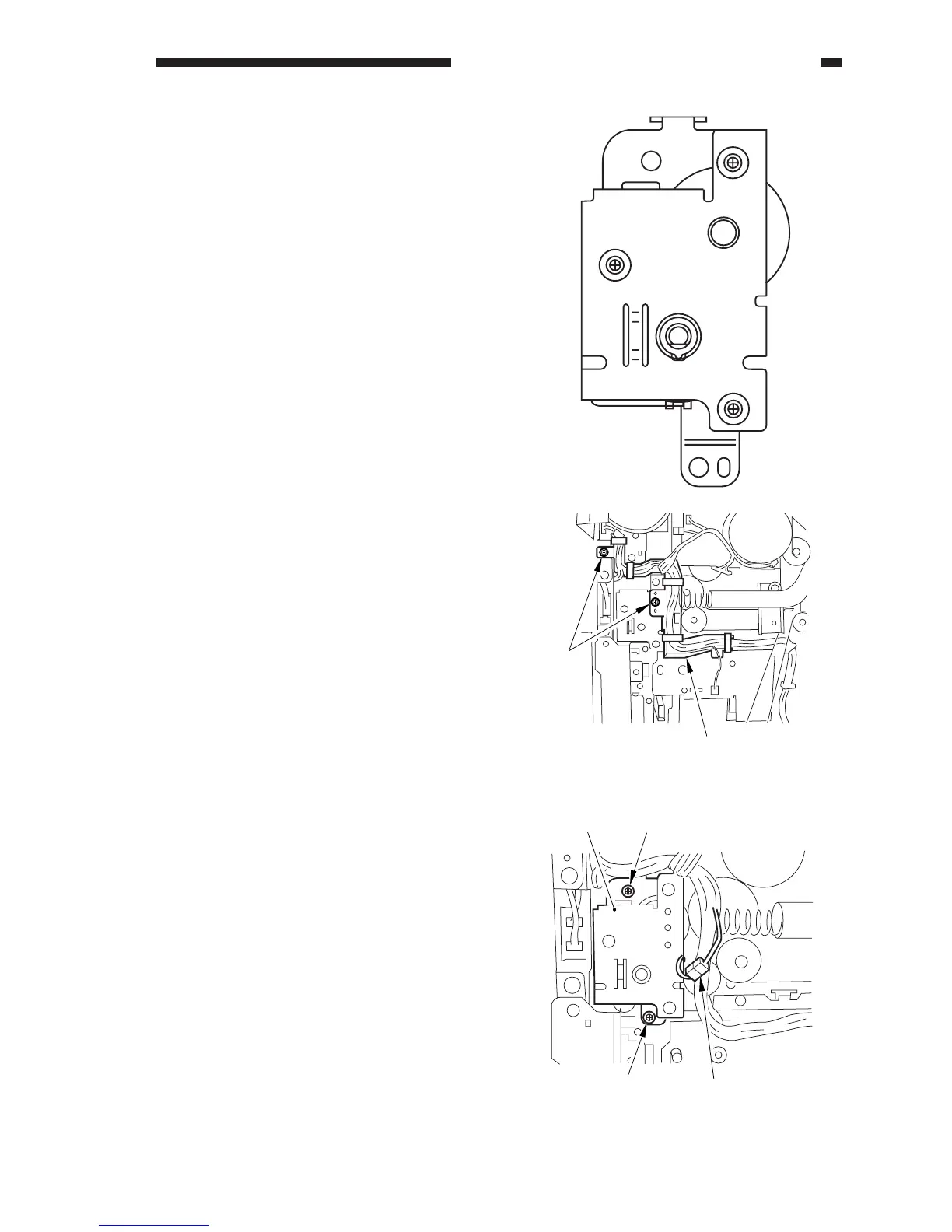
Figure 9-D705
[1]
[2]
4. Removing the Vertical Path Drive
Assembly
Construction
1) Remove the rear cover.
2) Remove the waste toner case.
3) Remove the two screws [1], and detach
the harness guide [2].
4) Disconnect the connector [3], and remove
the two screws [4]; then, detach the verti-
cal path drive assembly [5].
[5] [4]
[4]
[3]
Figure 9-D706












 To Next Page