COPYRIGHT
©
1999 CANON INC. CANON GP605/605V REV.0 JAN. 1999 PRINTED IN JAPAN (IMPRIME AU JAPON)
13-159
CHAPTER 13 TROUBLESHOOTING
c. After Downloading
1) Turn off the copier’s main power switch, and disconnect the power plug.
2) Disconnect the bi-Centronics cable from the PC and the copier.
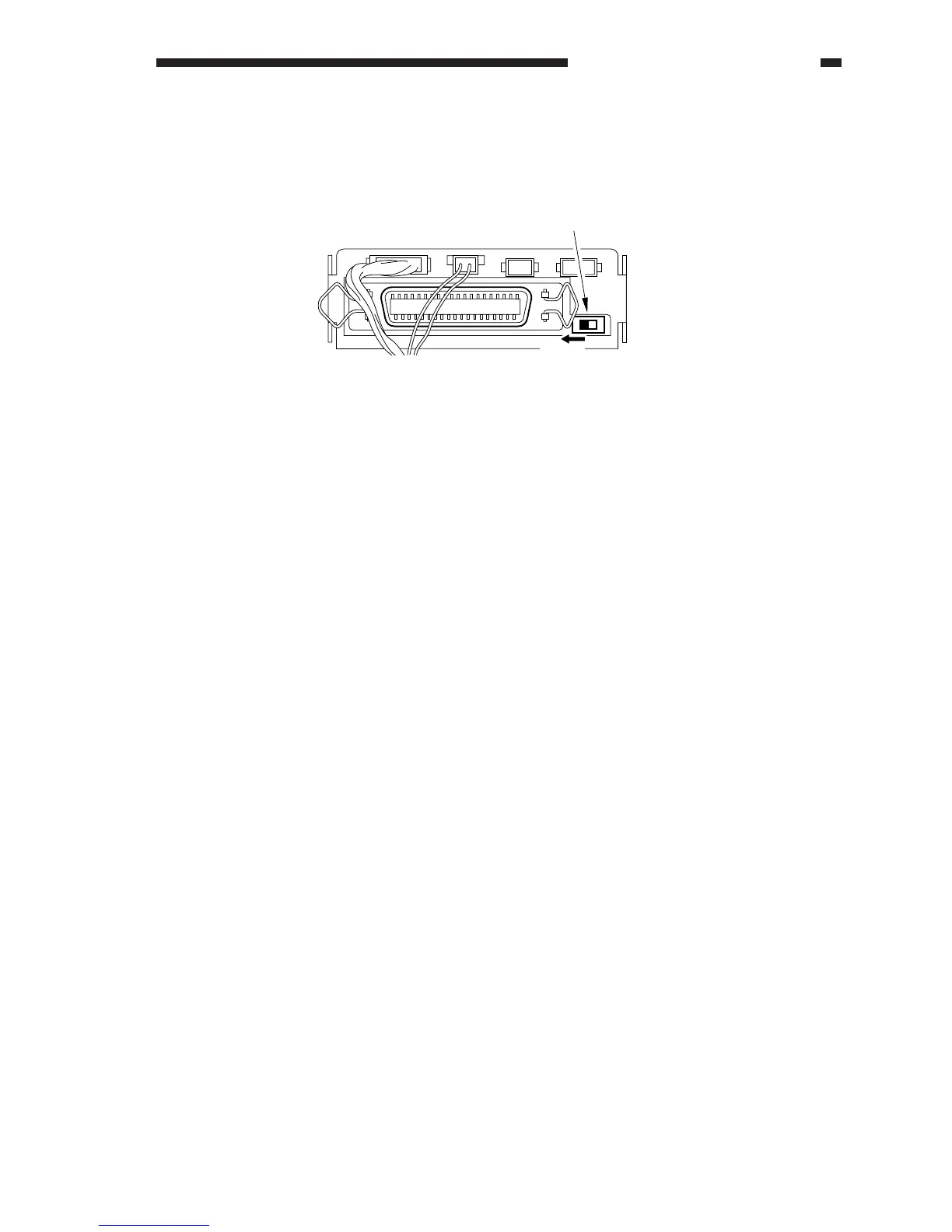
3) Slide the downloading switch to "COPY" side.
Figure 13-707
4) Close the connector cover, and close the front door.
5) If the copier is equipped with fax functions, connect the modular cable.
6) Turn on the main power switch.
7) Start service mode, and check the ROM version:
COPIER>DISPLAY>VERSION
COPY
Switch for downloading












 To Next Page