3-CONTROLSANDINSTRUMENTS
Displaysettings[60630537]
Multi-Functiondisplay
Theliquidcrystaldisplay(LCD)Multi-FunctionDisplayis
locatedatthecenterofthemodulardashboard.Onstart
up,theconsoleindicatorlampswillmomentarilyash.
TheLCDMulti-Displaywillashthemachinemodel.The
initialstandarddrivingscreenwillthenappear.Onceop-
eratorpreferencesareset,thescreenwillreectthose
selections.
NOTE:Uponinitialstartup,theoperatorcanpushthere-
turnkey,andthelanguageselectionscreenwillappear
immediately.Thisallowstheoperatortomakealanguage
selectionwithouthavingtouseanunknownlanguageto
scrollthroughtopreferences.
RCPH10WHL532AAH1
InformationwillbedisplayedontheLCDasdirectedby
theoperatororautomaticallybymachineoperations.The
screenofferspromptstoassisttheoperatorwhenpro-
grammingmachinefunctionsandorperformingdiagnos-
tics.
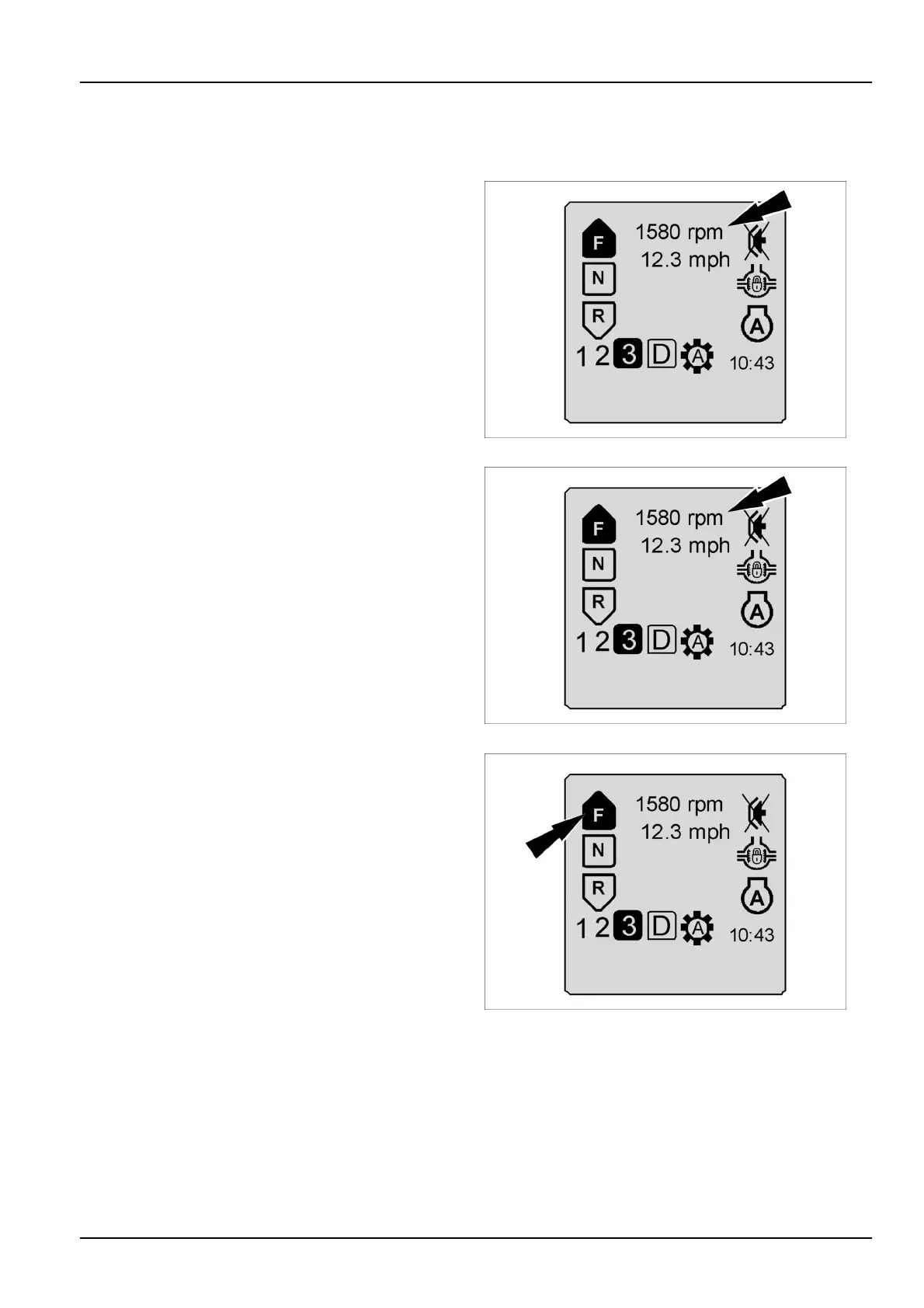
ThetopsectionoftheLCDdisplaywillshowthema-
chinehours,speed,orRPM.Thedisplayiscontrolledby
machinetechnologyandgearedtowardoperatorprefer-
ences.Thescreenshownisthedefaultscreen.Byturn-
ingthegroundspeedorenginespeedoff,thehourmeter
timeregisteredwilldisplay.
RCPH10WHL532AAH2
Theleftsideofthescreendisplaysthetransmissionse-
lectionforward,neutral,orreverseasselectedbytheop-
erator.(F-N-R)
RCPH10WHL532AAH3
3-43



 To Next Page