4-OPERATINGINSTRUCTIONS
Automaticmode[60632776]
Automaticmodeoperation
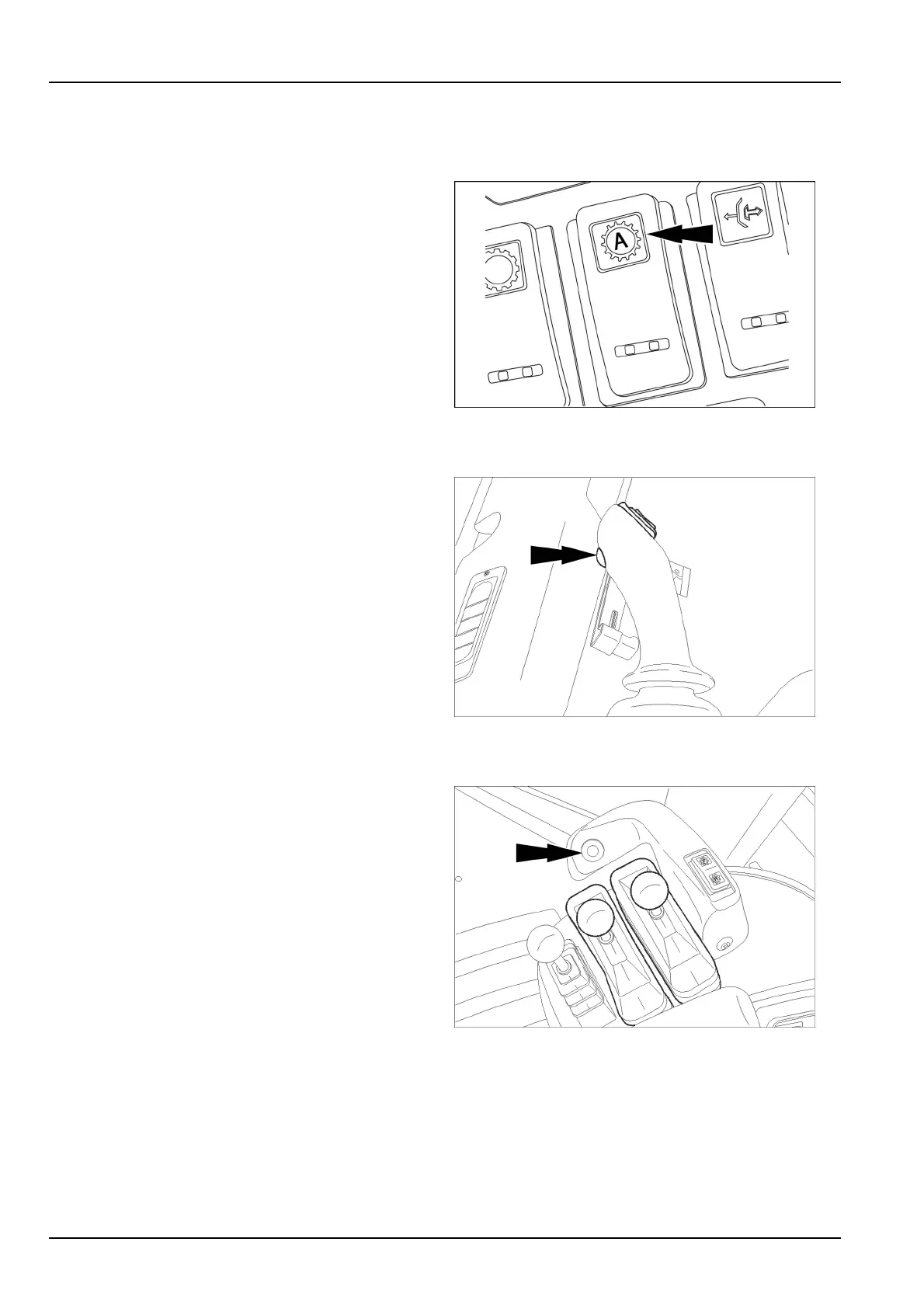
Toputthetransmissionintheautomaticmode,pressthe
topoftheautoshiftswitch.
RCIL10WHL197BAL1
Automaticshiftingmode
Whenthetransmissionisintheautomaticmode,the
transmissionwillstartoutinrstgearorsecondgear
(dependentupongearminimumsetting),andautomati-
callyup-shiftuntilthegearselectedhasbeenreached.
Thetransmissionwillalsodown-shiftautomaticallyasthe
speeddecreases.
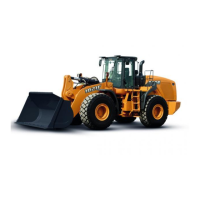
RCPH10WHL120BAL2
Down-shiftbutton,automaticmode
Usethedown-shiftbuttontoshiftdownthroughthegears
insinglesteps.Eachtimeyoupresstheswitch,thetrans-
missionshiftsdownonegearrangeuntilreachingtherst
gear.Oncethedown-shiftbuttonhasbeenpresseddown,
thetransmissionmaximumgearallowedislowered.Itwill
returntotheautomaticmodewhen(1)thetransmission
controllevergearchanges,or(2)thetransmissioncon-
trolleverismovedtoNEUTRALandthentoFORWARD
ortoREVERSE.
NOTE:WhentheoperatorselectstheAutomaticMode,
theAutomaticModeindicatorwillbeshownonthemulti-
functiondisplay.
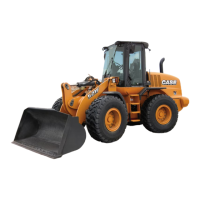
RCPH10WHL110BAL3
Shuttleshifting(directionchange)manualor
automatic
Itisnotnecessarytobringthemachinetoacomplete
stopwhenchangingdirectionsfromforwardtoreverseor
reversetoforward.Forsmoothoperationandoperator
comfort,reduceenginespeedbeforedirectionchanges.
4-24



 To Next Page