7-MAINTENANCE
Returntodig[60636983]
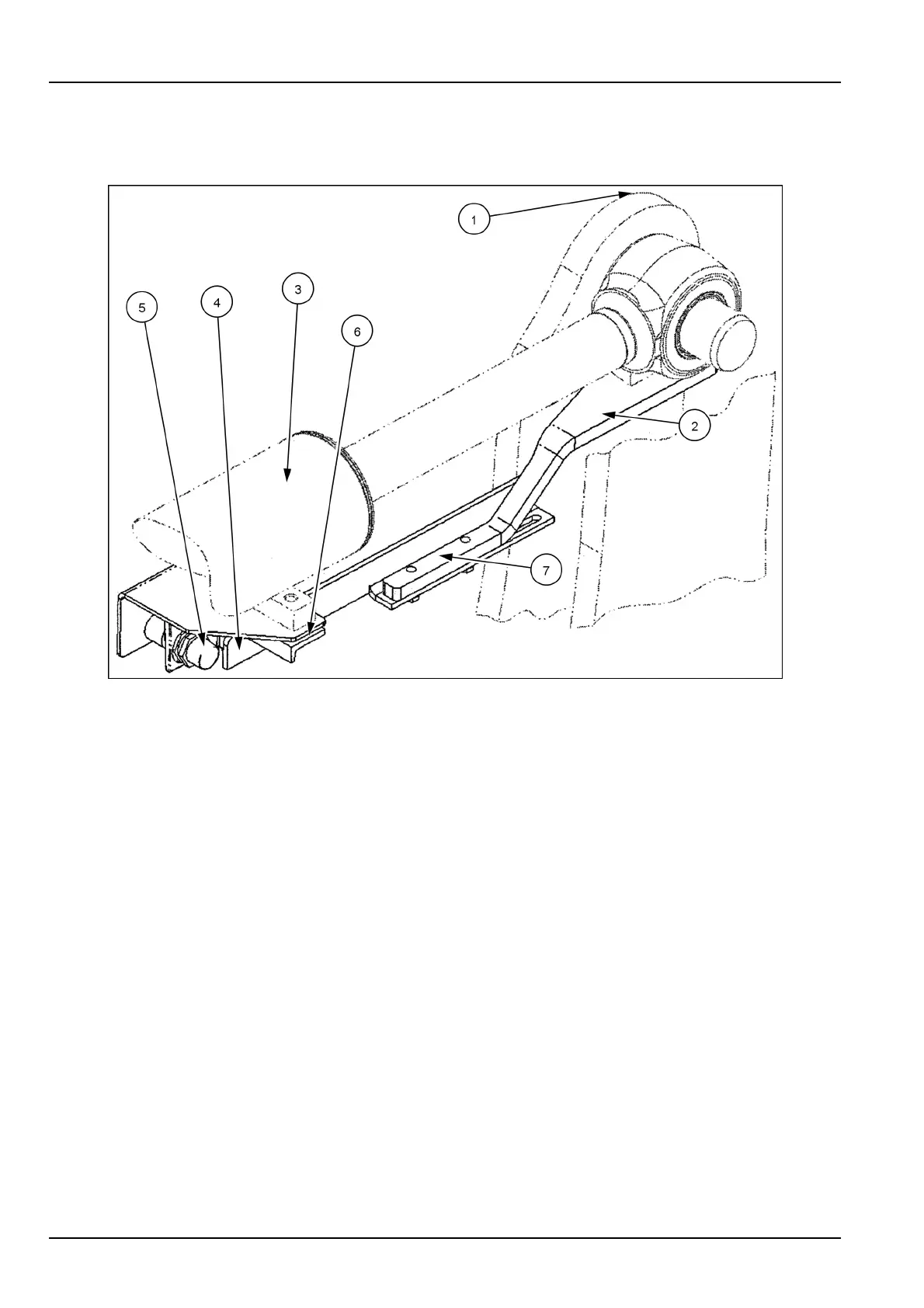
Z-BAR/XRReturntodigadjustmentprocedure
RCPH10WHL211BAH1
1.Bellcrank4.Proximityswitchguard
2.T argetmountingbracket5.Proximityswitch
3.Tiltcylinder6.Proximityswitchmountingbracket
7.Targetbar
1.Starttheengine.Raisetheliftarmsuntiltheyareap-
proximatelyhorizontal.Fullydumpthebucket.Lower
thearmsuntilbucketedgeisontheground.Shutthe
machineOFF.
2.Loosentheboltsholdingthetargetmountingbracketto
thetiltcylindereye.Alignthetargetmountingbracket
paralleltothetiltcylinder,andtightenthebolts.
3.Loosentheboltsholdingthetargetbartothetarget
mountingbracket.Alignthetargetbarparalleltothe
tiltcylinder,andtightenthebolts.
4.Loosentheboltsholdingtheproximityswitchmounting
brackettothetiltcylinder.Positiontheproximityswitch
faceparalleltothetargetbarsurface,andtightenthe
bolts.Nextadjusttheproximityswitchouttowardthe
targetbaruntilanairgapof3.5-5mm(0.1-0.2in)is
obtained.Theproximityswitchmustnotprotrudepast
theproximityswitchguard.Locktheproximityswitchin
positionwithitsjamnuts.Torquethejamnutto5lbft.
7-88



 To Next Page