3-CONTROLSANDINSTRUMENTS
Switchoperations[60631538]
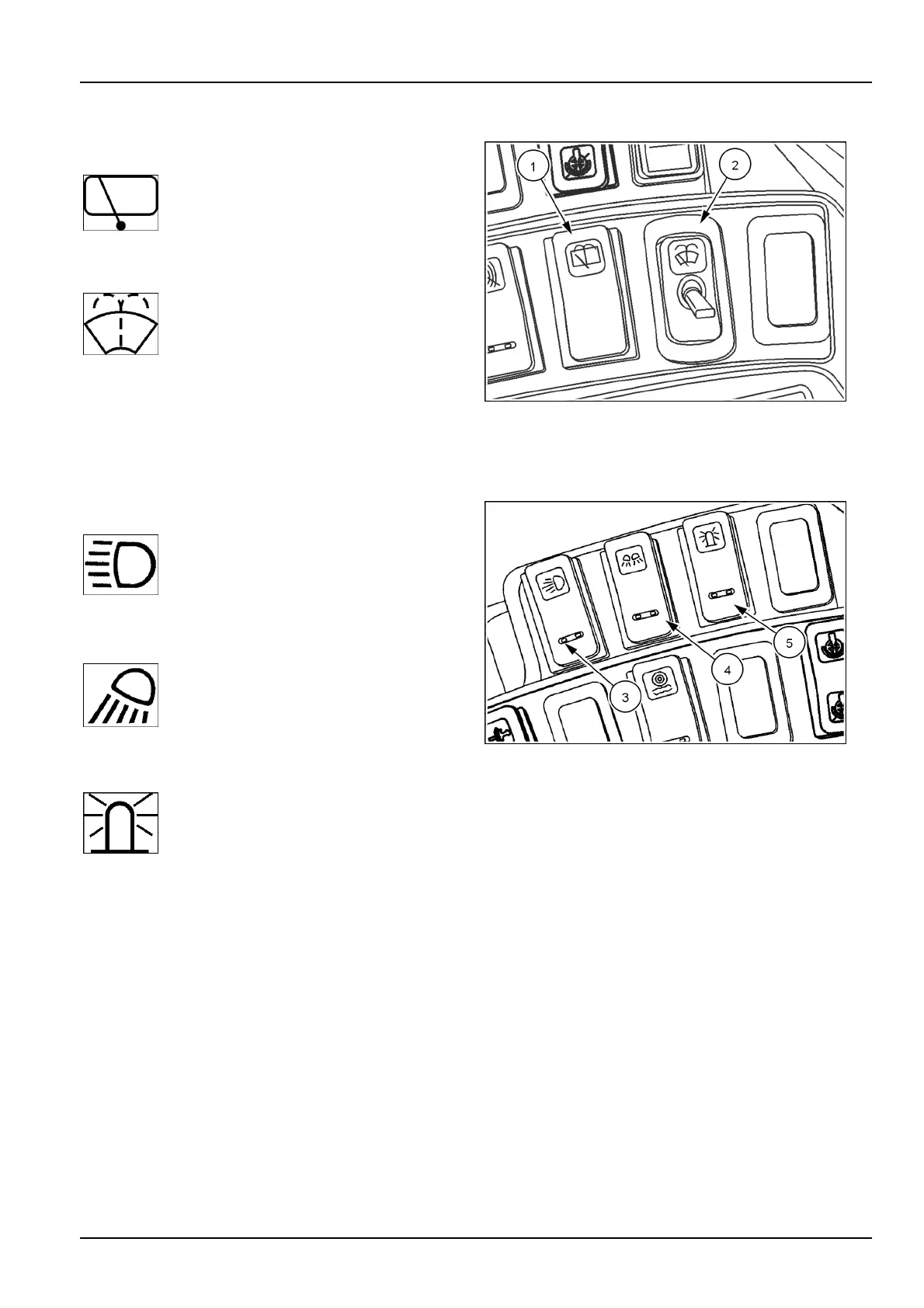
1.Rearwiperswitch
A.PushswitchtothecenterpositionforON.
B.Pushonthefrontofswitchforwasher
uid.
2.Frontwiper/washerswitch
A.OFF-T oggleswitchisintheOFF
position.
B.INTERMITTENT-Pushtoggletothe
rstposition.Therearesixsettingsfor
intermittentwiperspeeds.
C.LOW-Pushtoggleaheaduntilthewiper
runscontinuouslyforlowwiperspeed.
D.HIGH-Pushtoggleaheadforhighwiper
speed.
E.WASH-Pushdownonthefrontofthe
switchforwasheruid.
RCIL10WHL192BAL1
3.Drivinglightswitch
Pushonthetopoftheswitchforroading
machine.Pushingonthebottomofthe
switchwillturnthelightsOFF .Themiddle
positionisformarker/positionlights.
4.Worklightswitch
Pushonthetopoftheswitchforfrontand
rearworkinglights.Themiddlepositionis
forfrontworklightsonly.Pushingonthe
bottomoftheswitchwillturnthelightsOFF.
5.Rotatingbeacon(optional)
Pushonthetopoftherotatingbeacon
switchfortheONposition.Pushtheswitch
bottomfortheOFFposition.
RCPH10WHL194AAH2
3-61



 To Next Page